
Inspiring
May 24, 2016
Answered

Copying multiple form fields

  • May 24, 2016
  • 1 reply
  • 1209 views

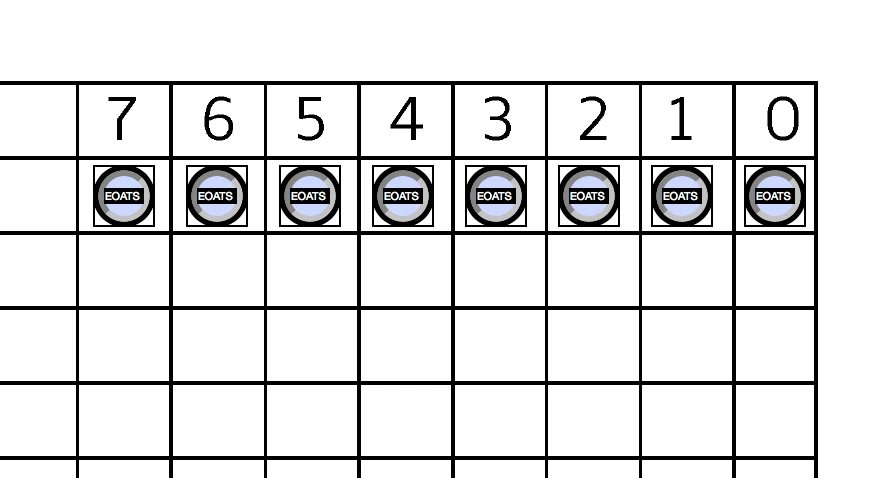
In the image below, I want copy the multiple radio buttons whose NAME is set to EOATS to an identical set below with a new name. I can select them all, and then drag copy them, but they have the same name as the previous row, and I have to individually click every box to set a new name. This seems very inefficient, is there a better way to rename multiple fields? Thanks!
This topic has been closed for replies.
Correct answer try67

Something like this, perhaps? Custom-made Adobe Scripts: Acrobat -- Generate Radio Button Groups

1 reply

MrZZYAuthor
Inspiring
July 21, 2016

I find myself doing a very similar job today, and I'm still having this issue. I'd be grateful for any any tips or techniques that people have discovered to help speed this up.

try67
Community Expert
try67Community ExpertCorrect answer
Community Expert
July 21, 2016
MrZZYAuthor
Inspiring
July 21, 2016

Thanks for this. I'll give it a go and report back.