
Participant
February 21, 2020
Question

Creating a calculation field to add up interactive buttons

  • February 21, 2020
  • 2 replies
  • 750 views

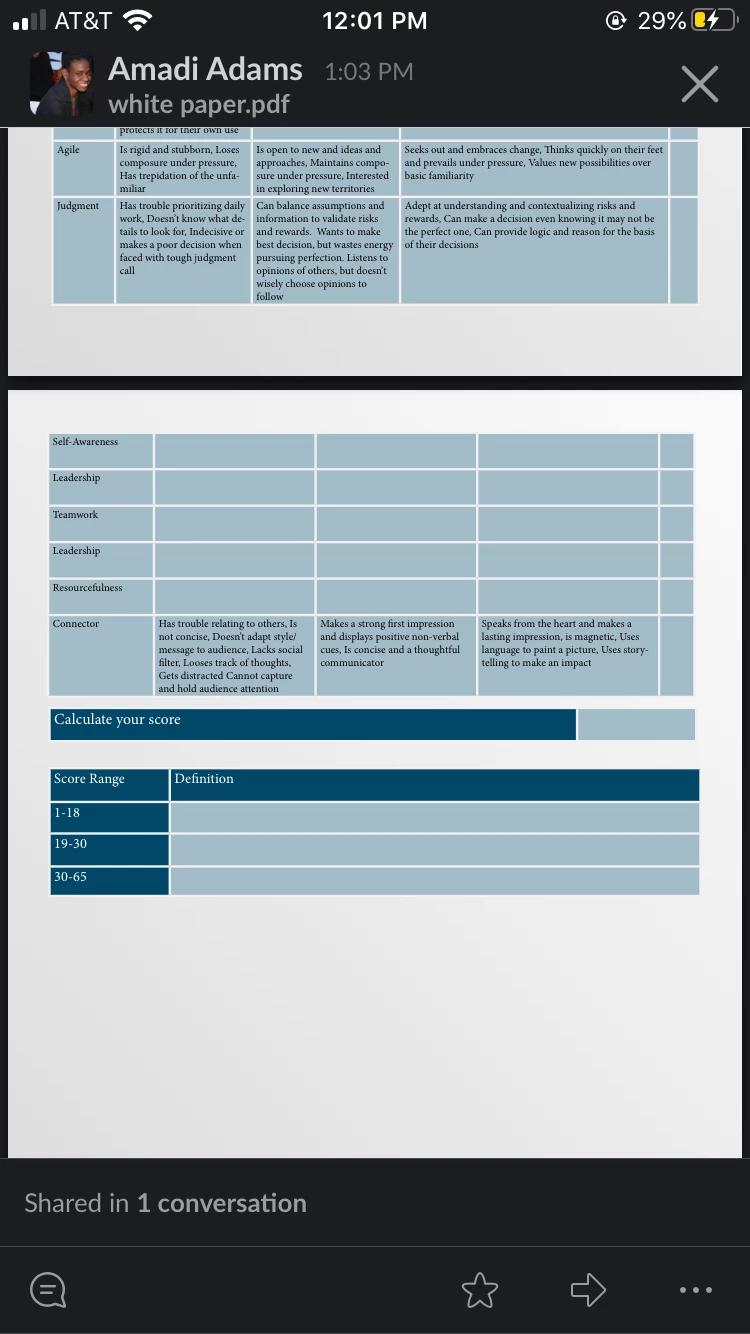
I've created a interactive pdf where the buttons reveal a number(which is a button itself)  os there a way to create a calculation field in acrobat so that what ever number appears is calculated as a total score. 
 

This topic has been closed for replies.

2 replies

Thom Parker
Community Expert
Community Expert
February 21, 2020

Yes and No, as Try states, buttons don't have a value.

Do you have to use buttons?

If so then the values for the calculation could be stored in a JS object that matches the button name to a value. 

The best way to do this is to use group naming with the buttons,i.e., "Score.Button1" "Score.Button2" etc. then a generic script can be written to loop through the buttons, adding up the values for the ones that are visible. 


If the buttons can be replace with somthing that does have a value, like a field, then the same technique applies, only you don't need the JS object for mapping values. 


Thom Parker - Software Developer at PDFScriptingUse the Acrobat JavaScript Reference early and often
try67
Community Expert
Community Expert
February 21, 2020

Buttons don't have values. However, you can write a script that will check the visibility property of the button fields and if they are visible it will assume they have a value and use it to calculate a sum.