


Custom Calculation Script vs JavaScript Action
The purpose of the form i am making is to have blank fields as NOT readonly and fields that are filled in as readonly. If the filled in fields need to be modifed, i have an edit button that turns all fields that are readonly as false and once ONE field is edited it disables editing unless you click the edit button again.
The PDF is working fine if i go to each field and paste the script below into is custom calculation script
{
var f = this.getField(event.target.name);
if (f.value == "")
f.readonly = false;
else
f.readonly = true;
}
However since i have many fields and files where i need to apply this to, I need a way that allows me to apply this script to all fields in the PDF.
What i tried doing was selecting all my fields BUT when I opened the properties tab it does not give the calculate tab to enter a custom calculation script (see below):
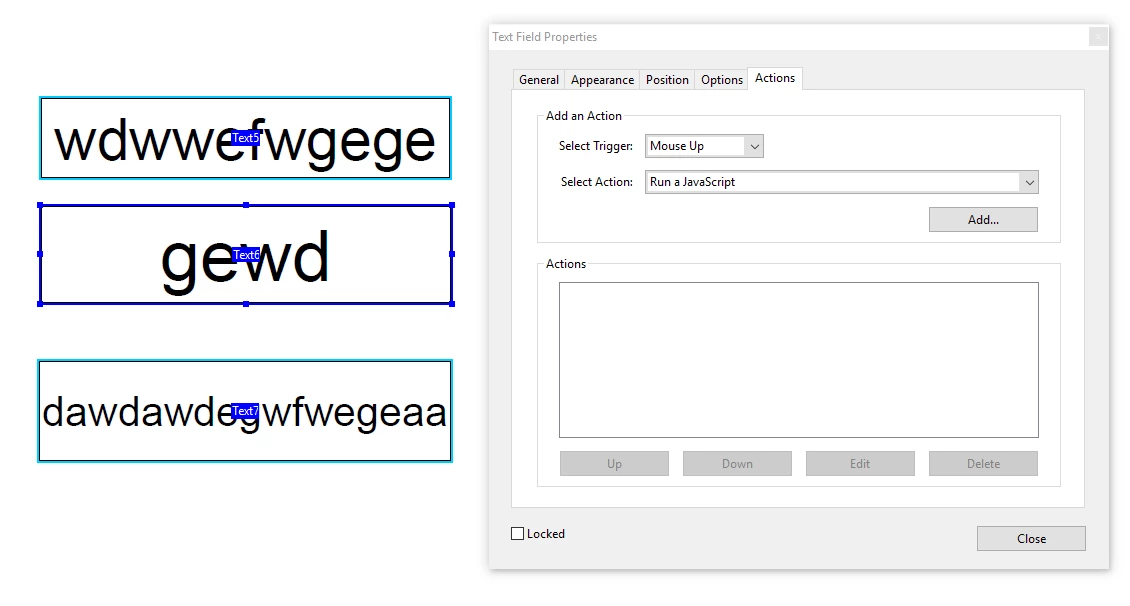
It does give the option to add a javascript action so I added the javascript with a mouse up trigger. I used the same code
{
var f = this.getField(event.target.name);
if (f.value == "")
f.readonly = false;
else
f.readonly = true;
}
So now each of these fields that I selected have a mouse up javascript action with the above code.
However the PDF does not behave the same. Now if i click the edit button it lets me edit any fields as I would like but once i go to another field editing is still enabled. I would like to disable editing once one field has been edited.
Also if click the edit button it lets me edit the field and if i click out and click back into the field I just edited, it will disable editing for that field but I am still able to edit other fields that I have not edited before.
In short is there a way i can modify my script so it will work the same when i had used it in a custom calculation script.


 AdChoices