January 13, 2020
Question

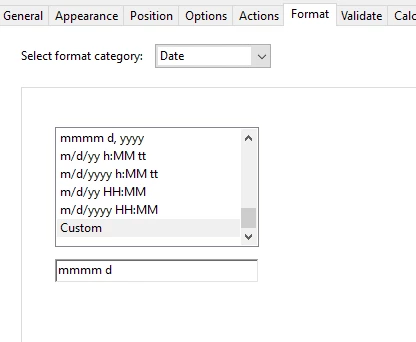
Custom Date format mmmm d always reverts to current year

  • January 13, 2020
  • 2 replies
  • 1229 views

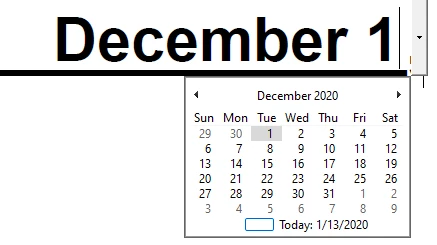
When I custom format a text box with Date/ Custom/ mmmm d, and choose a date with other than the current year, and return to it, it has reverted to the current year.  I have a field next to it for the year of what they picked, so it needs to be accurate.
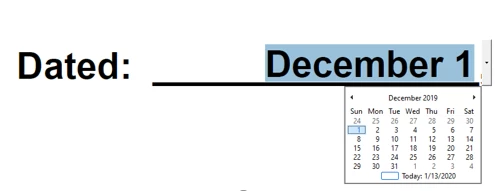
 

                                                               Entry - 12/1/19                             Reverts to 12/1/20

 

                          - Year field always will be 20.  I deleted this field and tested the first field and it still reverts to 2020.


First field format:
 

Other info: 


There is another date field earlier in the document that is independently named.

The year field shown uses the following script: (which works when I use util.scand("mmmm d yyyy".... as well)


var oDateValue = util.scand("mmmm d",this.getField("Agrmt_Dt_Month").valueAsString);
event.value = util.printd("yy", oDateValue);

This topic has been closed for replies.

2 replies

try67
Community Expert
Community Expert
January 14, 2020

Basically, "mmmm d" is not a valid Date format, as a Date describes an exact moment in time, and when you leave out a crucial part, like the year, the options are either to reject it entirely or to fill in a value by default (just like it does with the hour, which defaults to 00:00:00.00 hours). So in this case it defaults to the current year.

January 14, 2020

Thanks.  So then if I wanted to pick a date, display only the month and day in that field (As above), then have an adjacent field autofill with the year, that would involve more complicated Javascript?  Maybe a mask of some kind?

try67
Community Expert
Community Expert
January 14, 2020

You can only do that if the date you pick contains the year. If that's the case then you can certainly then display parts of that date (just the day and month, or just the year) in other fields, sure.

ls_rbls
Community Expert
Community Expert
January 13, 2020

Hi,


In the first date field of the  screenshot that you posted (last slide), when you click on it, it will open up the calendar picker (as shown in your screenshots).


There is a little blue sqaure at the bottom of the calendar picker next to where it says "Today".


Click on it and will open up more options to select the type of view that you desire for the calendar picker. You can change the year here.


Then go back to the General tab and tick tje box "Locked". This method shouldn't require a custom format script, nor a custom calculation script.


However, in the case that you were using a combination of javascripting and field formatting options to control  the way these dates are formatted, you need to watch out that when you use the util.printd that itis actually not grabbing the format from the system  clock.

January 13, 2020

Thanks. When I click on the dropdown I only see the blue rectangle, when I left click on it, it gives me the selected date.  When I right click there is only one option "Go to Today".  I forgot to say I am using Acrobat Pro DC.

ls_rbls
Community Expert
Community Expert
January 14, 2020

Please read carefully and evaluate the folowing thread against what you're trying to achieve:


https://community.adobe.com/t5/acrobat/convert-year-yyyy-to-year-yy/td-p/10230787