


Inspiring
November 24, 2018
Question

Delaying batch processing of scanned files

  • November 24, 2018
  • 1 reply
  • 1282 views

Hi,

I was wondering if there is a way to pause or delay script in batch sequence of acrobat. I have tried app.setInterval, app.setTimeOut but in both case app go to read next lines. timeout or interval script does not get a chance to run because action for current files finishes before timeout time reach and batch action proceed to next file without dialog being executed.. I have tried setting it very low.

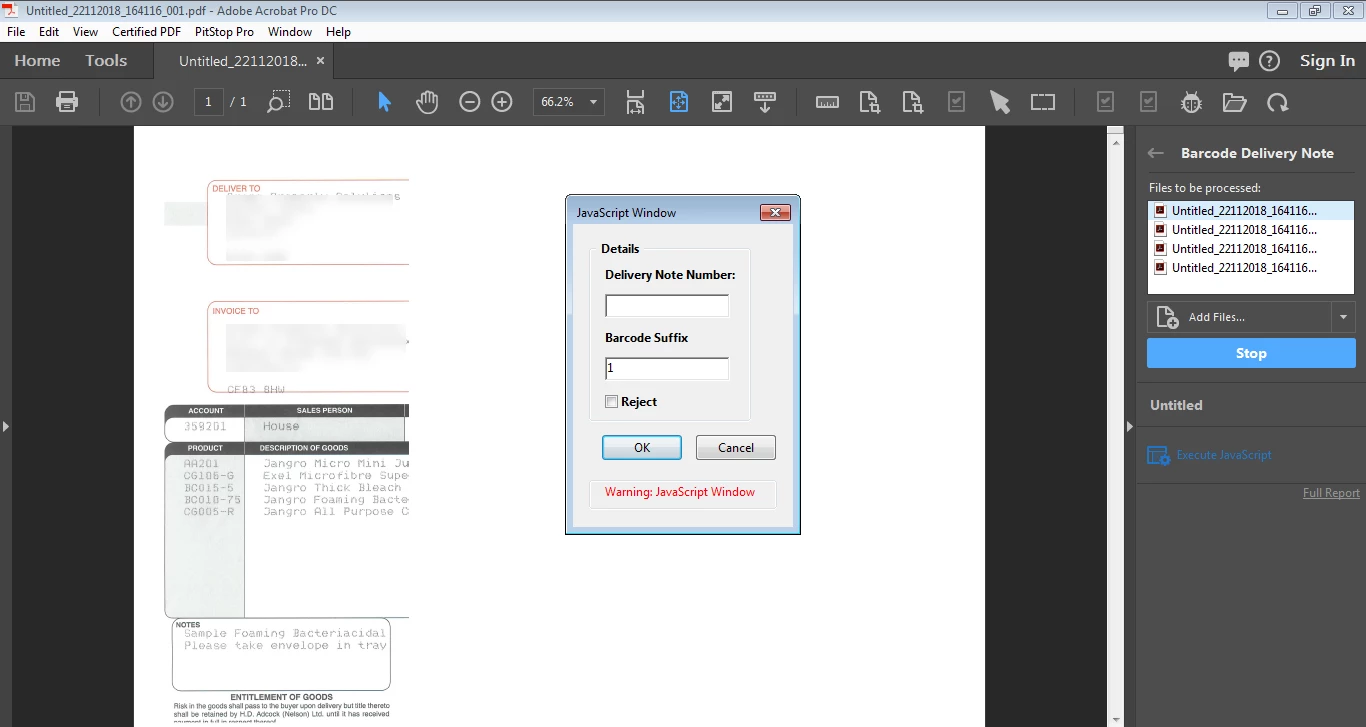
Let me give more details, I am working on the scanned files. with batch sequence, when batch sequence open first/any file a dialog box appear to allow input a ref no from the scanned image but since document view is not clear and one cannot read the number from screen. See attached.
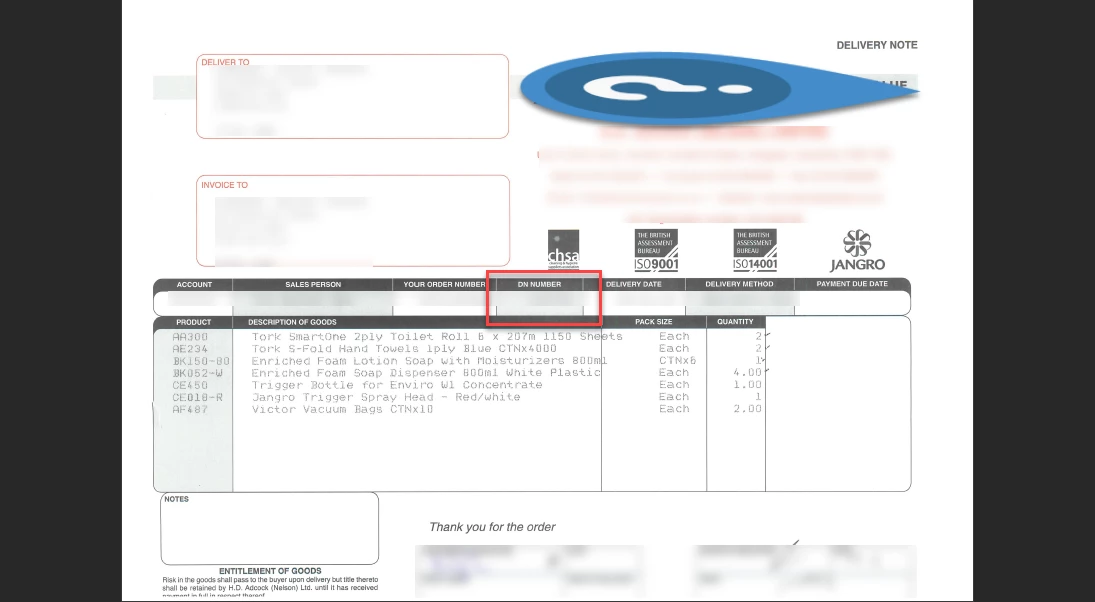
While document view is expected to look as. I need to read the red marked area. Is there any way to do this?
Thank you

This topic has been closed for replies.

1 reply

Legend
November 24, 2018

Maybe you need a way to turn off these prompts globally, such as a variable you might set in a startup script.

Inspiring
November 24, 2018

I am not sure how that could help.

Some more info, probably should write this in question. When scanned pdf is opened as a file during batch process, image is not loaded properly and immediately custom dialog appears for input. I don't want to turn prompts off because I need to input reference number. Because image is not loaded clearly it is appearing as white in half area and I cannot read from image.

When last file is reached in action , file appears clear visible and dialog appears after 3 sec which is set. But for all earlier files dialog does run and appear.

Bernd Alheit
Community Expert
Community Expert
November 25, 2018

Where does you execute the custom dialog?