


CashWaggner
Participant
September 19, 2016
Answered

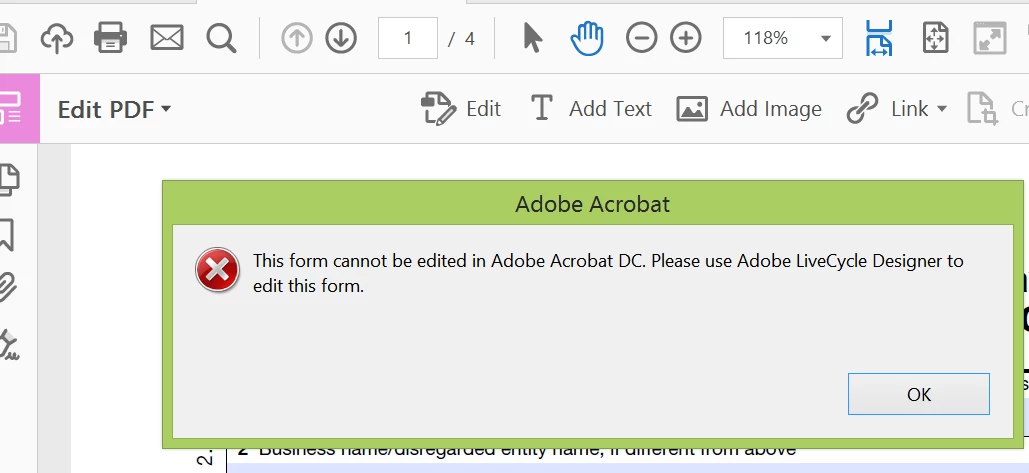
Editing PDF, why must I upgrade to Adobe Lifecycle?

  • September 19, 2016
  • 3 replies
  • 568 views

I was attempting to edit a form, but received a message to use Lifecycle designer, which I do not have. Although I am a Creative Cloud user, must I upgrade to this product? And, is there a way around this? Thank you!
This topic has been closed for replies.
Correct answer gkaiseril

LiveCycle Forms ES4 support ended March 31, 2018 but you can purchase the extended service which will end March 31, 2020 for a few dollars more.

3 replies

Fearless_questioner0D44
Participant
September 21, 2018

Please refer to this document:

Upgrade Adobe Designer from Acrobat

gkaiserilCorrect answer
Inspiring
September 22, 2018

LiveCycle Forms ES4 support ended March 31, 2018 but you can purchase the extended service which will end March 31, 2020 for a few dollars more.

Karl Heinz  Kremer
Community Expert
Community Expert
September 19, 2016

Let me add just one thing to what TSN already stated:

Up to Acrobat version X, if you had the "Pro" version, it came bundled with LiveCycle Designer. If you upgraded from an earlier Acrobat version, and you still have access to that license (and a computer that it will run on), you may be able to install your old version of Acrobat and use LiveCycle Designer to edit your form. Keep in mind that this might not work if the version of LiveCycle Designer used to create this form is newer than what came with your old version of Acrobat.

Legend
September 19, 2016

Certain forms were made with this different software. LiveCycle Designer (note the name especially the V) is the only tool to redesign these forms. Note that ordinary edits are impossible, you have to be a form designer.

Legend
September 19, 2016

NB such forms are made for FILLING and you can do that.