


Participant
September 7, 2016
Answered

Editing Text

  • September 7, 2016
  • 2 replies
  • 502 views

I am creating test medical records using pdf templates.  In these templates I have placed tokens that will be replaced with data.  For example {{patient_name}} might become "John Doe".  I will feed in a spreadsheet with a number of test patients and will generate documents. 

I am having a problem with how Acrobat is changing how I am organizing text.  Below is a sample of what I am talking about.
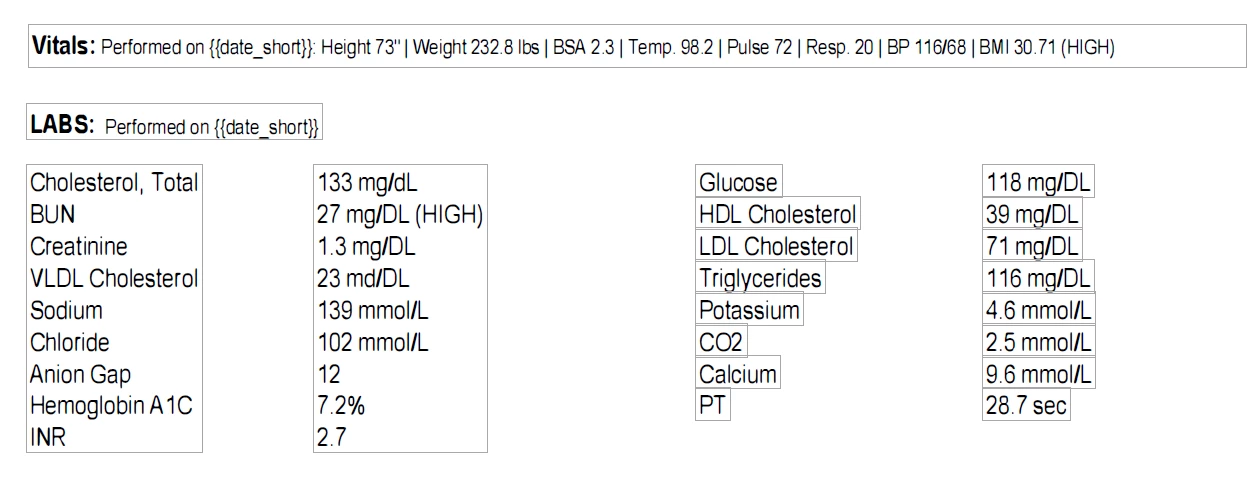
The bottom part was saved earlier.  I entered the text in a single text area.  It has split up into columns.  In this particular case it doesn't matter.  The "Vitals" section above it was added right before this screenshot was taken.  Below is what it looks like after saving and re-opening.
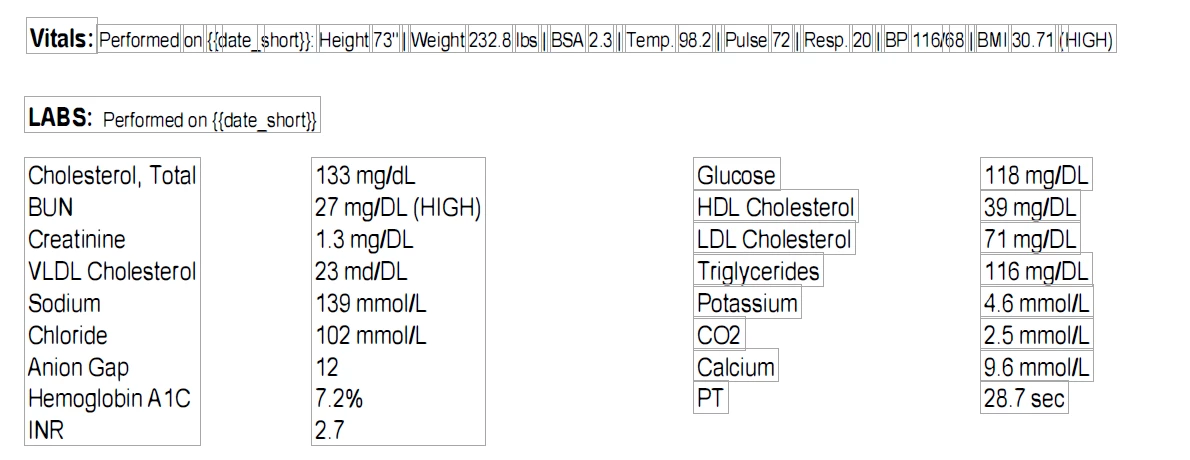
Here it has split up my token and I will have issues when I try to generate the final document.  Is there any way to make Acrobat stop messing up my organization? In many cases the token appears in a paragraph that must re-orient itself to handle the change is text length.  For the most part this works, but occasional I get results like the one above.  As a secondary question, what is the proper name for those little boxes.

Thanks,

Matthew

This topic is closed to new replies. Start a new post to keep the conversation going.
Correct answer try67

No, there's nothing you can do about that. PDF files were never meant to be edited in such a way and doing so is risky and prone to problems. This is not really a good workflow. You should use form fields (although then you can't re-flow the rest of the text), or better yet, apply these values in the original file format, before the PDF is created.

2 replies

try67
Community Expert
try67Community ExpertCorrect answer
Community Expert
September 7, 2016

No, there's nothing you can do about that. PDF files were never meant to be edited in such a way and doing so is risky and prone to problems. This is not really a good workflow. You should use form fields (although then you can't re-flow the rest of the text), or better yet, apply these values in the original file format, before the PDF is created.

Participant
September 8, 2016

That's what I thought, but I needed a second opinion.  I do agree that this isn't the best workflow.  It is just the best one that I have right now.  Creating the documents from source is the next step, I was just hoping there was an easier way.