


Known Participant
May 20, 2017
Question

Export Value from Drop Down Menu
  • May 20, 2017
  • 1 reply
  • 1080 views

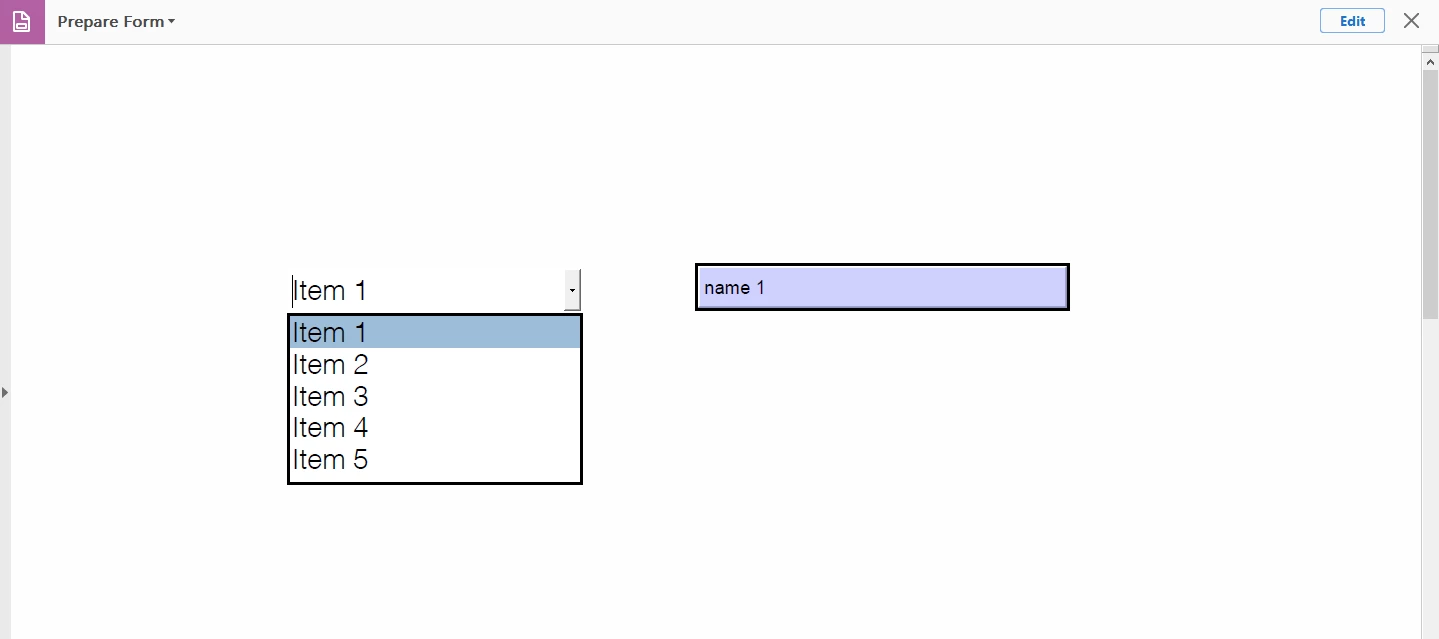
in above picture there is a drop down menu with 5 menu items and a text field

what is need is:

when "Item 1" is selected then textbox1.text = "name 1"

when "Item 2" is selected then textbox1.text = "name 2"

when "Item 3" is selected then textbox1.text = "name 3"

when "Item 4" is selected then textbox1.text = "name 4"

when "Item 5" is selected then textbox1.text = "name 5"

i want to control the textbox text from drop down menu item.

I need javascript for this.

Thanks.

This topic has been closed for replies.

1 reply

Inspiring
May 20, 2017

There are a number of ways to accomplish this.

The simplest is to create the dropdown box and then enter the values for the "Item" and the "Export Value" for that item. I would make sure the "Commit the selected value immediately" is checked. Then Select the "Format" tab and select the "Custom" option for the format. In the "Custom key stroke" enter the following script:

if(event.willCommit == false)

{

this.getField("Text1").value = event.changeEx;

}

"Text1" is assumed to be the name of the text field you want to place the selected item's export value into.