


Inspiring
January 19, 2017
Question

Field made Required based on previous choice

  • January 19, 2017
  • 2 replies
  • 498 views

I need some help but I'm not sure this is possible.

I have a fillable PDF document that will need three different people to 'approve' or 'acknowledge' it.

I have a check box ('ProjectManagerAcceptance') 'required' (when they check on the box the 'date' field (ProjectManagerDate) is automatically populated - already have this script and it is working) and the person then types their name in the 'Project Manager Name' field and they are done and they save it. But once it is saved I want the second check box to become 'required' so the next person has to acknowledge it (date is automatically populated when 2nd checkbox is checked) and once they save it the third and final box is set to 'required' for the third person.

Below I have shown the 1st check box required, then the 2nd one I want required only after the the first one has been checked and saved, followed by the 3rd one to become required after the second one has been checked and saved.
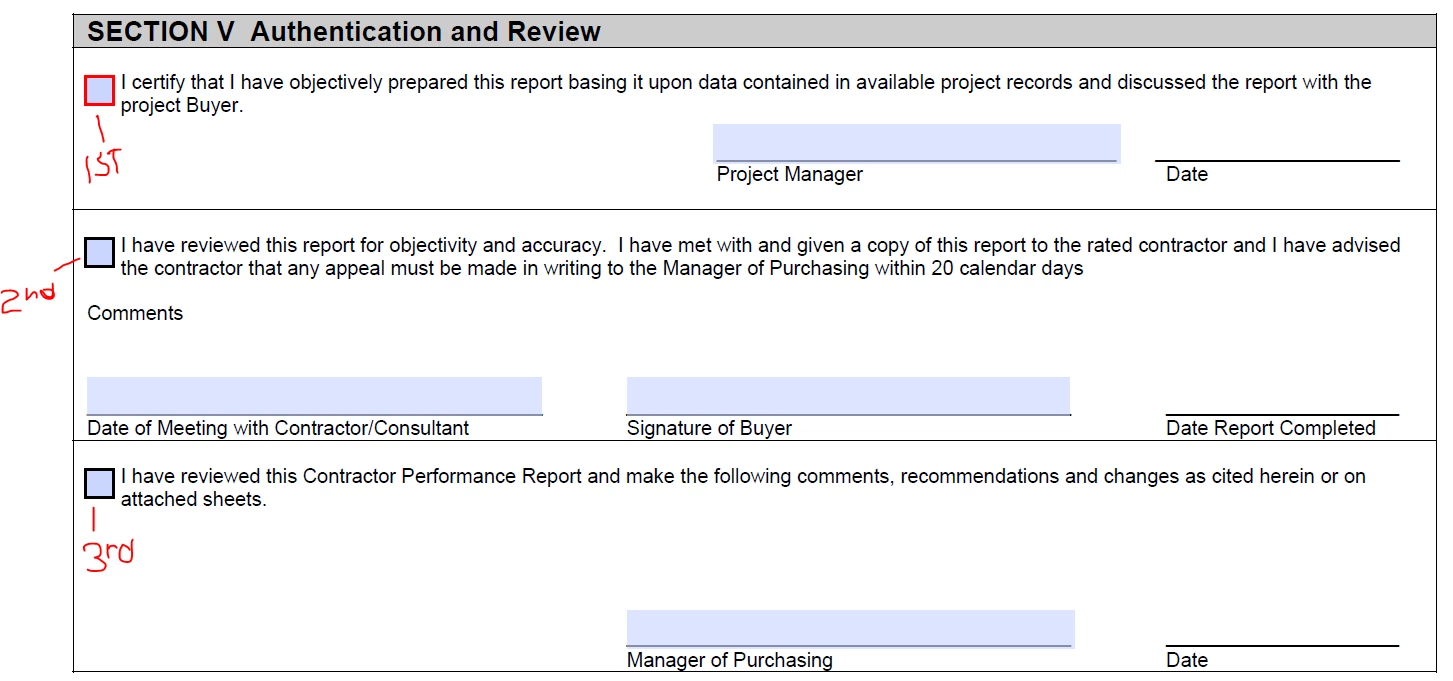
If I set all three check boxes as 'required' than the first person will have to check all three boxes to save the file and I don't want that.

Any help would be greatly appreciated.

Thanks in advance.

Paul

This topic has been closed for replies.

2 replies

Inspiring
January 23, 2017

Hi gkaiseril,

Thanks for the feedback but the reason I put the question up is because I don't know JavaScript and I was hoping for an example. This form is strictly for internal use and not going to a web page. I can use this line to get the value:

this.getField("ProjectManagerAcceptance").value

and I will get the response YES when checked

I can put:

this.getField("ProjectManagerAcceptance").required

and I will get TURE (because I have it set to required).

But what I don't know how to do is WHEN this check box is checked (YES) to change the next checkbox (BuyersAcceptance) to be 'Required'. I get hung up on 'if this, than that' and other commands.

Thanks

Paul

Inspiring
January 24, 2017

See Conditional execution and Acrobat JavaScript by Thom Parker.

You can also use the search feature of the forums since this question has been asked many times.

Inspiring
January 19, 2017

That will require a custom JavaScript for the on blur action to set or unset the required property based on the check box being checked or not. The value of an unckecked or non-selected check box or radio button or group is the string "Off".

You should be aware that the "required" property only is functional for submitting the PDF form to a scripted web for further processing.  If you not submitting the PDF to scripted web page then you will have to write some custom JavaScript to verify that all the required fields have been completed.