


Field tab order is not working consistently
I have created a form in InDesign, but I am tidying it up using Acrobat DC.
On a page with 24 rows, each with 4 form fields, I have been using the "Order Tabs Manually" drag-and-drop function to ensure the tab order is correct.
The fields show in the correct order in the FIELDS panel.
About half of the fields are working in the correct order, but for some reason the tab order on the PDF does not match the tab order in the FIELDS panel.
I have tried various combinations of shift-clicking and ctrl-clicking to select groups of fields; I have tried moving individual fields one at a time, but I still can't get the tab order on the page to match the tab order in the FIELDS panel for ALL fields...only about 50% seem to work in the correct order.
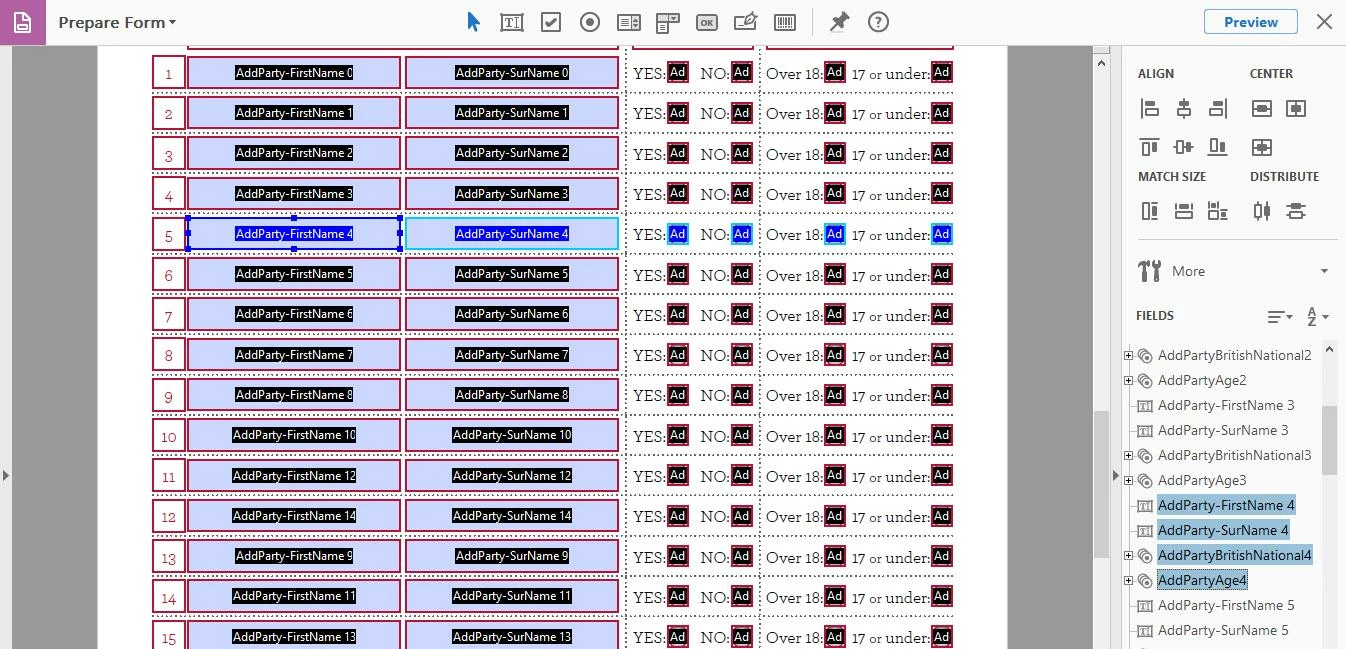
Some of them work:
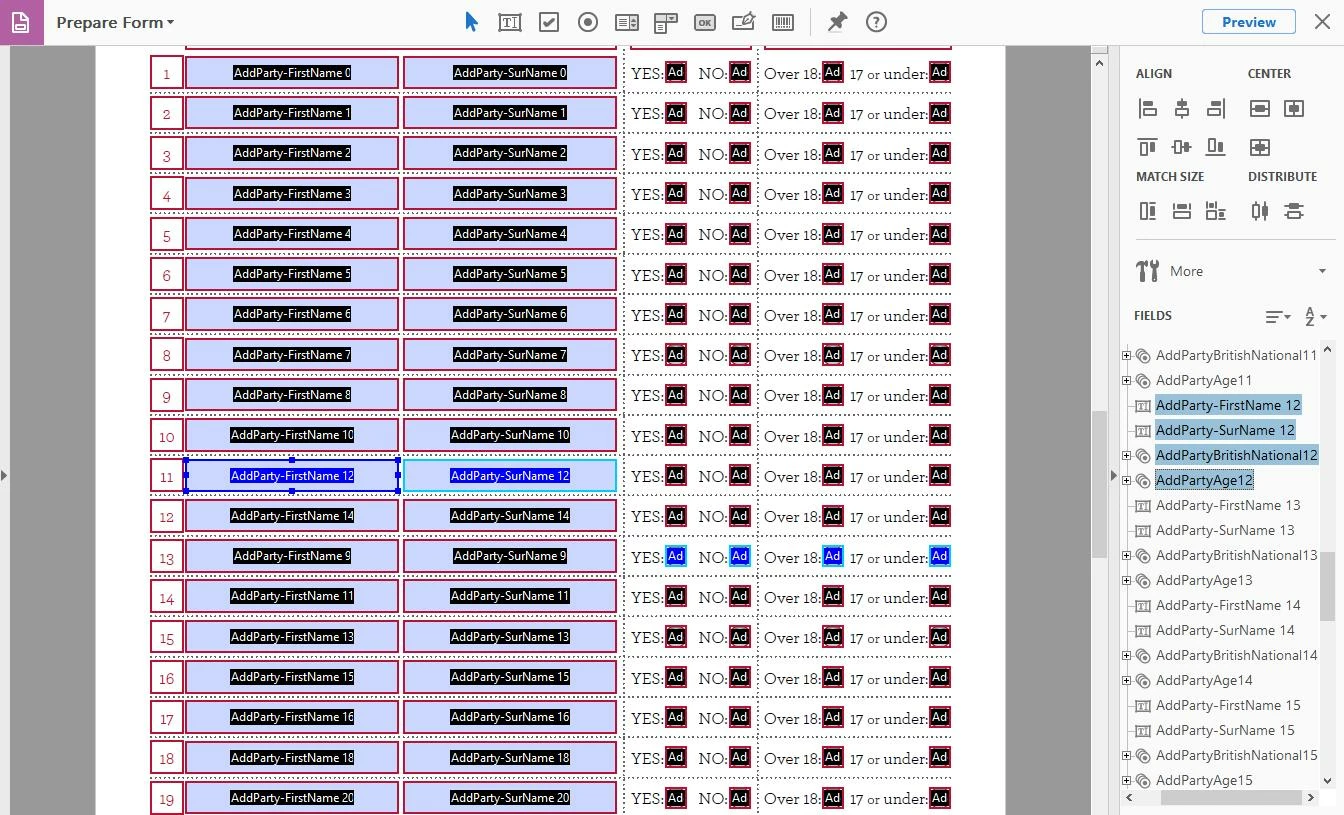
Some of 'em don't (same PDF):
Any ideas?
Thank you,
S.
 AdChoices