
Inspiring
January 19, 2023
Answered

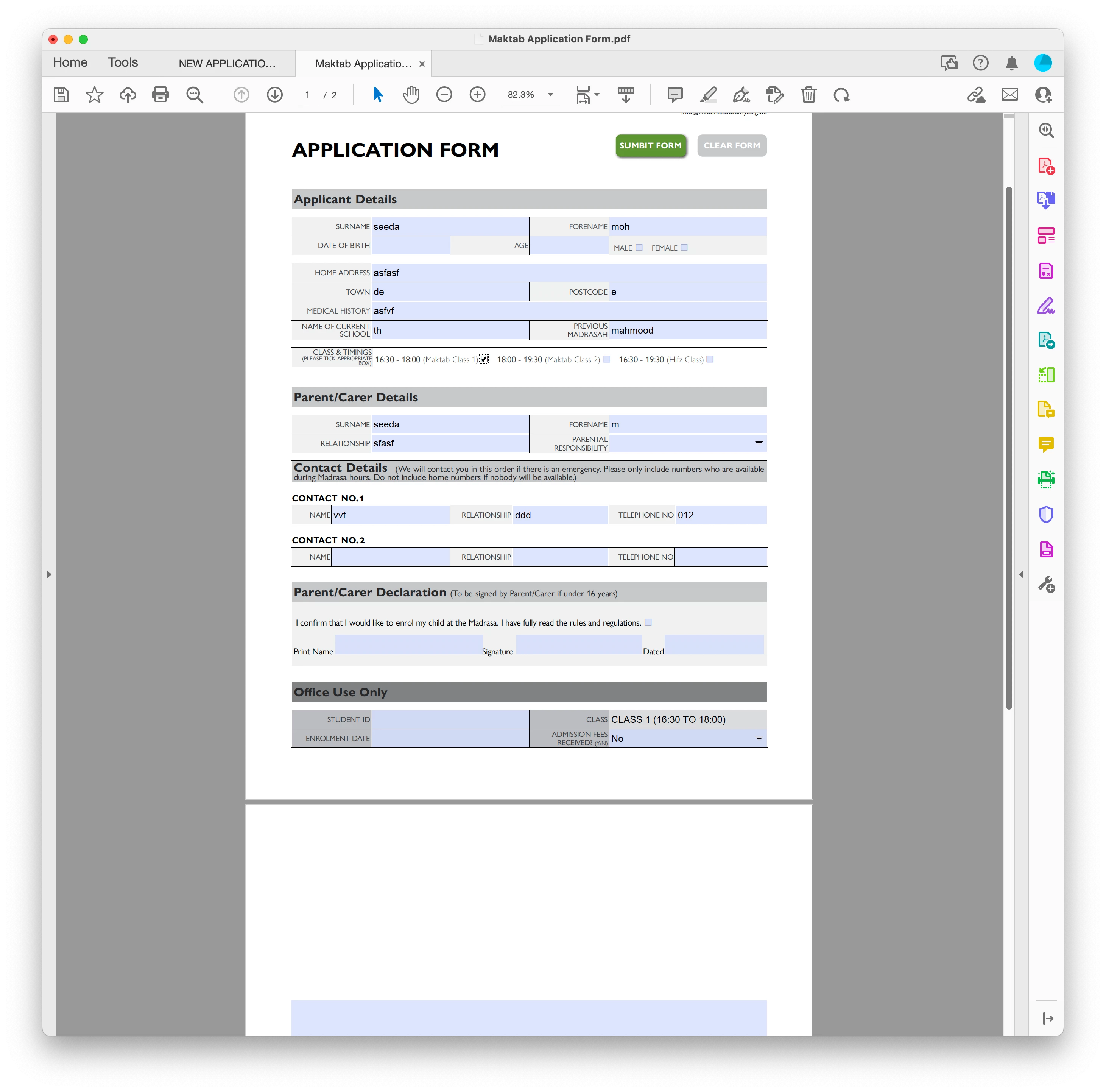
Fill field depending on checkbox selection

  • January 19, 2023
  • 1 reply
  • 1369 views

Hello

I have 3 checkboxes for class timings and the person can only choose 1 of the 3.

Depending on the checkbox ticked, a text field at the bottom (called (txtOfficeClass) is filled with text.

I have searched the forum and placed the following scripts (mouseup) in each check box. It works, but i want to know if i have done in correctly (in case something wrong happens in the future)


CheckBox 1

(function ()

  { // Get a reference to the text field var f = getField("txtOfficeClass"); if (event.target.value === "Off") {      

    f.value = ""; // Blank the statement field

    f.readonly = false; // Allow user to enter text } else {

    f.value = "CLASS 1 (16:30 TO 18:00)"; // Set field text

    f.readonly = true; // Don't allow user to enter text }

})();
 

This topic has been closed for replies.
Correct answer Summayah5FC7

So, just to be clear, when you use checkboxes that are setup to be mutually exclusive (i.e. the checkbox fields all have the same name, but different exports), the behavior is mutually exclusive on the desktop Acrobat, but has the wierd non-exclusive behavior on the Mobile Acrobat? 


If true, then this is a bug in the mobile Acrobat Reader. There's nothing you can do to change it. 

Please post a bug report:

https://www.adobe.com/products/wishform.html


ok

1 reply

Thom Parker
Community Expert
Community Expert
January 19, 2023

The code contains a couple of unnecessary items that affect efficiency, rather than function. And it's poorly formatted, which I'm sure is an artifact of pasting it directly into the forum message. Still, it'd be helpful if you would clean up your code formaating and use the "code box", so we can easily see what's actually going on. 


1. There is no reason to put this code in the function format.

2. There is no reason to use the identity operator for testing the checkbox value.


Otherwise, it looks great.  


Thom Parker - Software Developer at PDFScriptingUse the Acrobat JavaScript Reference early and often
Inspiring
January 20, 2023

 I just changed the check box to a radio button as it was selecting more than one option on mobile.


The code box is below after following your changes. Thanks


Thom Parker
Community Expert
Community Expert
January 21, 2023

Looks good, but how well does it work on mobile?  And by mobile, do you mean the Adobe Mobile Reader?


Thom Parker - Software Developer at PDFScriptingUse the Acrobat JavaScript Reference early and often