


Participant
October 14, 2016
Answered

form fields move when flattened

  • October 14, 2016
  • 1 reply
  • 512 views

Hello there

I am a printer having troubles with a fixup

I am using the fixup: flatten form fields into page contents

because i need files that have form fields in them to print.

The fixup works great and embeds them and therefore makes them printable,

but on some files it moves them around 1/4", making this whole process pointless

;(

Scratching my head

see the screen shots below

the form fields are the boxes to check next to the city
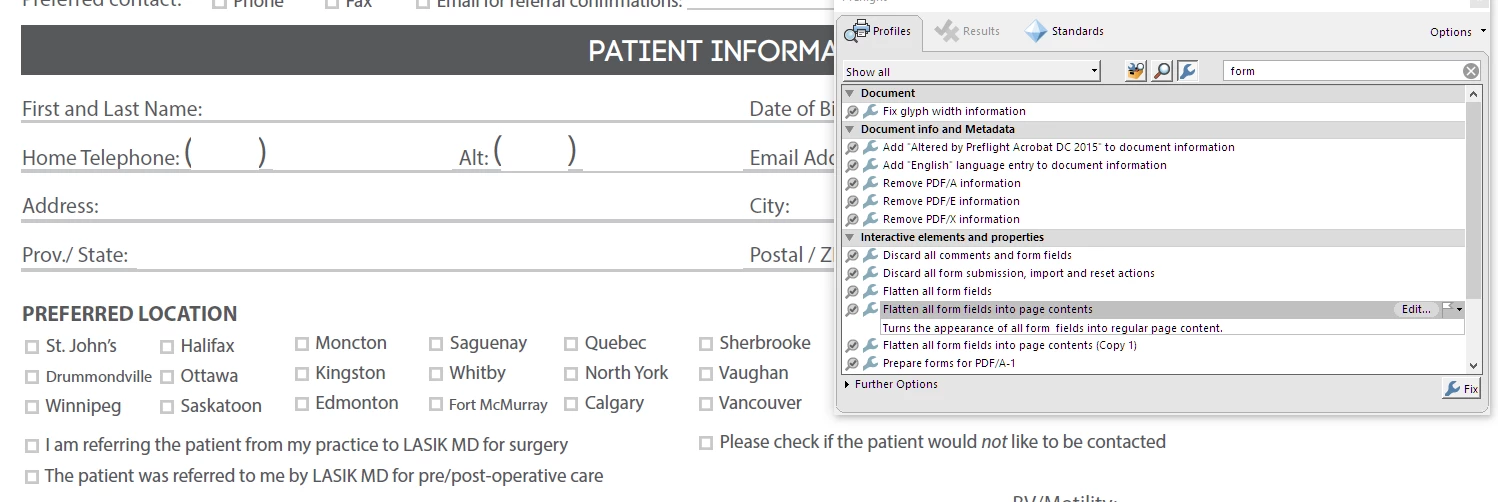
this is what happends after clicking the fixup
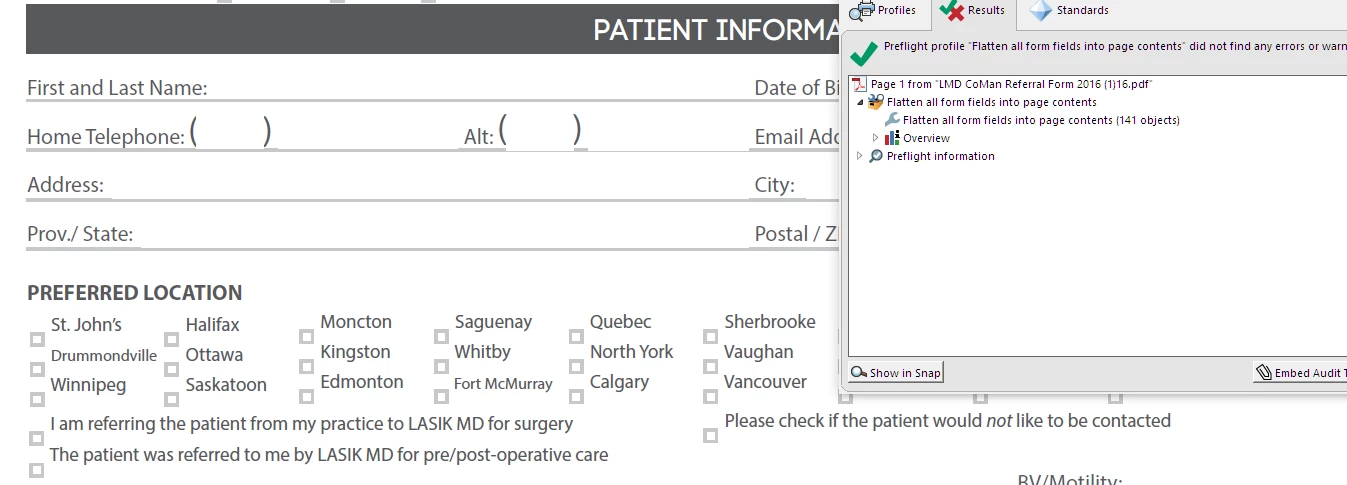
Can someone help me please?

Thanks a bunch

Dave

This topic has been closed for replies.
Correct answer George_Johnson

My advice is not to use Preflight and use JavaScript instead. You can use the following in the interactive JavaScript console (Ctrl + J):

flattenPages();

Or the following free JavaScript-based utility: UVSAR : Selective Flattener tool for Adobe Acrobat 8, 9 and X

1 reply

George_JohnsonCorrect answer
Inspiring
October 14, 2016

My advice is not to use Preflight and use JavaScript instead. You can use the following in the interactive JavaScript console (Ctrl + J):

flattenPages();

Or the following free JavaScript-based utility: UVSAR : Selective Flattener tool for Adobe Acrobat 8, 9 and X