
From Excel via VBA, using Acrobat XI to Print PS-file and Convert to PDF
Hi all,
I try to print a worksheet from Excel 2013 (32-bit) Windows 7 to pdf with the following code:
Sub AcroPrintPdf(oPdfRange As Range) ' AcroPrintPdf Använder Adobe Acrobat Distiller för att skapa pdf
Dim sTmpPath As String, sPSFileName As String, sFileFormat As String
Dim sPDFFilename As String, myPDF As Object
sTmpPath = Environ("temp")
' Ge postscriptfilen ett namn
sPSFileName = sTmpPath & "\" & "TempPostScript.ps"
sFileFormat = "PDF Files (*.pdf), *.pdf"
sPDFFilename = Application.GetSaveAsFilename("", filefilter:=sFileFormat, _
Title:="Skapa PDF")
' Skriv ut området i Excel till en postscriptfilen
oPdfRange.PrintOut copies:=1, preview:=False, ActivePrinter:="Adobe PDF", _
printtofile:=True, collate:=True, prtofilename:=sPSFileName
' Konvertera postscriptfilen till pdf
Set myPDF = CreateObject("PdfDistiller.PdfDistiller.1")
myPDF.FileToPDF sPSFileName, sPDFFilename, ""
End Sub
I get an error message and it does not create a PS file.
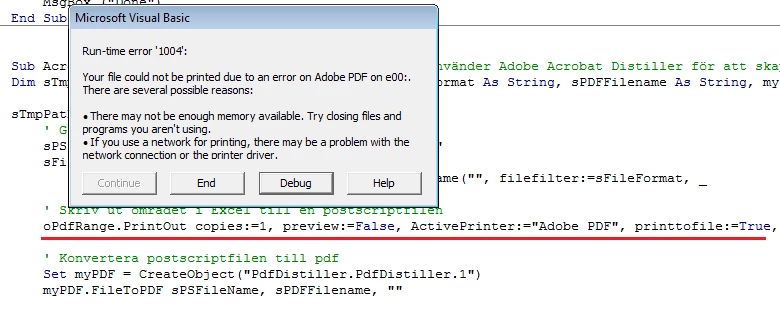
What goes wrong?
Grateful for any help!
Martin


 AdChoices