autur
Participant
July 21, 2016
Question

generated PDF includes unusual combination of vectors and images

  • July 21, 2016
  • 1 reply
  • 501 views

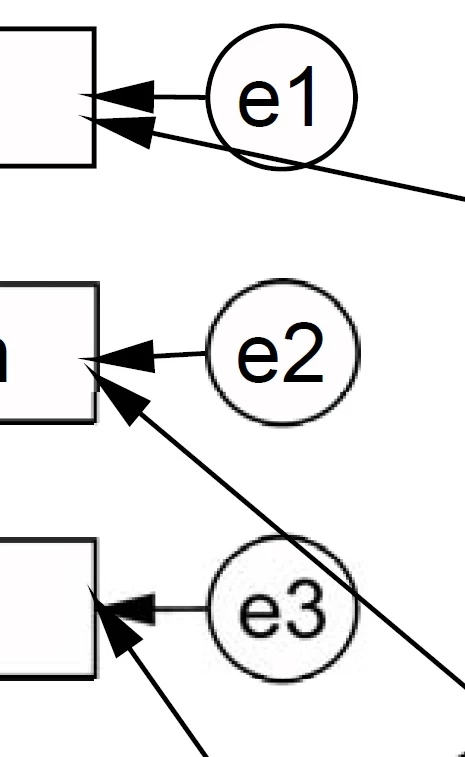
I'm using the Acrobat DC driver to print a pdf of the output of a structural equation model in AMOS (SPSS statistics software), and I'm getting some unusual results. If you look at the cropped image below, all of the lines corresponding to e1 are vectors, yet with e2 the circle is a pixellated image, and in e3 both the circle and text are images. I'm not sure if this is the appropriate terminology, but basically every line and text in the output should look like e1. This has never happened before with previous versions of Adobe. Any thoughts on what is going on?
This topic has been closed for replies.

1 reply

Willi Adelberger
Community Expert
Community Expert
July 22, 2016

This is not a PDF problem. It is a problem from the software you are using to print a PDF. Why print? Is no export offered?

autur
auturAuthor
Participant
July 22, 2016

That's right, there is no export. The thing is I was able to print using the default windows 10 "Microsoft Print to PDF" without any pixellation -- though there were other unrelated artifacts produced bythe windows printer. I also installed another pdf program (by pdfforge) and it produced the same results as Acrobat. So it might not be tied specifically to Acrobat, but like I said, the windows printer does not produce it. And it seems to be tied to relatively complex graphics (many items), but I can't entirely confirm that. Is there some explanation for this kind of thing?

Willi Adelberger
Community Expert
Community Expert
July 22, 2016

You should not use Microsoft Print to PDF.

If you have Adobe Acrobat Pro, you should use the Adobe way, most likely Save as Adobe PDF instead.

Forget any other program than Adobe Acrobat Pro if you have to edit PDF files.