

grant access request to combine excel sheets into one PDF
Hi,
I've been new with mac having an Adobe Acrobat (I used windows before) and Ie experience troubles in combining excel sheets into 1 PDF file.
I installed Adobe Acrobat DC on my mac computer. And when I start to use it to combine files and deleted certain number of sheets, it didn't work so well.
When I click the combine button, this will appear:
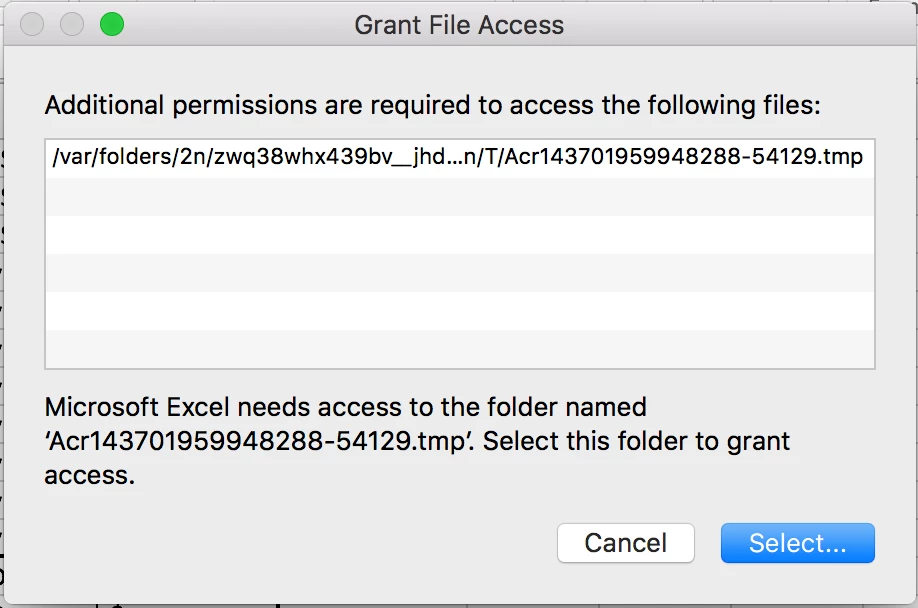
Then when i cick the select button, it will lead me to this folder:
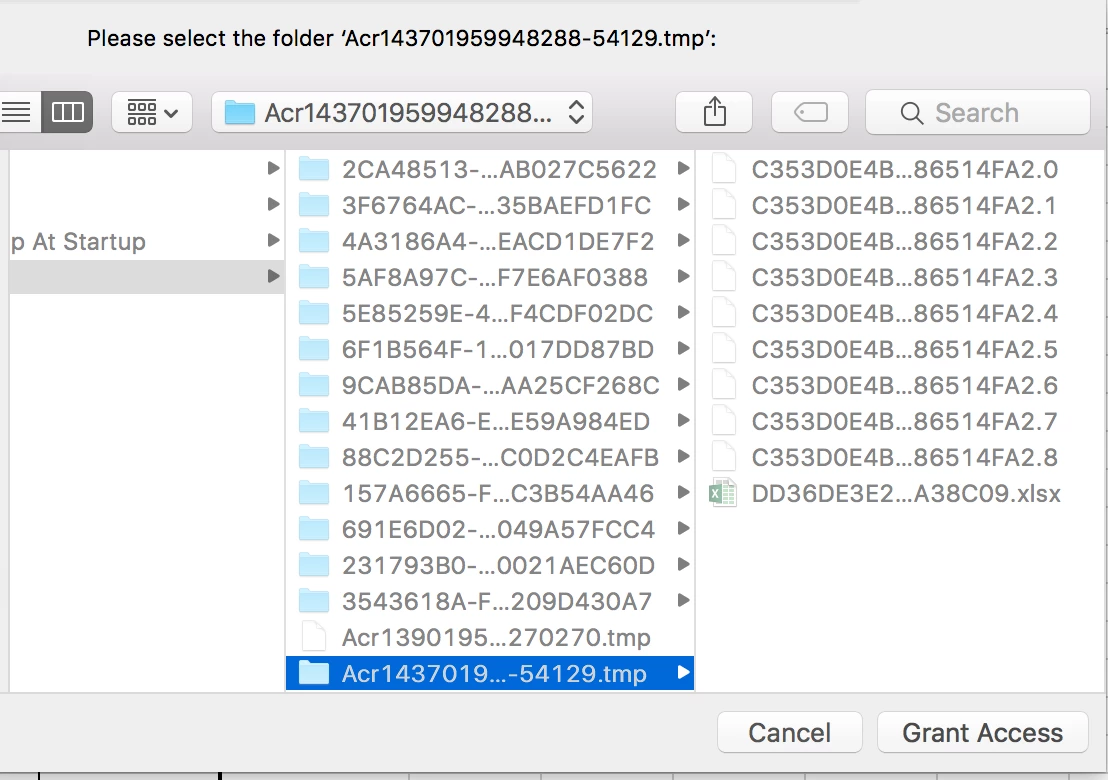
And when I click the Grant Access button, 2 things will happen. Either Adobe Acrobat will quit unexpectedly,
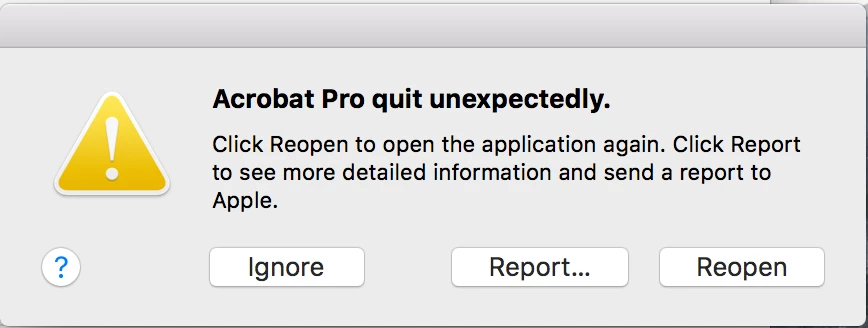
or the PDF file that will be made on a default name "Binder1.pdf" will contain all the sheets on the file that i added on the combine tool. The sheets that I have deleted were still on the combined "Binder1.pdf" file that has been made....
Does anyone knows how to fix this problem? Please help. Your comments and answers are greatly appreciated. I really need to work this out because my work relies heavily on combining different sheets and files...
Thank you so much in advanced.
Jamie
 AdChoices