


Question
GST Calculations
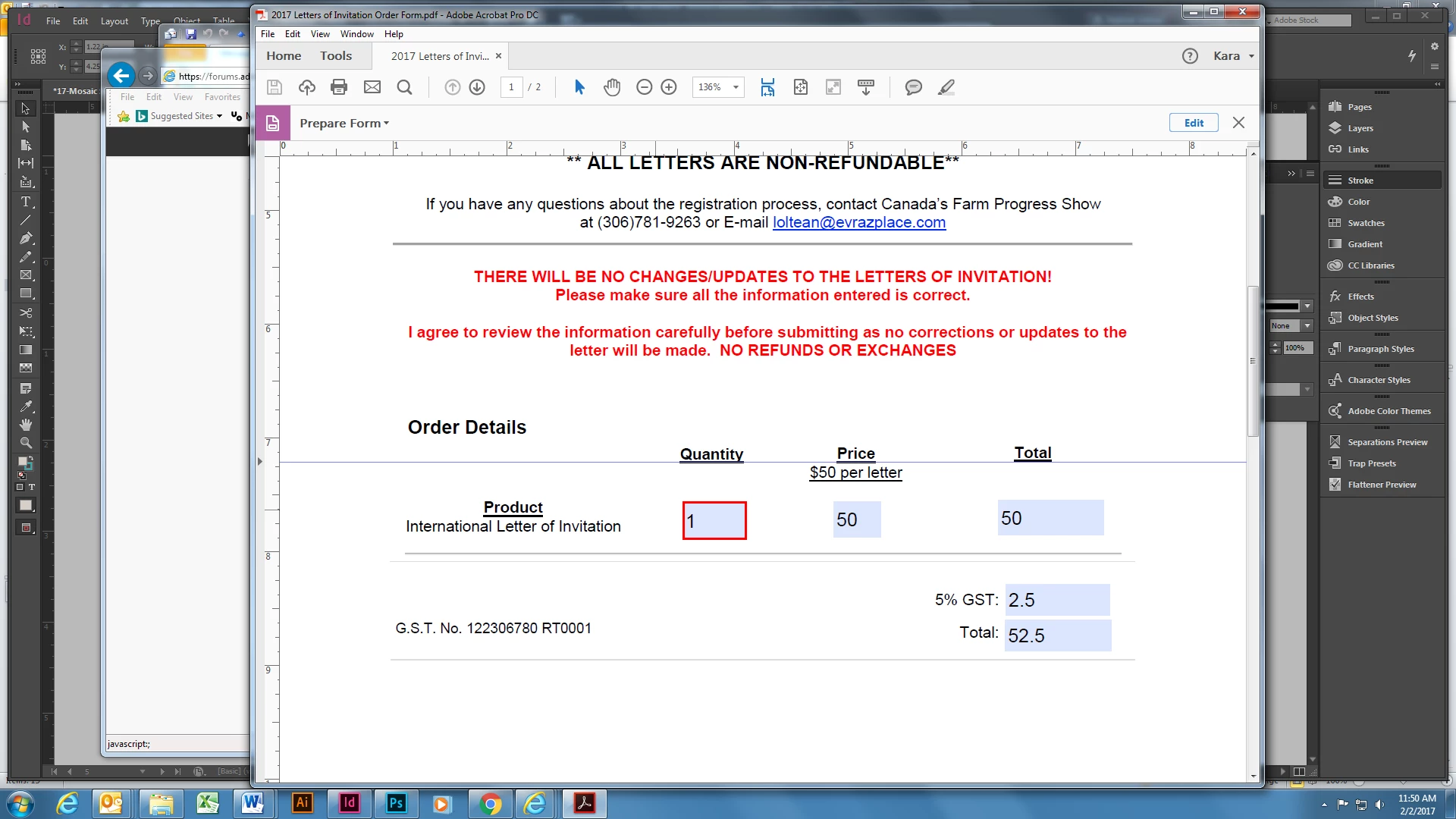
I am trying to figure out how to do GST calculations in my fillable pdf form. I will need to calculate how much the total is with the GST amount of 5% and I can add them to make the correct total. But when the quantity will change from (for example) 150 ... how do you calculate the GST number with that? So that, then the total would be 150 and the GST amount should automatically change to $7.50 which would add up in the total to be 157.50.
Help please!!!
 AdChoices