


Participant
September 3, 2017
Answered

Help, adding Text to a text field using radio buttons!

  • September 3, 2017
  • 1 reply
  • 1051 views

Hi guys and thank you for your answers!

I have about 8 radio buttons in same group that intent to target only one Text field, so depending on user choice the Text field have a different text, how can I accomplish this using Javascript instead of creating 8 different Text fields/Default Values.
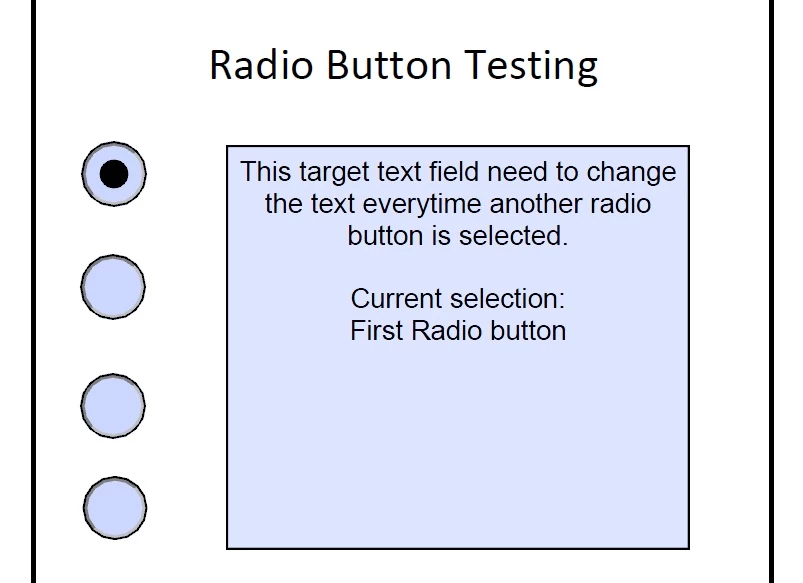
Thank you for your answers!

I tried:

var f = this.getField("Target");

f.value = util.printd("This is a dummy text, This is a dummy text, This is a dummy text "());

but obviously didn't work! 

This topic has been closed for replies.
Correct answer try67

Ah, that requires a different approach. In that case you will need to use something like this as the Mouse Up event of each radio-button:

this.getField("Target").value = "Some text for option 1";  // script for the first button


this.getField("Target").value = "Some text for option 2";  // script for the second button

this.getField("Target").value = "Some text for option 3";  // script for the third button

1 reply

try67
Community Expert
Community Expert
September 3, 2017

As the custom calculation script of the text field enter something like this:

var rdValue = this.getField("Radio1").valueAsString;

if (rdValue=="Off") event.value = "";

else if (rdValue=="Choice1") event.value = "Some text for option 1";

else if (rdValue=="Choice2") event.value = "Some text for option 2";

else if (rdValue=="Choice3") event.value = "Some text for option 3";

// etc.

Adjust the script to contain the correct field names, values and texts, of course.

pnfyorchAuthor
Participant
September 3, 2017

Ohhh, Myyyyy  ohhh, myyyyy!!

Totally correct!!

Works beautiful!!!   Thank you so much!!!! 

A
