Participant
Nov 18, 2024 2:36 AM UTC
Answered

Help me to install Acrobat DC SDK.

I have downloaded Acrobat_DC_SDK_Windows_2021_v3 for C++.
But I don't know how to install it.

I use Visual Studio 2019.

Help me to install it.

I uploaded the Acrobat_DC_SDK_Windows_2021_v3.

This topic is closed to new replies. Start a new post to keep the conversation going.
Thom Parker
Thom ParkerCorrect answer
Community Expert
Nov 18, 2024 4:23 PM UTC

Where do I have to extract the zip file?

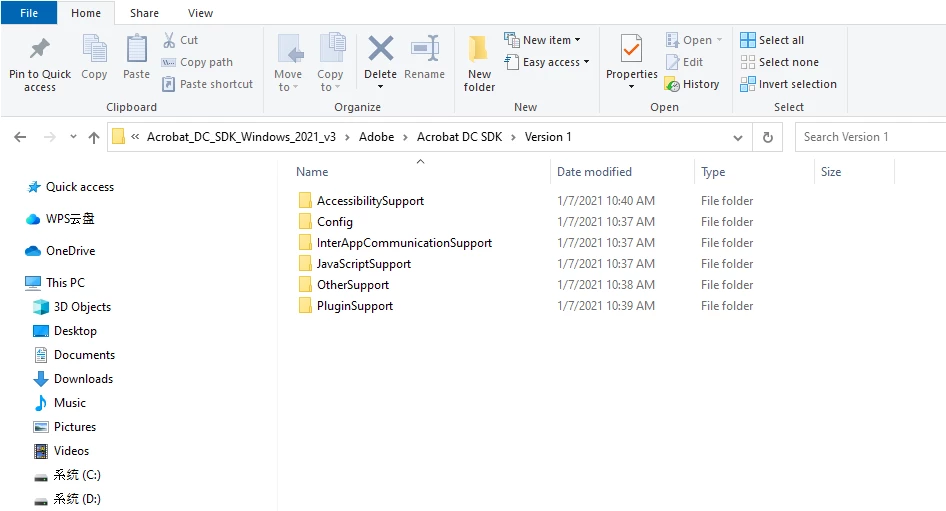
When I extract it, I can see this.


looks like your already installed it. All you have to do is put it into a folder on your local hard drive. Then for any project, you have to setup the project include path to include these folders:

...\Acrobat DC SDK\Version 1\PluginSupport\Headers\API

...\Acrobat DC SDK\Version 1\PluginSupport\Headers\SDK


Next look in this folder:

...\Acrobat DC SDK\Version 1\PluginSupport\Tools\Visual Studio App Wizard

And run this program:  AcroDCPIWizInstaller.msi


This will install an Acrobat Plug-in project wizard in VS2019. When run this project wizard will create a basic Acrobat plug-in project. 

But you don't need the wizard because the plug-in samples all provide the basic setup. You can use any one of them as a starting point for creating your own plug-in. 


Look in this folder to see the samples:

...\Acrobat DC SDK\Version 1\PluginSupport\Samples


Thom Parker - Software Developer at PDFScriptingUse the Acrobat JavaScript Reference early and often

8 replies

Bernd Alheit
Community Expert
Community Expert
Nov 18, 2024 8:37 AM UTC

Unzip the zip file on your system.

Translate
Participant
Nov 18, 2024 10:04 AM UTC

Thanks for your answer. Could you give me more detail?

Translate
Bernd Alheit
Community Expert
Community Expert
Nov 18, 2024 11:11 AM UTC

Use a program like winzip for this.

Translate