Participant
February 12, 2020
Question

Highlight text when check box ticked

  • February 12, 2020
  • 1 reply
  • 2999 views

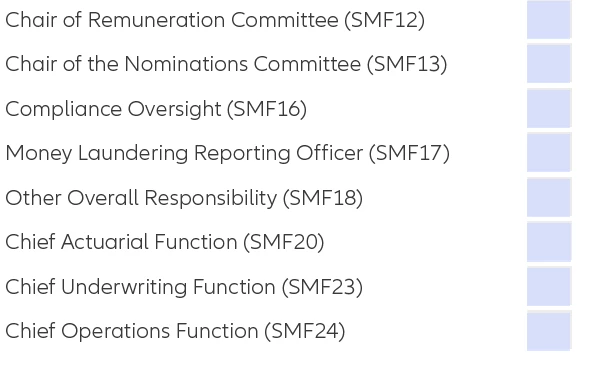
I have a PDF which has a number of check boxes.


I want to be able to either highlight the text next to a check box when the box is selected or bold the text.


Example below.


Anyone done something similar?
 

This topic has been closed for replies.

1 reply

Thom Parker
Community Expert
Community Expert
February 12, 2020

You've got a few different options for doing this.

1)  Use the Highlight annotation to add highlights to all the text that needs to be shown as highlighted. The use a script on the MouseUp event of hte checkbox to toggle the "hidden" property of the associated annotation 

2) Replace text next to checkbox with a readonly text field. Then use the MouseUp script to change the font and/or textbox properties.

3) Replace text next to checkbox with a Text Markup Annotation. Use same MouseUp methodology.


Thom Parker - Software Developer at PDFScriptingUse the Acrobat JavaScript Reference early and often
Participant
February 13, 2020

Thanks for your response.


I've still had no luck l'm afraid.


Do I need to apply the logic to the check box or the text field?


I've tried various scripts but still having no success.


Do you have any examples?

Thom Parker
Community Expert
Community Expert
February 13, 2020

Yes,  you'll need to create a custom script for the checkbox. And a text field is the easiest thing to use. We'll change the background color to make the highlight.

So lets say the text box is named "Line1Text" and the checkbox is "Line1Check"


Put this on the MouseUp of the checkbox


if(event.target.value != "Off)

    this.getField("Line1Text").fillColor = color.yellow;

else

    this.getField("Line1Text").fillColor = color.transparent;


Thom Parker - Software Developer at PDFScriptingUse the Acrobat JavaScript Reference early and often
