daitranthanhoa
Inspiring
April 23, 2019
Answered

How can export a page to image?

  • April 23, 2019
  • 1 reply
  • 4680 views

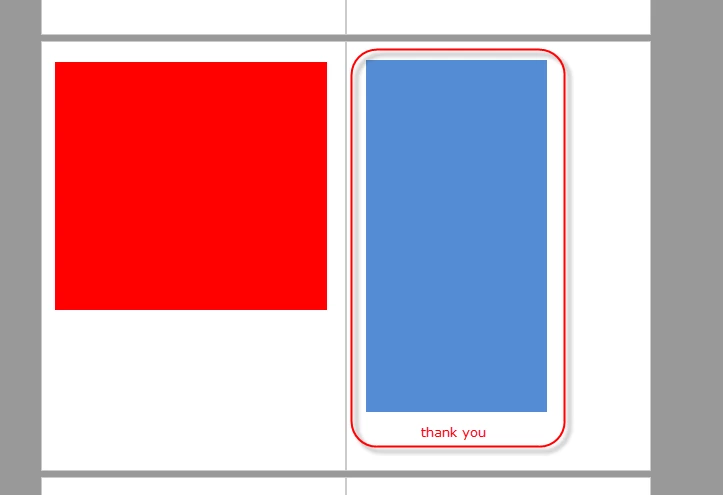
I have a PDF file as below image:

I want export 2 Pages to 2 Images:

With Acrobat Script or COM : Can export a Page to a image ? and Can it remove white area?

Thank you.
This topic has been closed for replies.
Correct answer try67

You can use the JavaScript method saveAs to save all the pages of the file as images. If you want to only save two pages you can first extract them from the main file, and then save them. You would need to specify the cConvID parameter as "com.adobe.acrobat.jpeg" to force it to be saved as an image.

You might be able to remove the white space using the Preflight tool, before saving the pages as images.

1 reply

try67
Community Expert
try67Community ExpertCorrect answer
Community Expert
April 23, 2019

You can use the JavaScript method saveAs to save all the pages of the file as images. If you want to only save two pages you can first extract them from the main file, and then save them. You would need to specify the cConvID parameter as "com.adobe.acrobat.jpeg" to force it to be saved as an image.

You might be able to remove the white space using the Preflight tool, before saving the pages as images.

daitranthanhoa
Inspiring
April 24, 2019

Can  saveAs call from vb.net?

my code can't save image:

       Dim formApp As Object

        formApp = CreateObject("AFormAut.App")

        ' access fields object inside AcroForm.

        Dim fields As Object

        fields = formApp.fields

        Dim strScript As String

        strScript = "this.saveAs(""myDoc.jpeg"", ""com.adobe.acrobat.jpeg"");"

        fields.ExecuteThisJavascript(strScript)

Bernd Alheit
Community Expert
Community Expert
April 24, 2019

What happens when you execute following code in the console of Adobe Acrobat?

this.saveAs("myDoc.jpeg", "com.adobe.acrobat.jpeg");

