
alexdobner
Participating Frequently
March 23, 2016
Answered

How can I comment like this?
  • March 23, 2016
  • 2 replies
  • 1007 views

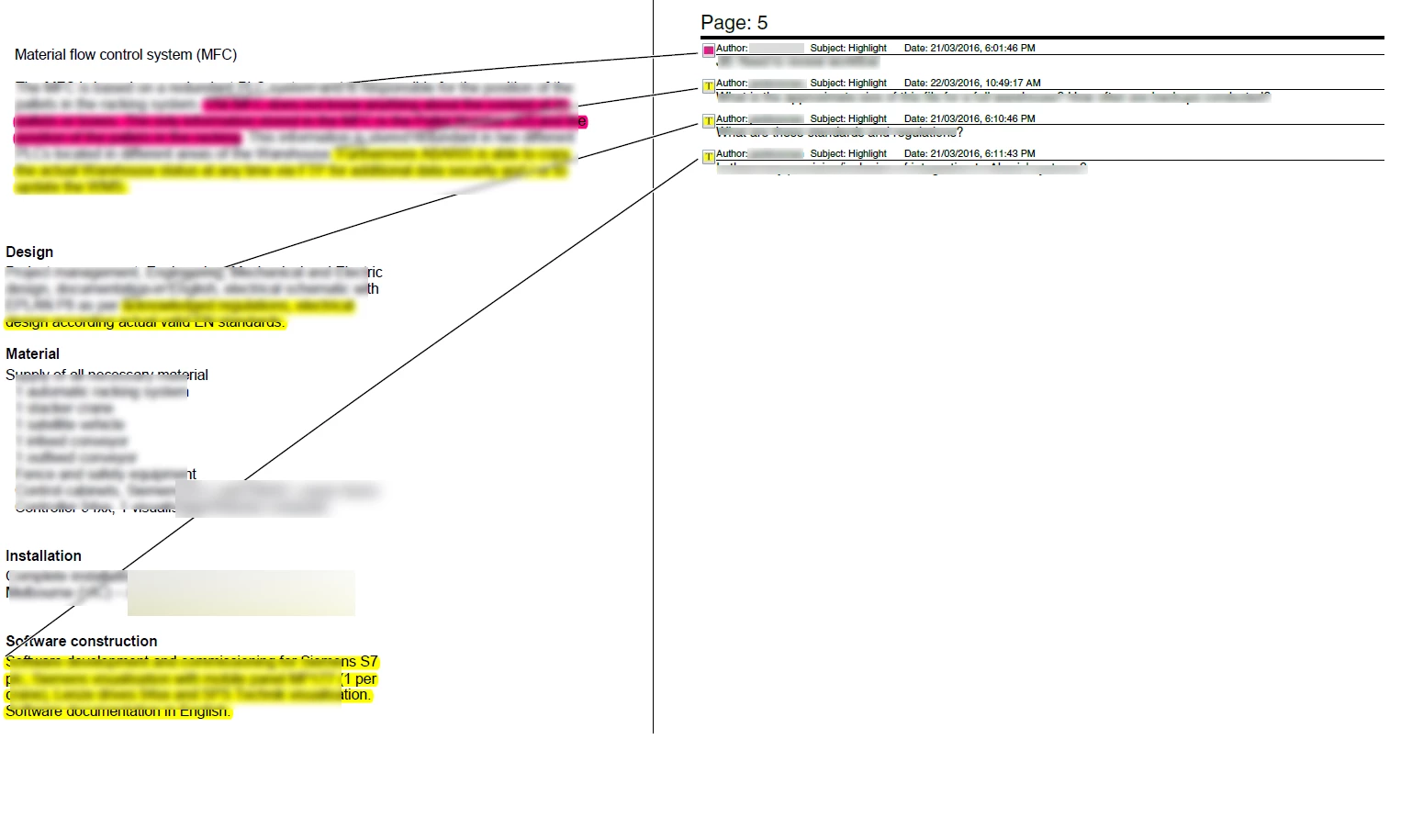
can someone tell me how to make exact those comments, including time, subject and author? i know how to make "normal" comments and comments on the right edge, but not included in the "external page" on the right side... can anybody help me?

This topic has been closed for replies.
Correct answer try67

This can be achieved in Acrobat or Reader using the Summarize Comments command that's available in the Print dialog.

In Acrobat it can also be done via the Comment panel, then the Options button in the Comments List section and then selecting Create Comments Summary.

2 replies

try67
Community Expert
try67Community ExpertCorrect answer
Community Expert
March 23, 2016

This can be achieved in Acrobat or Reader using the Summarize Comments command that's available in the Print dialog.

In Acrobat it can also be done via the Comment panel, then the Options button in the Comments List section and then selecting Create Comments Summary.

alexdobner
Participating Frequently
March 24, 2016

try67‌ i am using Acrobat Pro DC and still looking for the "options button" my surface provides different icons which are still a bit confusing to me..

alexdobner
Participating Frequently
March 24, 2016

maybe important: using windows, not mac :/

John T Smith
Community Expert
Community Expert
March 23, 2016

Provide the name of the program you are using so a Moderator may move this message to the correct program forum

This Cloud forum is not about help with program problems... a program would be Photoshop or Lighroom or Muse or ???

alexdobner
Participating Frequently
March 24, 2016

I am sorry I'm new to this

It's Acrobat though.