Answered
How can I disable the Tools from covering my Document view?
I once (now it appears, foolishly) selected "Search Tools" and now Tools covers the entire Document view. (Acrobat DC, of course)
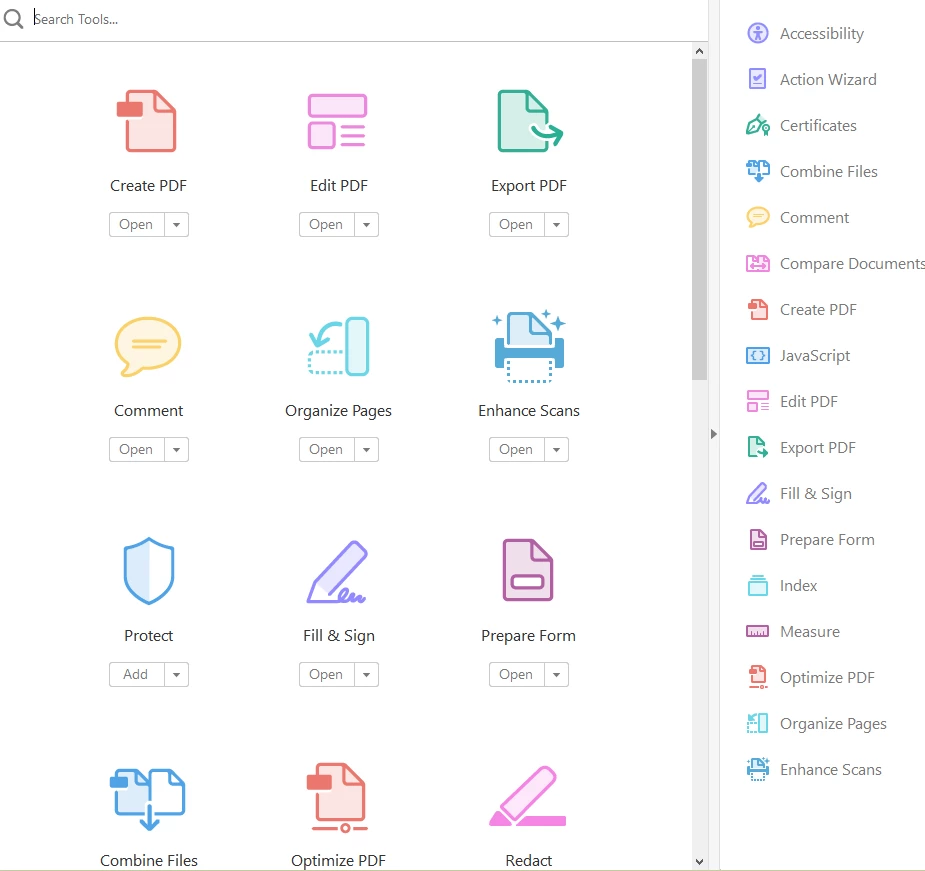

I once (now it appears, foolishly) selected "Search Tools" and now Tools covers the entire Document view. (Acrobat DC, of course)
Hello BarbaraM1,
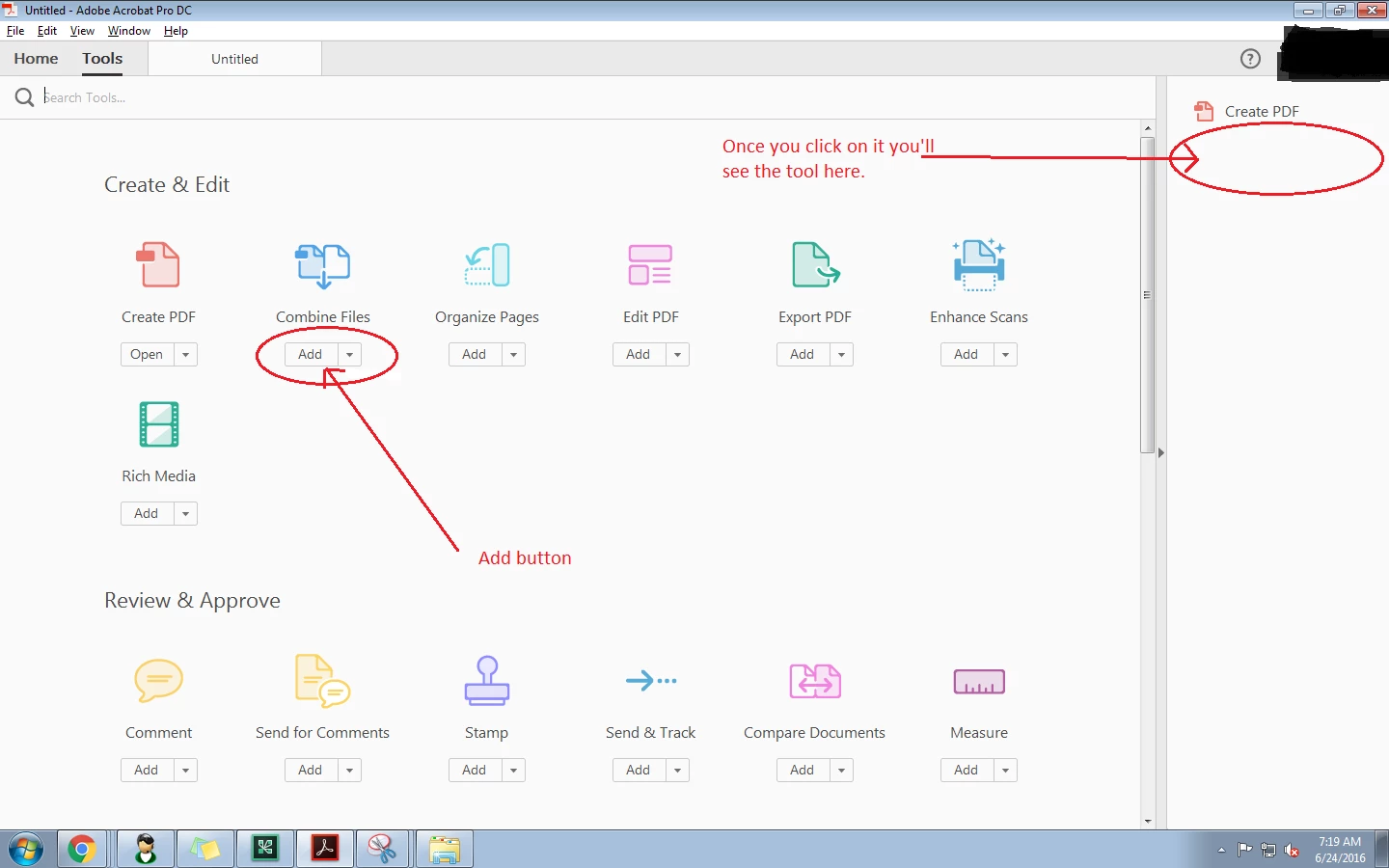
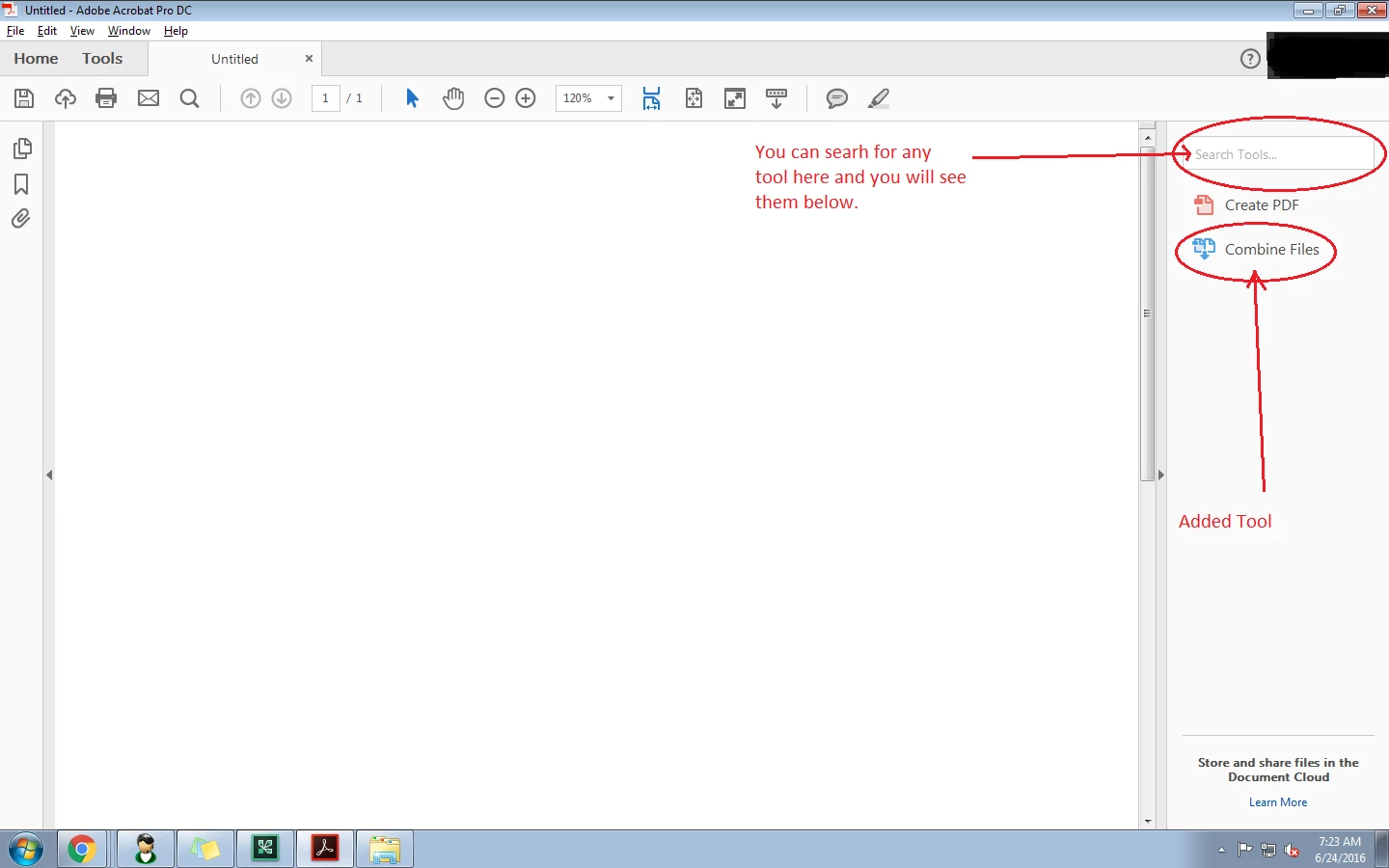
In Adobe Acrobat DC you have no option to disable the Tools from covering the document as it is in a tabbed view. There are there tabs, Home I Tools I Document. When you are able to see the tools(as in screenshot you sent), you are in TOOLS tab. If you don't want to move to tools tab you can add tools to the right hand side by clicking in "Add" under tools. and you will be able to see it next to the document. Or you can simply search for any tool on the tools section on right hand side of the document.
Regards
Utkarsh
Already have an account? Login
Enter your E-mail address. We'll send you an e-mail with instructions to reset your password.
 AdChoices