
admii17053160
Participating Frequently
January 25, 2019
Question

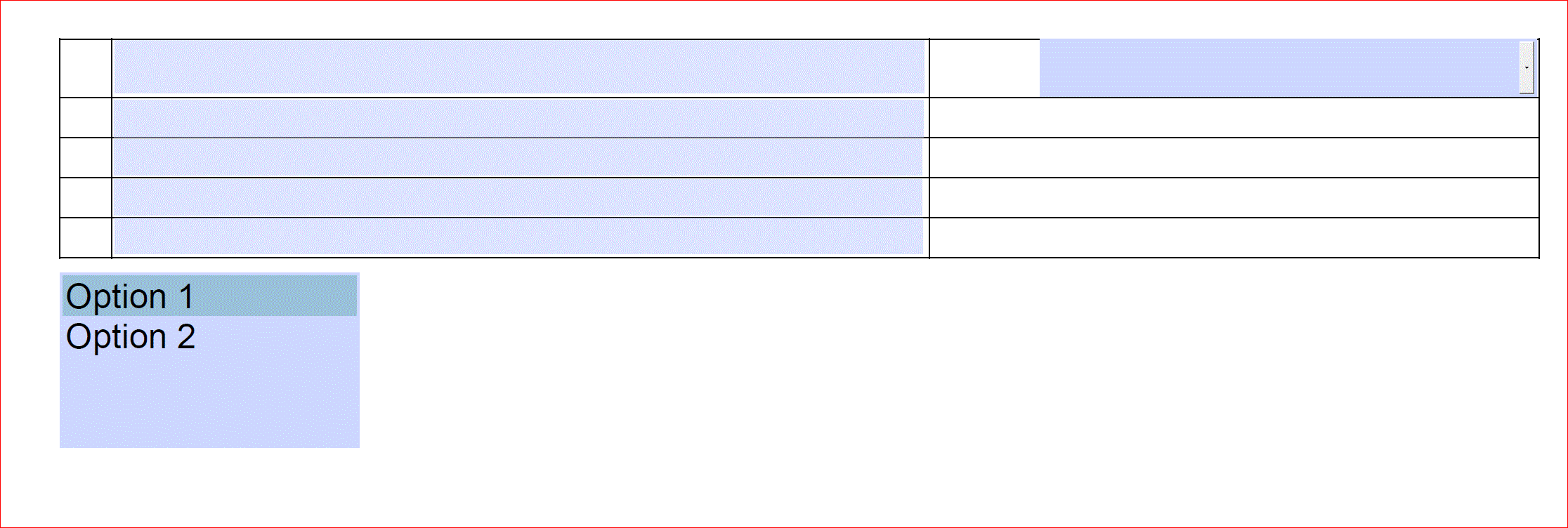
How can I populate other text fields by selecting an option from a list box?
  • January 25, 2019
  • 2 replies
  • 356 views

As you can see on the left, I want to populate those text fields with pre-defined values when a user selects an option. Those value will change depending on the option selected.

Thanks for any help you can offer!

This topic has been closed for replies.

2 replies

Thom Parker
Community Expert
Community Expert
January 25, 2019
Thom Parker - Software Developer at PDFScriptingUse the Acrobat JavaScript Reference early and often
BarlaeDC
Community Expert
Community Expert
January 25, 2019

Hi,

you could use a simple switch statement ( depending on the number of options) which would be something like

var text1Value = "";

var text2Value = "";

switch ( this.getField("dropdownList").value)

{

    case "Option1":

         text1Value = "Option1Value";

         text2Value = "Option2Value";         

          break;

     default:

          text1Value = "Option2Value";

          text2Value = "Option2Value";

          break;

}

this.getField ("text1").value = text1Value;

this.getField("text2").value = text2Value;

Hope this helps

Malcolm

admii17053160
Participating Frequently
January 25, 2019

Thank you! this so promising!

I can't work Option2 to populate its values to the fields when I click on it.

Here is the code:

var text1Value = "";

var text2Value = "";

switch (this.getField("dropdownList").value)

{

    case "Option1":

         text1Value = "Option1Value";

         text2Value = "Option1Value";        

          break;

    case "Option2":

         text1Value = "Option2Value";

         text2Value = "Option2Value";        

          break;

     default:

          text1Value = "Please select an option for this field to populate";

          text2Value = "Please select an option for this field to populate";

          break;

}

this.getField ("text1").value = text1Value;

this.getField("text2").value = text2Value;

-----------------------------------------------

I am noob to JS, but I think the "click event" is not recognized?

Thank you for your help!