



How can i see font weight in Acrobat DC
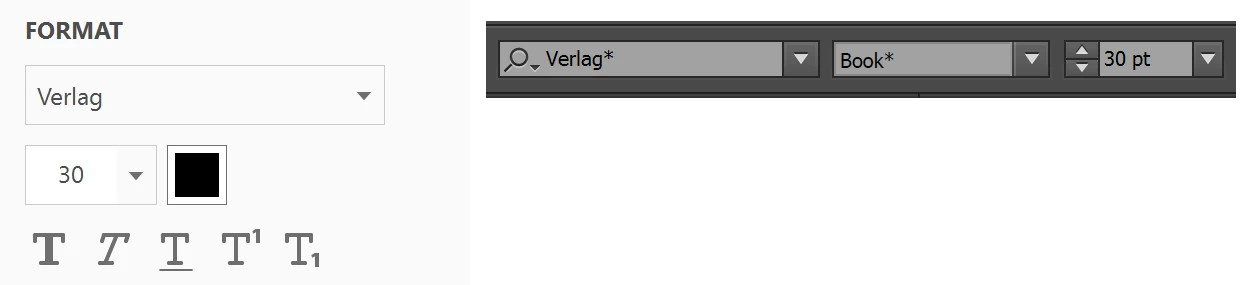
I use Acrobat on daily basis in a way that I build websites based on designs in the PDF files. I do like this for many years, but with new Acrobat version i cannot see font weights anymore. When i switch into editing mode and select some text i can see for instance it's Verlag 12pt but is it Verlag bold or semibold or book or light? I know i can open PDF in Illustrator and get the information from there, it's something i do now, but in the past versions of Acrobat i could select some text, click with right mouse button, and pick 'properties' and i was getting all the required info. It was longer than now where the information shows on right hand side panel but more detailed information. I prefer Acrobat as i can more quickly jump between pages as i have all them in one long PDF and it uses less resources than Illustrator. I suppose it may have something to do with fonts not being installed, but this was never the issue and i do websites were i have web fonts. And i know i can sync typekit fonts, but not all fonts are in typekit. So i'm wondering do i miss here something, is there workaround, or was the feature overlooked and can be added by Adobe?
 AdChoices