

Known Participant
December 23, 2016
Answered

How do I call Javascript function upon opening of PDF

  • December 23, 2016
  • 3 replies
  • 8216 views

I want to call a Javascript function when a PDF opens or loads. Or when I click this Layer button.
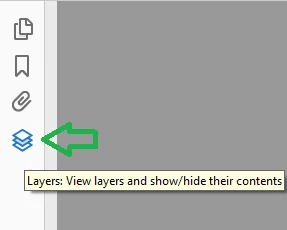
How do I do it? Thanks in advance!

This topic has been closed for replies.
Correct answer try67

You can embed a code as a doc-level script and it will execute whenever that file is opened.

You can't assign an action to the opening of the Layers panel, though.

3 replies

Known Participant
December 28, 2016

How do I add a a document-level JavaScript programmatically?

Known Participant
December 28, 2016

Nevermind. This could be achieved programmatically by adding a Javascript name tree.

try67
Community Expert
Community Expert
December 28, 2016

What do you mean by "programmatically"? What language are you using to edit the PDF?

If you mean using JS itself, the answer is to use the addScript method of the Document object.

Inspiring
December 23, 2016

You can define a function in a document-level JavaScript and then place a call to it right after, something like:

// Document-level JavaScript

function doSomething() {

     // Code goes here

}

// Call the function

doSomething();

There is no event that's available to JavaScript when you click the layers button.

try67
Community Expert
try67Community ExpertCorrect answer
Community Expert
December 23, 2016

You can embed a code as a doc-level script and it will execute whenever that file is opened.

You can't assign an action to the opening of the Layers panel, though.
