
Participant
February 15, 2016
Answered

How do I change the Text Selection colour when editing a pdf?

  • February 15, 2016
  • 3 replies
  • 4996 views

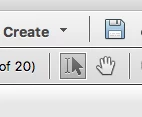
I was fussing around with the preferences in Adobe Acrobat Pro XI (Mac version) and turned off the selected text colour when selecting text. I don't know what preference I changed and cannot seem to find it again to restore the text selection colour. Usually, in Adobe Acrobat Pro XI, when selecting text (note: NOT the text highlighting feature), AAP XI has a colour to show the selected text.  What preference restores the selected text colour when using the I-beam selection tool shown to the left of the hand tool?
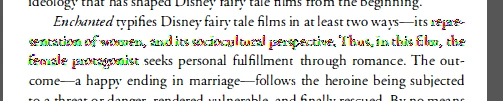
Now, it simply screens the selected text, as shown in the figure below.
Again, please, note that I am NOT referring to the Highlighting tool shown 3rd from the left in the image below.

Correct answer try67

My guess is it's something under Edit - Preferences - Accessibility, possibly the "High contrast colors" option, or "Always use the system selection color".

3 replies

AutoLink
Participant
March 25, 2023

This works in Adobe Acrobat, also.

Participant
November 9, 2021

On macOS, it is Acrobat Reader > Preferences > Accessibility: Uncheck "Always use the system selection color"

AutoLink
Participant
March 25, 2023

To clarify, phtnguyen's solution to Uncheck "Always use the system selection color" works in Adobe Acrobat, also.

February 15, 2016

Hi ,

Launch the PDF>Select Edit PDF>select the text whose color you want to change>Once selected ,you would get the following option to change the color of the text.

The highlighted option would let you change the color of the highlighted text.

Regards

Sukrit Dhingra

October 10, 2016

Your effort is appreciated, but OP (and I) are addressing a different problem. It is NOT highlighting. It is NOT changing the color of text in a document.

We are referring to the color of the text that indicates the text selected by a user.

try67
Community Expert
try67Community ExpertCorrect answer
Community Expert
October 10, 2016

My guess is it's something under Edit - Preferences - Accessibility, possibly the "High contrast colors" option, or "Always use the system selection color".