
Frontier Science
Participant
June 8, 2016
Answered

How do i get forms to save with multuple signatures. It always asks the next user to save as a copy and we dont want that

  • June 8, 2016
  • 1 reply
  • 962 views

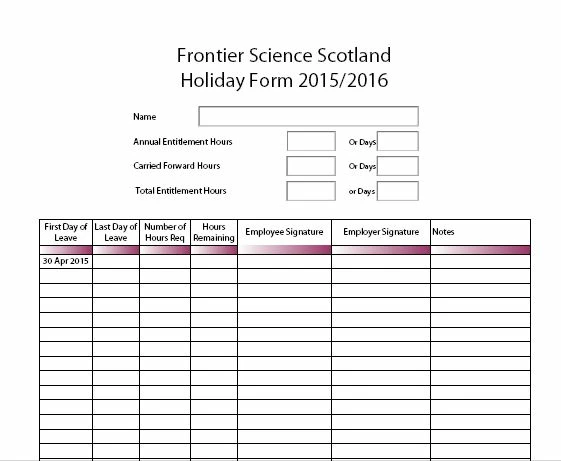
We have holiday forms where the manager and team member both sign on multiple lines at different times.  Once the first line has been signed we have to save the form as something different or it wont save it.  We have tried enabling user extended features, unlocking the fields, making new forms.  Can anyone help?
This topic has been closed for replies.
Correct answer try67

Thank you for ansawering,   When we try (only from some PCs) it will not allow us to overwrite it and asks us to change the file name although no one else has it open.  Very strange.


Make sure the Preview option is disabled in Windows Explorer.

1 reply

Frontier Science
Participant
June 20, 2016

anyone??? anyone?  Pleeeeese

try67
Community Expert
Community Expert
June 20, 2016

The issue is not very clear... When you sign a digital signature field you'll be prompted to save the file, yes, but you can simply overwrite the original. You don't have to save it under a new file name.

Frontier Science
Participant
June 20, 2016

Thank you for ansawering,   When we try (only from some PCs) it will not allow us to overwrite it and asks us to change the file name although no one else has it open.  Very strange.