


Answered
How to change page size in Adobe Acrobat XI Pro and Adobe PDF printer?
We have a problem with the wrong page size in Adobe Acrobat XI Pro. It is installed in our Citrix environment on Windows 2008 R2 terminal servers.
Per default the page size is configured to "letter" in Adobe Acrobat and in the Adobe PDF printer and we need to change it to "A4".
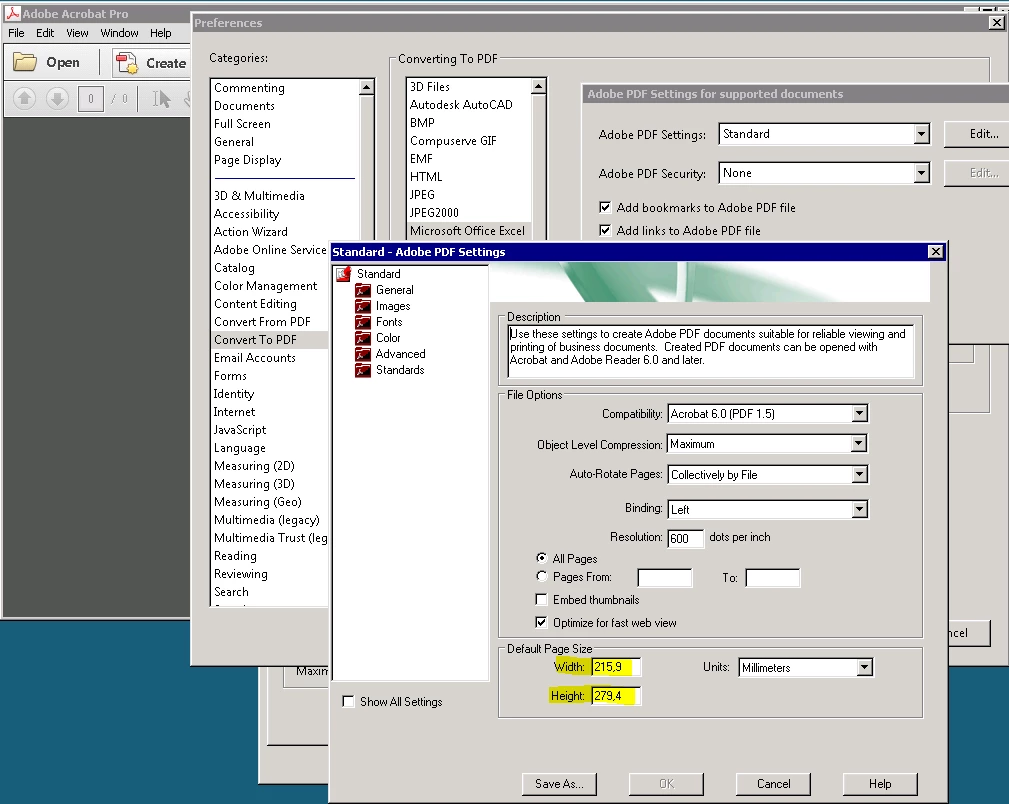
Where are these setting saved and how can I change it? Is there a registry key or something else?
I found out, that it is possible to edit the template files ".joboptions" under "C:\ProgramData\Adobe\Adobe PDF\Settings" to change the page size for the Adobe Acrobat. Is this the only way to do this?

But how can I change the settings for the Adobe PDF printer?
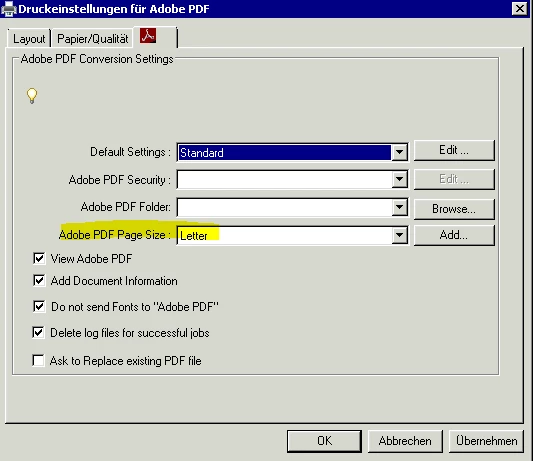
And what did we do wrong that the page size is set to "letter"?
 AdChoices