



How to get a textfield to return a specific word based on numeric value of another field
HI all - apologies in advance, I'm a complete laymen when it comes to JS. I've searched high and low for the answer, but I worry that I don't know how to phrase the question to find the right answer.
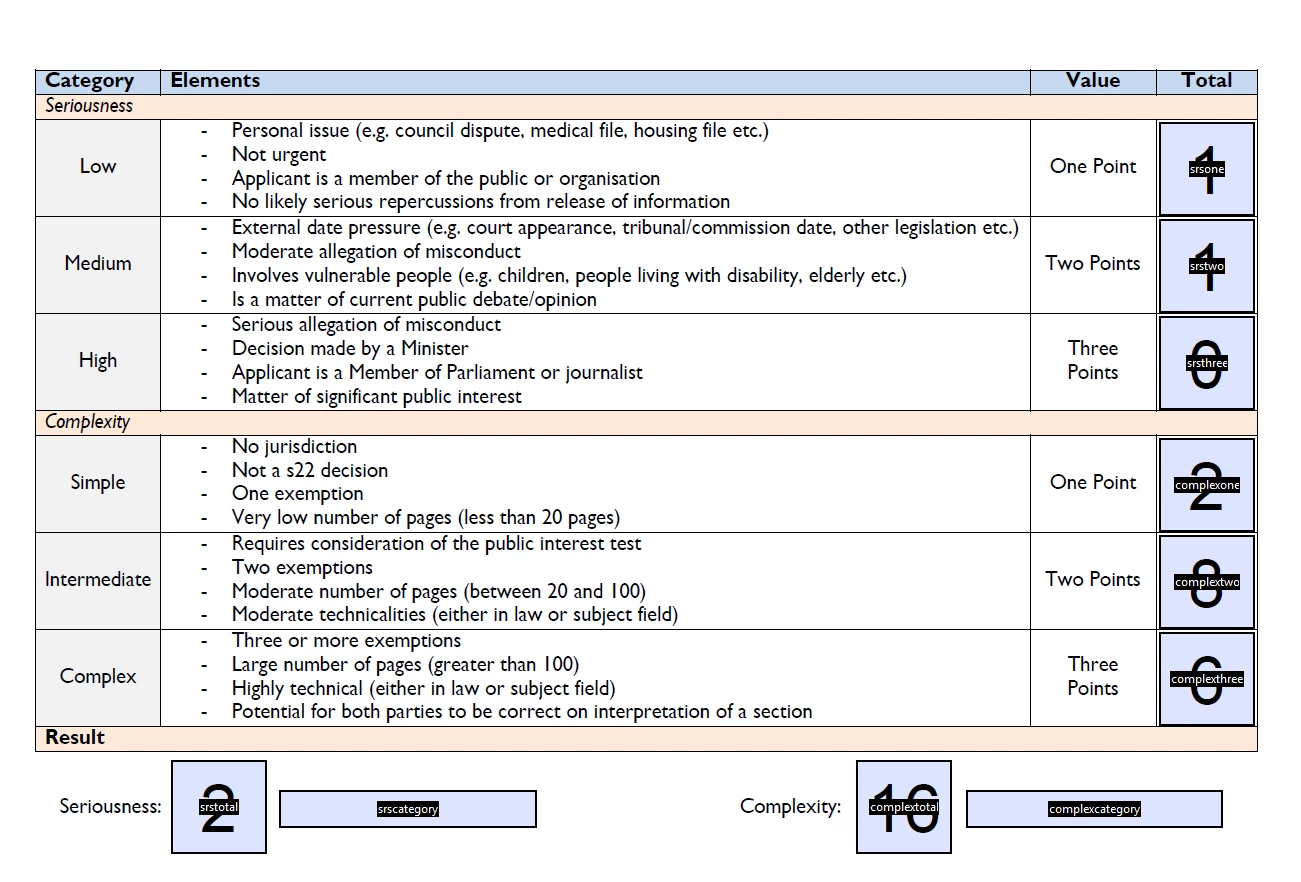
In short, I have a form that will have three figures manually entered into three different fields. A fourth box will run Adobe built-in code to sum three other fields. I then have a fifth text field. I'm having trouble with the fifth field. I want it to look at the sum total of the fourth field and depending on the value, return the words "Low", "Medium", or "High". From my first image below, you'll see this will then be repeated for "Simple", "Intermediate", and "Complex". Each half of this form will determine Seriousness and Complexity.
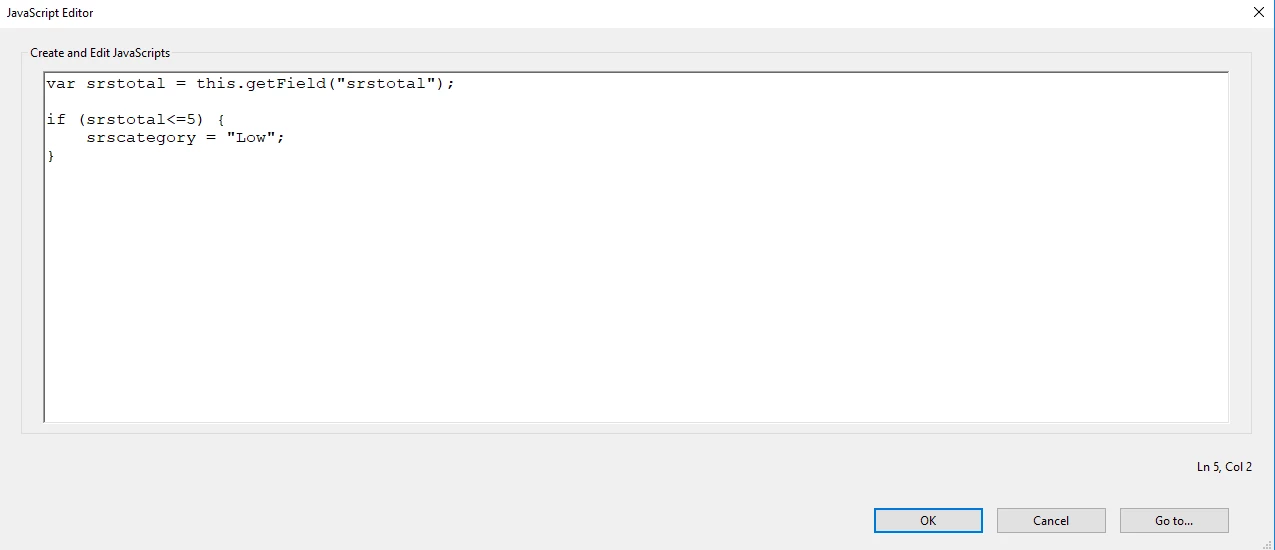
I've only worked on the Seriousness side at this stage. If the value is 0-5, I want to return "Low", 6-10 "Medium", and 11+ "High". The second image is the script I've been trying to use. I've seen multiple variations of different ways, but none of them seem to work. I don't even know which part I should be placing it. I've mostly been trying to put it in "Run custom validation script" under the Validate Tab - but also tried "Custom calculation script" under Calculate.
Thanks heaps - Mike.


 AdChoices