


how to open (advanced search side window) with C# forms using AxAcroPDF ?
Hello everyone .
Actually I'm creating a special library using C# language and using (Adobe Acrobat 7.0 Browser Control Type Library 1.0 ) (AxAcroPDF ver:1.0) from COM Components to views my PDF files at my forms.
also I have installed the latest Adobe Reader on my PC (Adobe Acrobat Reader DC ver:2020.013.20074), and installed Acrobat PDF iFilter ver:11.0.01 too.
every thing is working great, but I rellay want to open (advanced search side window) (Shift+Ctrl+F) next to my form viewer with abbility to using Searching at my Documents folder and another locations.
Actually I can using advanced search side while I using Acrobat Reader DC, but I can't throu my Form.
I'm Looking for solution, how to open (advanced search side window) with My form Viewer?
see the attachment.
This is my C# form: can't using Searching at my Documents folder.
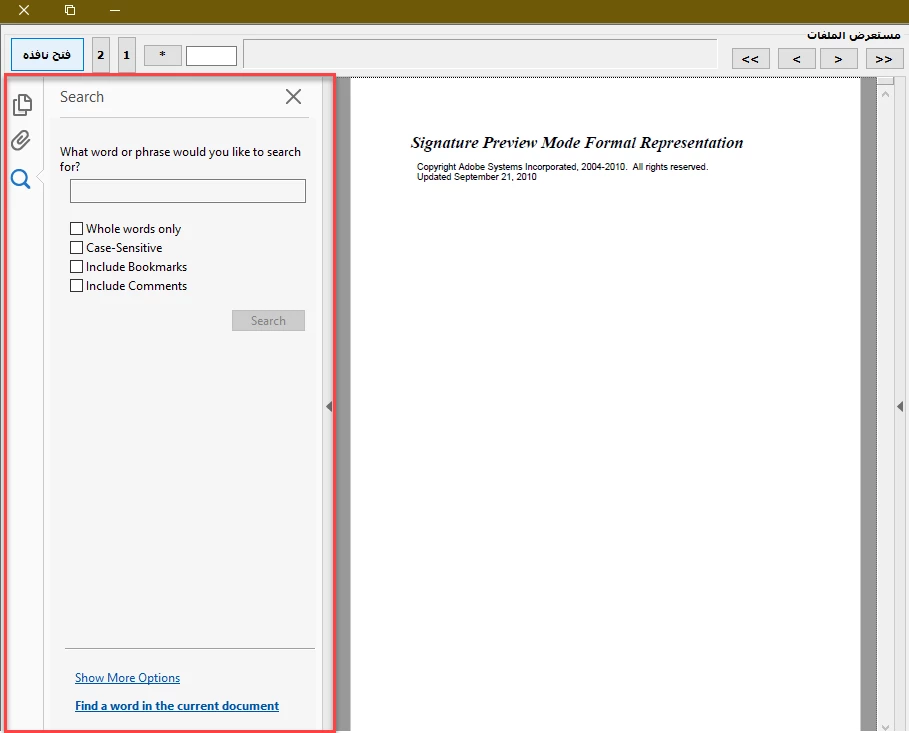
This is Acrobat Reader DC : can using Searching at my Documents folder.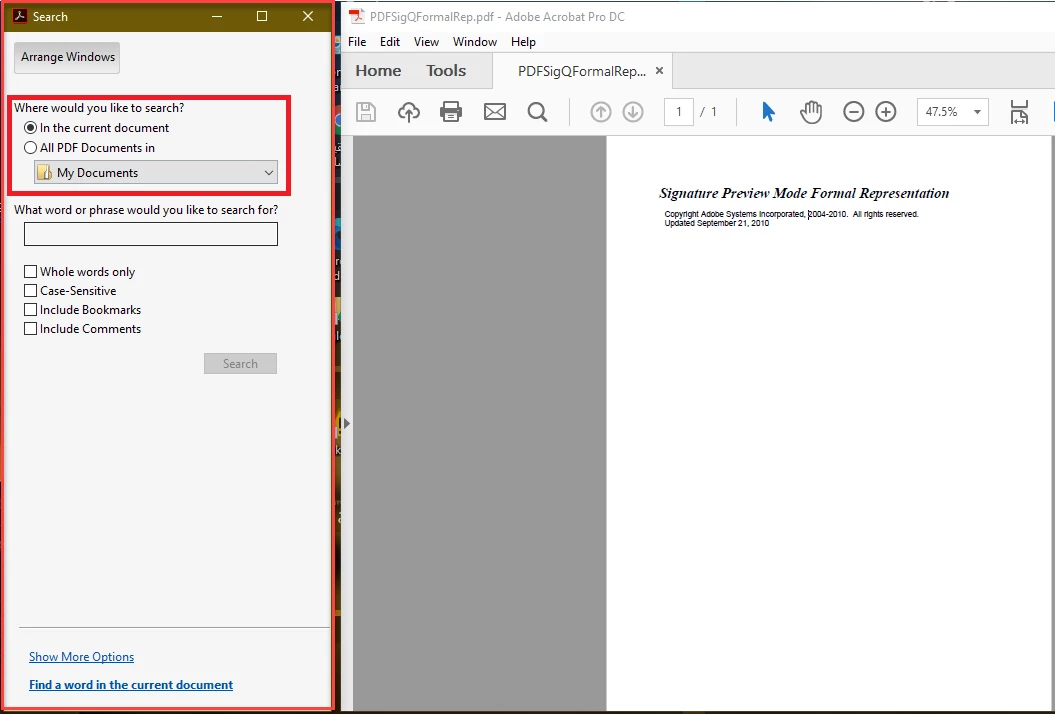
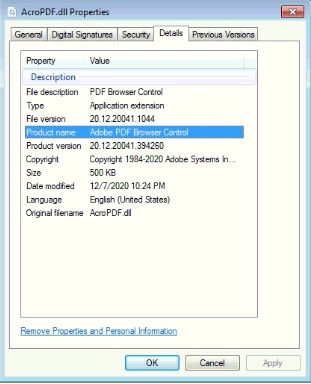
ver of Adobe Acrobat 7.0 Browser Control Type Library 1.0 ) (AxAcroPDF ver:1.0)
Thak you.
Looking forward to your reply.
Kind regards,
 AdChoices