
ncme18389706
Participating Frequently
February 4, 2016
Question

how to replicate security/permissions and print settings on fillable forms pdf?

  • February 4, 2016
  • 1 reply
  • 2124 views

Anyone able to help determine which permissions/print/and forms settings are activated on existing PDF handouts? See below for sample.
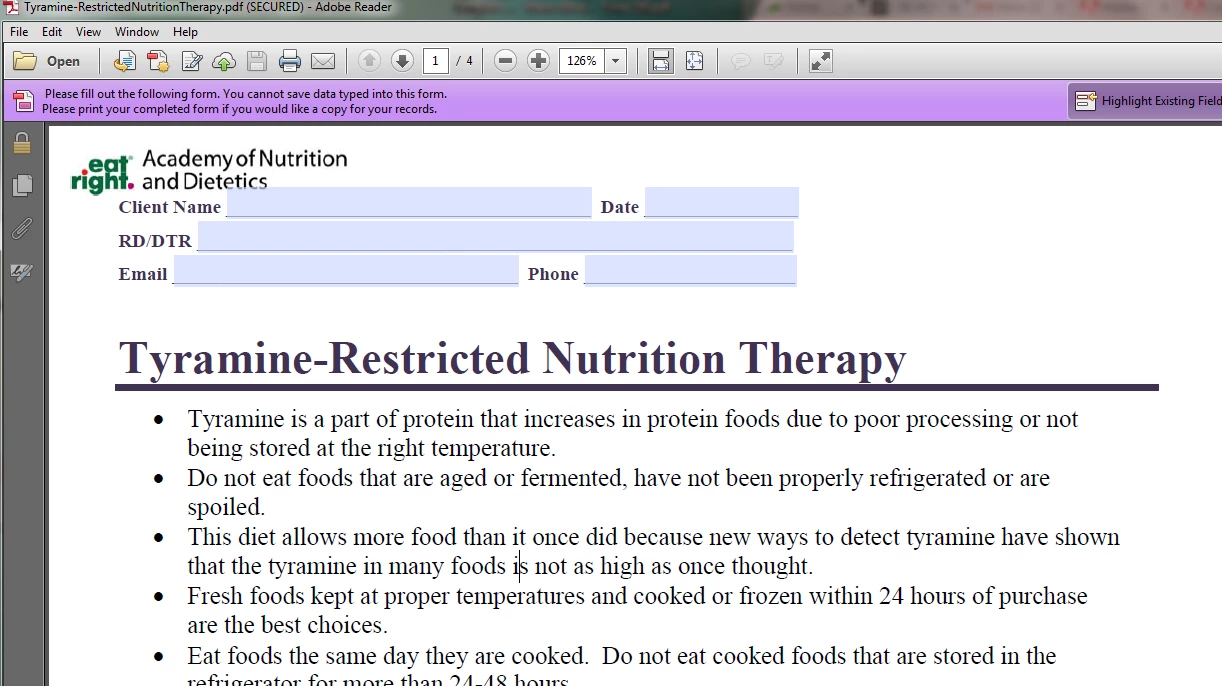
I am updating a library of handouts that need to be printed by all useres, forms fillable by all users (however, content cannot be saved within the form), and the bulk content cannot be edited. The entire library has the same settings, but I have been unable to replicate.

Please help!

Thanks.

This topic has been closed for replies.

1 reply

Meenakshi_Negi
Legend
February 4, 2016

Hincme18389706,

PDF form needs to Reader Extended (File menu -> Save as other -> Reader Extended PDF -> Enable More tool) using Acrobat application so that users can Save & print the form data.


Regards,
Meenakshi

ncme18389706
Participating Frequently
February 4, 2016

Hi Meenakshi, I don't see this as an option?

Thanks!

Sarah

Inspiring
February 4, 2016

In Acrobat 9 you'd select: Advanced > Extend Features in Adobe Reader

But you only need to do this if you want Reader (prior to version 11) to be able to save. To see the existing security restrictions, select: File > Properties > Security

If you show a screen shot of the security restrictions summary, we can help you replicate it.