
Participating Frequently
July 31, 2020
Answered

How to trigger Signature Field event ("Sign with a digital ID" pop up) from javascript?

  • July 31, 2020
  • 1 reply
  • 2248 views

I have a form which have one Text Field, one Check Box, one Digital Signature and button control.

For Text Field and Check Box control, I am able to validate the value and setfocus if value is not provided on button clicked. 


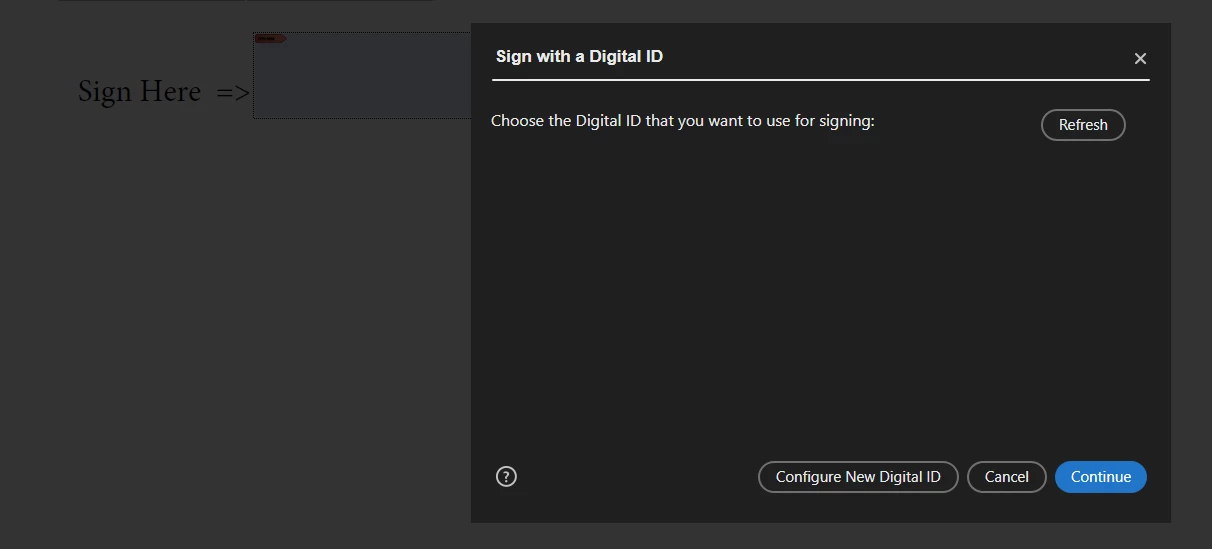
But for Digital Signature, how can I open "Sign with a digital ID" pop up (as snapshot attached here) if document is not signed on button click. I don't what to sign the document using javascript. 


Is there any way to open "Sign with a digital ID" pop up directly using javascript if Digital Signature field is available in pdf?     
 

This topic has been closed for replies.
Correct answer try67

It's much more complicated than that. You would need to study the documentation of the signatureSign method, as well as the SecurityHandler and security objects.

1 reply

try67
Community Expert
Community Expert
July 31, 2020

In order to do that you would need to install a script on the local computer of each user.

ideepakAuthor
Participating Frequently
August 1, 2020

Okay.. I have custom meun javascriptr, which is placed inside "C:\Program Files (x86)\Adobe\Acrobat DC\Acrobat\Javascripts" folder. But I still don't know what to call from javascript to open "Sign with a digital ID" pop up . 


Here is the code snap, which is to find signature control in pdf. Based on the control type "Sign with a digital ID" pop up should open using javascript.


for (var fieldNumber = 0; fieldNumber < this.numFields; fieldNumber++) {
    var controlType = this.getField(this.getNthFieldName(fieldNumber)).type;
    if (controlType === "signature") {
        //Here, I know PDF have signature control and its name
        //My next work is to trigger event to open "Sign with a digital ID" pop up
        this.getField(this.getNthFieldName(fieldNumber)).setFocus();
    }
}


try67
Community Expert
try67Community ExpertCorrect answer
Community Expert
August 1, 2020

It's much more complicated than that. You would need to study the documentation of the signatureSign method, as well as the SecurityHandler and security objects.
