
GlennBurdette
Participant
February 17, 2016
Question

How to update scripted dates in PDF forms?

  • February 17, 2016
  • 1 reply
  • 973 views

When making changes to the primary date in the current document other dates auto populate, if we modify the primary date, the script seems to stop working.
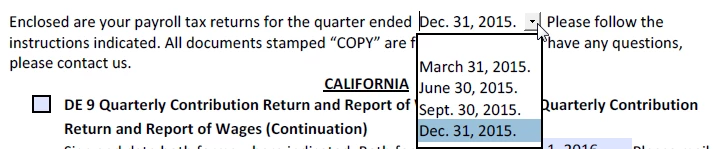
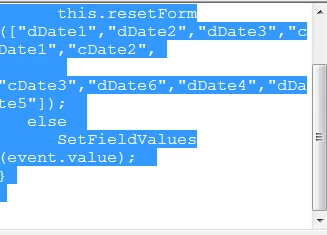
Here is the script that we found under the primary date:
This topic has been closed for replies.

1 reply

try67
Community Expert
Community Expert
February 17, 2016

Please post the full script, as text, not as an image, and specify exactly where it's located (under which trigger/action).
Also, open the JS Console (Ctrl+J) and check for any error messages there.

try67
Community Expert
Community Expert
February 17, 2016

Also, post the code of SetFieldValues (it's probably located under Tools - JavaScript - Document JavaScripts).

GlennBurdette
Participant
February 17, 2016

Nothing seems to be set in Javascript.

The custom keystroke script that I pulled from the primary date is the following:

if ( event.willCommit ) {

   if (event.value == " ")

      this.resetForm(["dDate1","dDate2","dDate3","cDate1","cDate2",

       "cDate3","dDate6","dDate4","dDate5"]);

   else

      SetFieldValues(event.value);

}