



How to use multiple input box through virtual keyboard
Hello Sir,
Good Afternoon,
I am using keyboard plugin but its feature only in one input box its working but i want it multiple input box. I explain our problem through image you must give me good suggestion. as soon as possible.
this is my code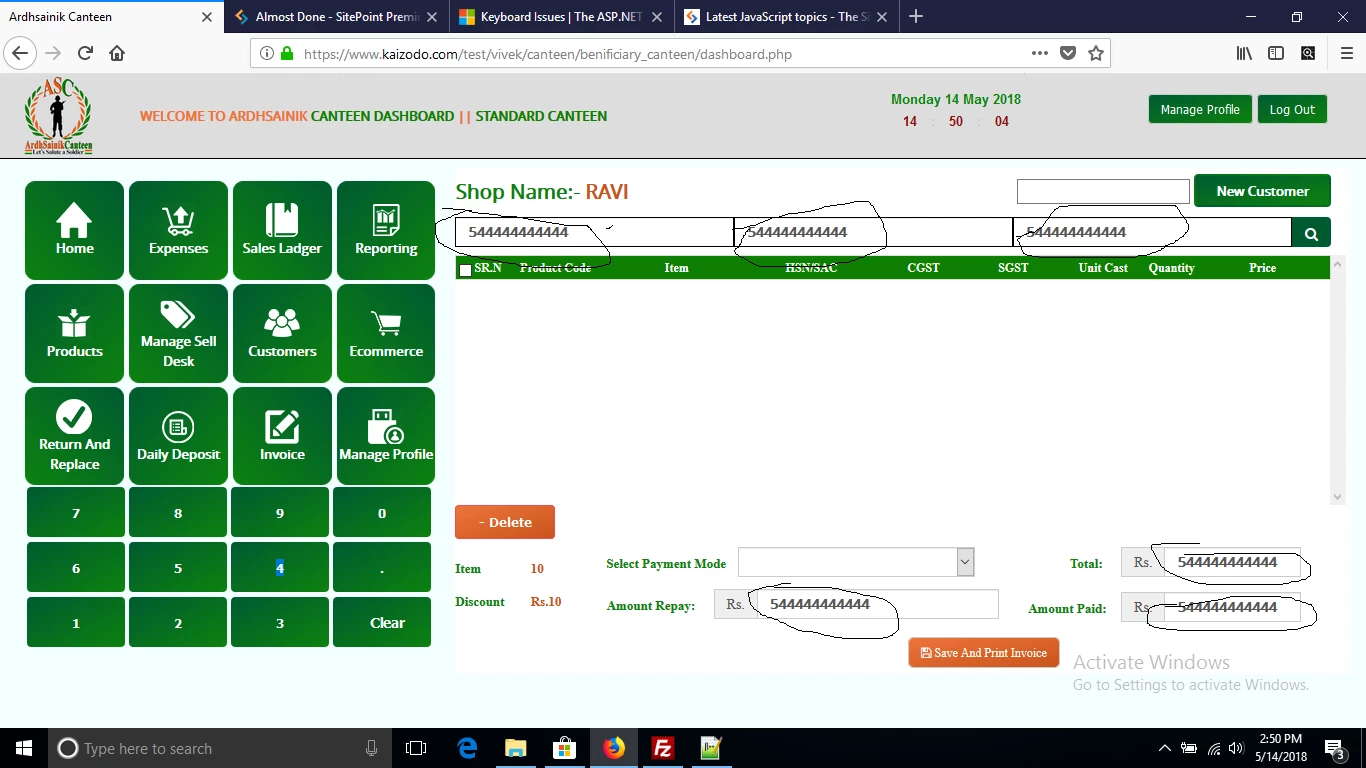
$(function(){
var $write = $(':input').on('click', function(){
var id = this.id;
shift = false,
capslock = false;
//var str = new Array();
//temp = str.split(" : ");
//console.log(temp);
var ids = $(":input").map((i, el) => el.id).get();
var found = ids.find(function(element) {
return element == 'itemNo_1';
});
console.log(found);
//alert(citrus);
$('#keyboard li').click(function(){
var $this = $(this),
character = $this.html(); // If it's a lowercase letter, nothing happens to this variable
// Shift keys
if ($this.hasClass('left-shift') || $this.hasClass('right-shift')) {
$('.letter').toggleClass('uppercase');
$('.symbol span').toggle();
shift = (shift === true) ? false : true;
capslock = false;
return false;
}
// Caps lock
if ($this.hasClass('capslock')) {
$('.letter').toggleClass('uppercase');
capslock = true;
return false;
}
// Delete
if ($this.hasClass('delete')) {
var html = $write.html(),
txt = html.substr(0, html.length - 1);
$write.html(txt);
$write.autocomplete("search", txt);
return false;
}
// Delete
// Special characters
if ($this.hasClass('symbol')) character = $('span:visible', $this).html();
if ($this.hasClass('space')) character = ' ';
if ($this.hasClass('tab')) character = "\t";
if ($this.hasClass('return')) character = "\n";
// Uppercase letter
if ($this.hasClass('uppercase')) character = character.toUpperCase();
// Remove shift once a key is clicked.
if (shift === true) {
$('.symbol span').toggle();
if (capslock === false) $('.letter').toggleClass('uppercase');
shift = false;
}
//console.log("DO IT ", character);
// Add the character
if(found == 'itemNo_1'){
$write.val($write.val() + character);
$write.html(txt);
$write.autocomplete("search", txt);
}
else if(found == 'itemNo_2'){
alert("i am itemNo_2");
}
});
});
});
$(function () {
var write = write();
write.init("keyboard");
//first input focus
var $firstInput = $(':input').first().focus();
write.currentElement = $firstInput;
write.currentElementCursorPosition = 0;
});
 AdChoices