
Answered
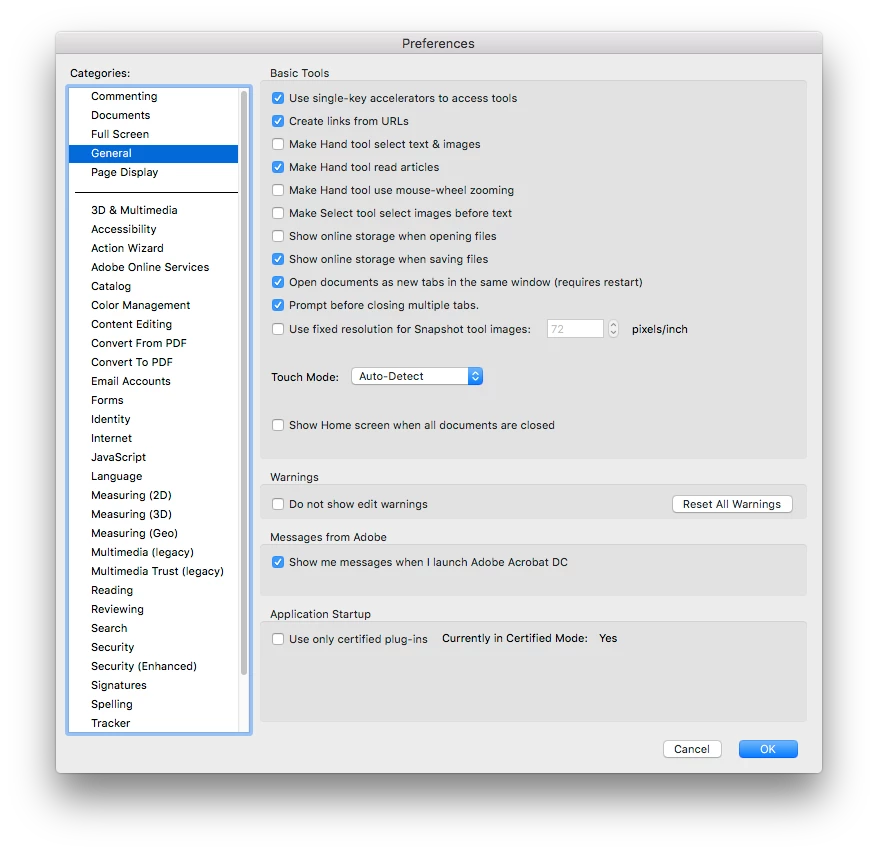
I accidentally clicked "do not show again" on a dialogue box, help me?
I accidentally clicked "do not show again" on a dialogue box that said "this is from a different version of Adobe" how do I get that dialogue box back? Sorry if this is not the correct forum.
 AdChoices