
malcolmladegourdie
Participant
February 28, 2023
Question

I am not able to finalise my certificate signature. Nothing happens when I click on the "Sign"
  • February 28, 2023
  • 2 replies
  • 1733 views

I am not able to finalise my certificate signature. Nothing happens when I click on the "Sign" button in order to complete the sige and certify process

This topic has been closed for replies.

2 replies

ls_rbls
Community Expert
Community Expert
March 3, 2023

Hi @malcolmladegourdie ,


Please share more details about the operating system and Adobe Acrobat Pro versions.


Also specify if this is happening with every PDF documents that you create and sign, or just one particular PDF.

malcolmladegourdie
Participant
March 4, 2023

ls_rbls,

In reply to your questions.
Windows 10home. Version 22H2. OS build 19045.2673
System type: 64-bit operating system, x64-based processor
Adobe system: adobe acrobat Pro (32bit). 22.003.20322

I am able to sign using the Adobe Fill and Sign functionality.

I am not able to certify any pdf documents using the digitally sign,  Certify (visible signature) or certify (invisible signature).
I have verified that the Digital Id's I wish to use are installed and valid. (Having used this functionality for several years, I was suddenly not able to and believe this happened around December 2022.


During the signing process I can view the available certificates and see they are valid and functional.
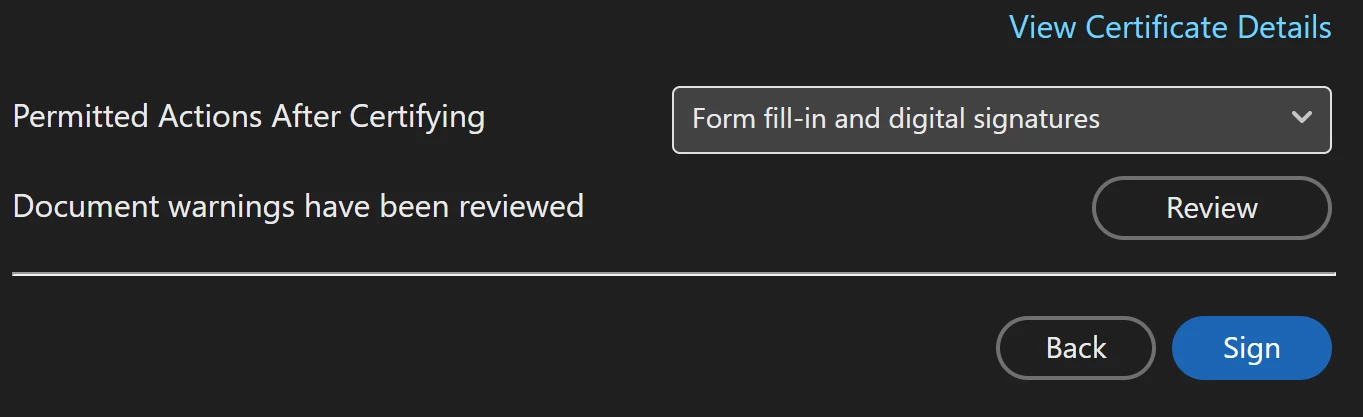
I can see the permitted actions after certifying
I can Review the document prior signing

When I click on the Sign Icon "Blue oval box with white text"; nothing happens

Quote
The selected certificate is considered valid because it has not been revoked as verified in real-time using the Online Certificate Status Protocol (OCSP) obtained on-line.

The OCSP Response was signed by "DANID A/S - OCSP Responder 01" on 2023/03/04 11:05:18 +01'00' and is valid until 2023/03/04 23:17:59 +01'00'.

Unquote
I hope you are able to assist with a solution to this issue.
Brgds Malcolm

ls_rbls
Community Expert
Community Expert
March 9, 2023

@malcolmladegourdie  Apologies for replying back so late.


Sounds almost like if you're working with outdated government forms. Can you confirm what program produced the PDFs that you're having this issue with?


Recently, a new continuous release update was pushed:


Is the problem still persisting after applying this recent update?


I did notice in the release notes that there is a known issue when digitally signing PDF documents in the browser when protected mode is enabled in Acrobat Reader.


Even though this may not be your case, it is worth noting that Adobe Acrobat and Adobe Reader share many of the same system libraries.


In which case, what happens if (just for troubleshooting purposes) you disabled Protected Mode?


Note:

If this is an outdated XFA PDF form (that wasn't produced with Acrobat Pro), and such form already provides  certificate-based digital signature fields, you don't need to employ the Certificates tool.

Participant
February 28, 2023
880686f0c9ebb911.pdf