Participant
September 13, 2016
Question

I can get completed forms to email

  • September 13, 2016
  • 3 replies
  • 488 views

I have a some forms that have been made and while I can get it all to work on my computer, others are having trouble saving forms and emailing them.

I would have thought this was a pretty basic service so as you can imagine my client is starting to get pretty pissed off.

How do I fix this?

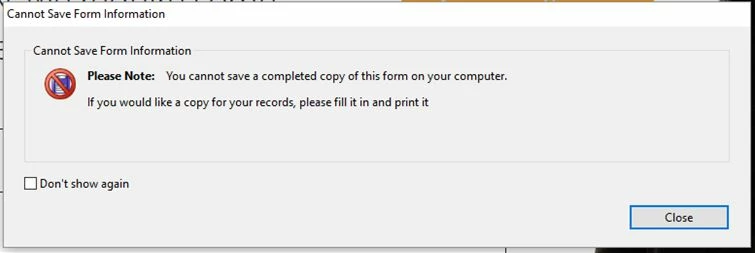
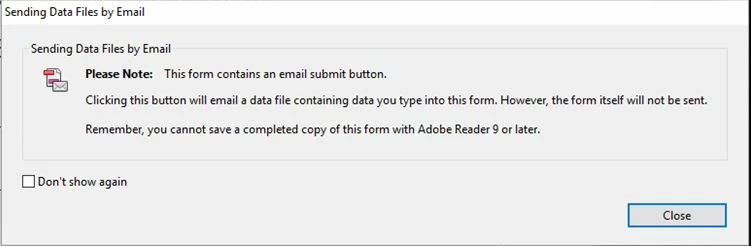
These are the messages they are getting.
This topic has been closed for replies.

3 replies

Participant
September 14, 2016

I am experiencing the same problem.

I am in process of updating some existing forms which we could previously email.  Since I have made the changes in a later verision of Adobe, the email functionality has been lost.

I am using Adobe Acrobat X Pro and they are on Adobe Reader XI

NKOWA555
Inspiring
September 13, 2016

You can also setup the button to submit to a server-side script, such as ASP.net. The script bypasses client-side email software and sends the submission to your inbox. Works with Adobe Reader and most end-users. Adobe Reader for mobile has limited functionality.

Visit the following site for online examples:

www.pdfemail.net/examples/

A less secure and less reliable way to to set the submit button to point to an email address:

mailto:you[@]server.com

Note: This email method requires client's to correctly configure their client-side email software; and may not work with everyone.

Visit the following site for an online email script generator:

www.nk-inc.com/software/fdftoolkit.net/email-pdf-mailto-generator.aspx

try67
Community Expert
Community Expert
September 13, 2016

This happens because they are using a very old version of Adobe Reader. If they upgrade to a newer version (as the error message says), then they would be able to save the completed file on their computer. Alternatively, you as the author of the form can allow them to do it even with their current version by applying the Extended Reader Rights to it (before sending it out). What version of Acrobat do you have?

aclarke42Author
Participant
September 14, 2016

It says I am on Acrobat 8 Professional only... they are on Acrobat 9. But it must be simpler than that.

This Live Cycle thing is a pain in the bum... used to be easier when the form was just editied in Acrobrat, as I still can do with some forms.