
Inspiring
June 22, 2016
Answered

I have a legal size doc that will only print in letter size. Help!

  • June 22, 2016
  • 1 reply
  • 2380 views

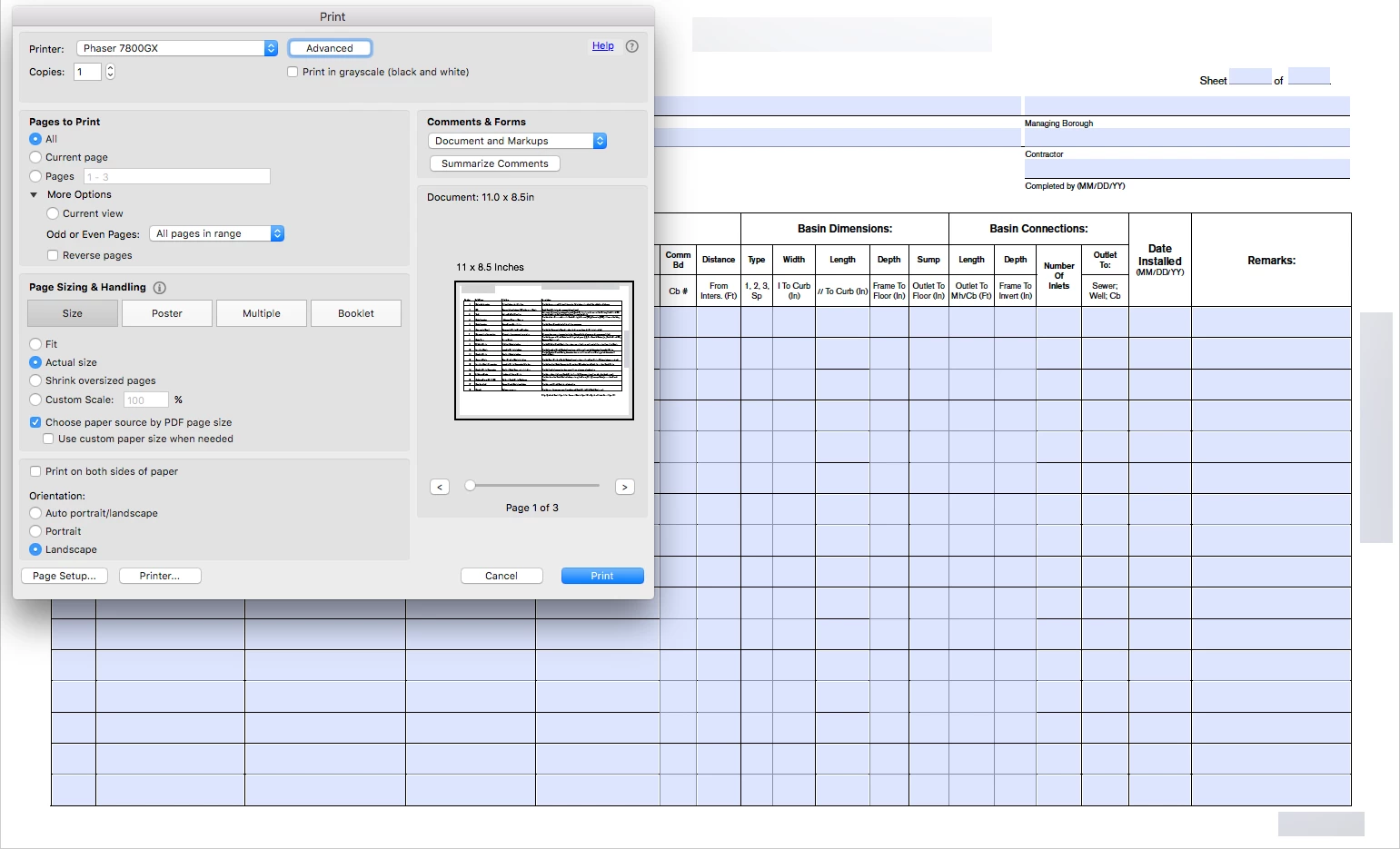
I created a fillable form 8.5x14 (legal sized) that when I sent it off to a co-worker to be tested it defaults to print at letter size (8.5x11). I'm attaching a screenshot of my setup. I changed the page setup to legal sized, but when I send it off to my co-worker it's still defaulting to letter size.

This hasn't happened to me in the previous version of acrobat so I'm wondering where the settings are to correct this.

I'm on a mac running acrobat pro DC. He's on a PC, most everyone else accessing this form on our intranet will be using a PC.
This topic has been closed for replies.
Correct answer Dov Isaacs

Not much you can do about this. By default, both Reader and Acrobat will scale the page to fit the current paper size selected for the current default printer. If the recipient's printer doesn't have legal size paper available or the printer does support legal size paper but it isn't the default paper tray, the behavior that you are seeing is to be expected. There is no way to force a PDF file to be printed on a particular page size.

          - Dov

1 reply

Dov Isaacs
Dov IsaacsCorrect answer
Legend
June 22, 2016

Not much you can do about this. By default, both Reader and Acrobat will scale the page to fit the current paper size selected for the current default printer. If the recipient's printer doesn't have legal size paper available or the printer does support legal size paper but it isn't the default paper tray, the behavior that you are seeing is to be expected. There is no way to force a PDF file to be printed on a particular page size.

          - Dov

- Dov Isaacs, former Adobe Principal Scientist (April 30, 1990 - May 30, 2021)
Inspiring
June 22, 2016

So even though the page setup is selected as a legal sized printout, acrobat will still default to the default paper size in the printer itself? My printer that I was sending it to (above graphic) HAS legal paper in the printer and I changed the options to legal in the page setup but after hitting "ok" the preview is still in letter...

Here's the problem from a users end: These forms will be used by construction professionals in the field (on site), if they fill it in on a laptop, then great. If they're not computer savvy (and many many are) and have their administrative assistant printout the form and they have to fill it out manually (there are some out there that do), it seems like there's a good chance they're going to get a letter sized printout and not be able to fill out the miniscule boxes.

That's ridiculous that there's no way to force or prompt for a legal sized printout.

Dov Isaacs
Legend
June 22, 2016

It is a matter of what your printer setup is, not the page setup. Initial display in the print dialog is based on what the logical page size is versus what is the current set tray for the printer you have as your default. There is nothing in the PDF file format itself for specifying what paper size to print on.

          - Dov

- Dov Isaacs, former Adobe Principal Scientist (April 30, 1990 - May 30, 2021)