
May 9, 2016
Answered

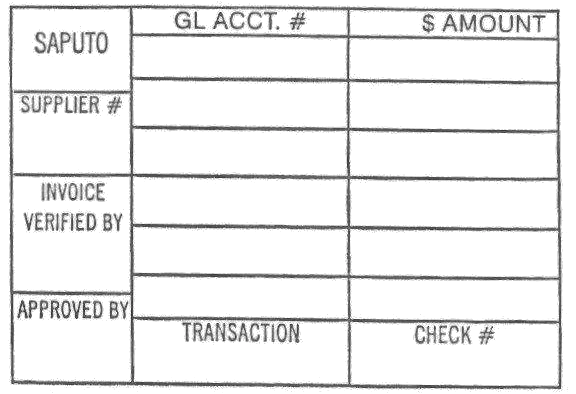
In acrobat pro, how do I create a stamp with fields that I can edit within the stamp?

  • May 9, 2016
  • 1 reply
  • 1124 views

So, I have this stamp and I want to make fields in each box so I can edit them? This would be going on top of an existing PDF document. Is this possible? I've tried creating the stamp as a separate "form", but the fields are not editable once you create the stamp on the final pdf. Any help is very appreciated!
This topic has been closed for replies.
Correct answer try67

It's not possible to edit stamps once they are applied. You can add fields to the stamp and then prompt the user to enter their values just before the stamp is applied, but not afterwards. This is a very complex subject, though. Search these forums for "dynamic stamps" for more information.

1 reply

try67
Community Expert
try67Community ExpertCorrect answer
Community Expert
May 10, 2016

It's not possible to edit stamps once they are applied. You can add fields to the stamp and then prompt the user to enter their values just before the stamp is applied, but not afterwards. This is a very complex subject, though. Search these forums for "dynamic stamps" for more information.