


Participating Frequently
January 21, 2018
Answered

Javascript to automatically update current date on form when I open it

  • January 21, 2018
  • 3 replies
  • 1747 views

Hello,

I already read the answer on your previous javascript answer (May 2015) unfortunately it does not work on my form.

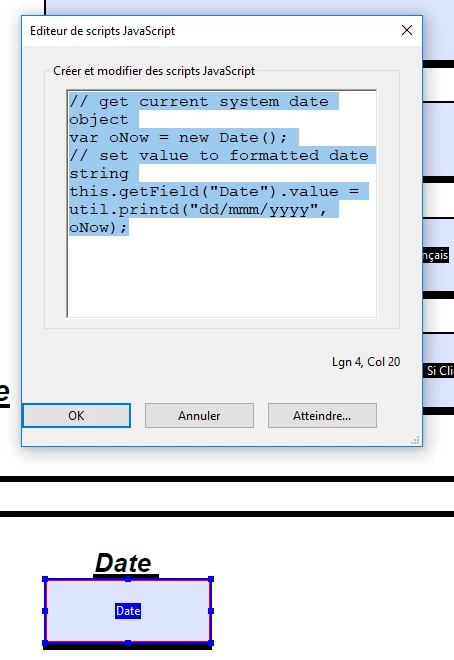
I would like to create a java script in order to get the current date when I open the form.

My field is Date

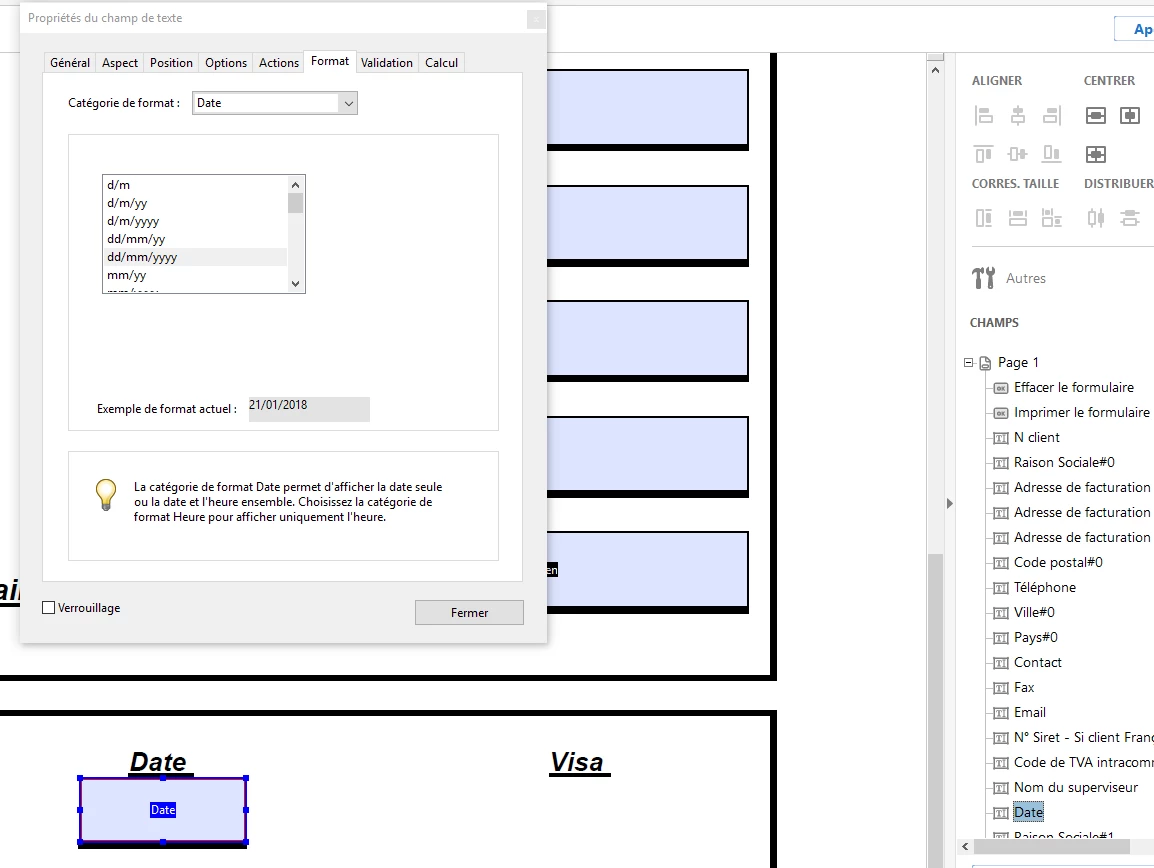
The format is dd/mm/yyyy (21/01/2018).

Please find below the date format I have on my form :
Please find below the script worte :
I use Adobe Acrobat Standard DC with Windows 10

Thank you in advance for your help.

Olivier

This topic has been closed for replies.
Correct answer Bernd Alheit

You must use the script at document level.

Document Level Scripts With Acrobat Standard - KHKonsulting LLC

3 replies

JR Boulay
Community Expert
Community Expert
January 23, 2018

Don't clic on this link: right-clic and choose Save As…

Acrobate du PDF, InDesigner et Photoshopographe
Participating Frequently
January 22, 2018

I already read it but it is not very clear. Each time I click on the link in order to download it I have no option to saive it ?

Thank your your help

Bernd Alheit
Community Expert
Bernd AlheitCommunity ExpertCorrect answer
Community Expert
January 21, 2018

You must use the script at document level.

Document Level Scripts With Acrobat Standard - KHKonsulting LLC

Participating Frequently
January 22, 2018

when I click on it I have the script below :

How can I save it in order to install it ?

Bernd Alheit
Community Expert
Community Expert
January 22, 2018

Read the posting of Mr. Kremer.