
Participant
June 26, 2019
Question

JavaScript - Want to calculate sum of certain fields, but only if dropdown next to each field has a particular value showing. Graphic included.

  • June 26, 2019
  • 1 reply
  • 580 views

Here's the English version of what I'm trying (and failing) to do:

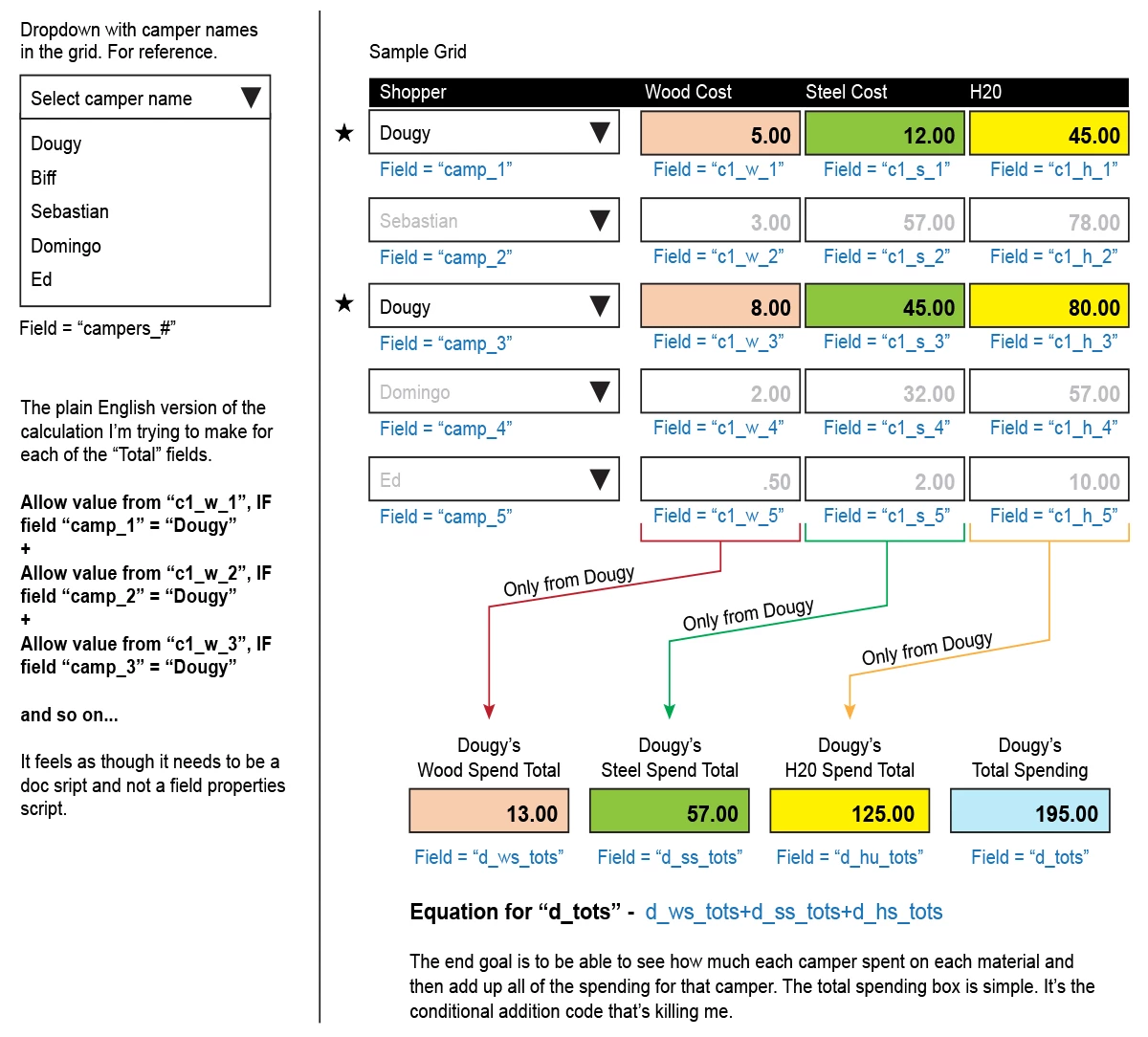
The plain English version of the calculation I’m trying to make for each of the “Total” fields.

Allow value from “c1_w_1”, IF field “camp_1” = “Dougy”

+

Allow value from “c1_w_2”, IF field “camp_2” = “Dougy”

+

Allow value from “c1_w_3”, IF field “camp_3” = “Dougy”

and so on...

It feels as though it needs to be a doc sript and not a field properties script. Below is a graphic to illustrate the functionality I'm trying to recreate in this PDF form.
Any feedback would be greatly appreciated!!!

This topic has been closed for replies.

1 reply

try67
Community Expert
Community Expert
June 26, 2019
BerZerKerAuthor
Participant
June 26, 2019

Thank you for sending those lnks. I read through them and was able to understand what they explain, for the most part) but I'm still running into a brick wall on getting this to work. :/

try67
Community Expert
Community Expert
June 26, 2019

You can use this code as the custom calculation script of your field:

var total = 0;

if (this.getField("camp_1").valueAsString=="Dougy") total+=Number(this.getField("c1_w_1").valueAsString);

if (this.getField("camp_2").valueAsString=="Dougy") total+=Number(this.getField("c1_w_2").valueAsString);

if (this.getField("camp_3").valueAsString=="Dougy") total+=Number(this.getField("c1_w_3").valueAsString); // etc.

event.value = total;