
Inspiring
February 12, 2016
Answered

Keyboard shortcut for cropping pages - changed?

  • February 12, 2016
  • 1 reply
  • 3600 views

I upgraded to Acrobat DC.

I'm trying to crop by the traditional command of shift+command(control)+T

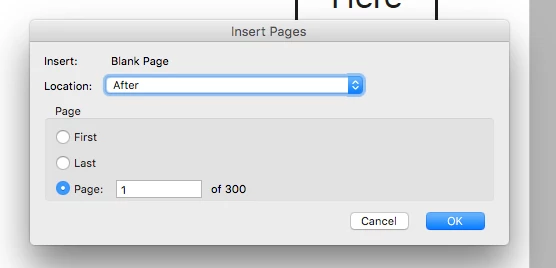
It brings up the insert pages box. I want the crop box.
I put my mouse over the crop button icon and it says it's shift+command+T
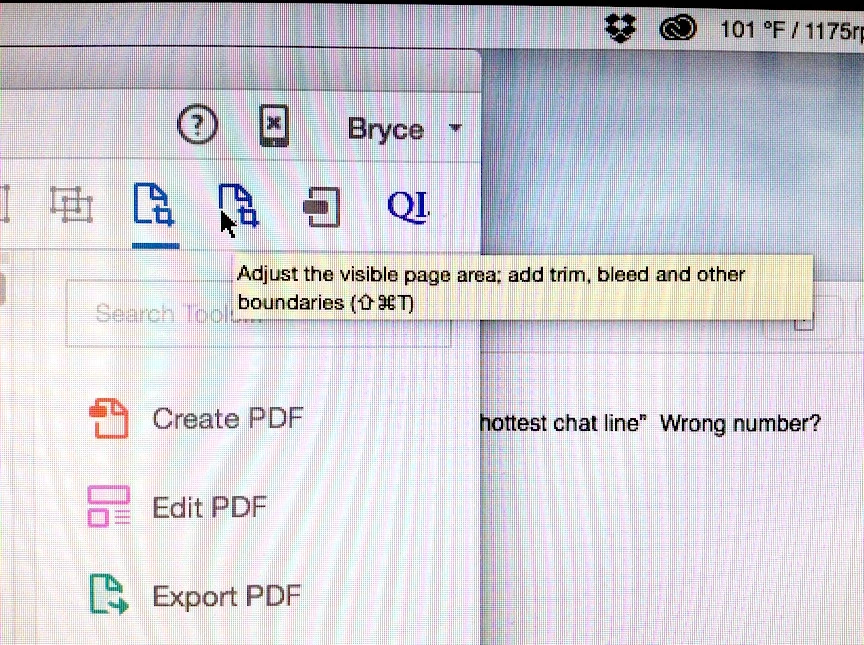
Why won't it come up?

The Adobe support didn't seem to know what I was talking about.

Apparently the program is wrong? Is there anyway to make it what it was?

thanks,

Bryce

This topic has been closed for replies.
Correct answer AadeshSingh

Hi Brycesteiner,

I am sorry it won't be possible to change that. This is a design behavior.

Regards,
Aadesh

1 reply

AadeshSingh
Community Manager
Community Manager
February 12, 2016

Hi Brycesteiner,

Please check the latest keyboard shortcut keys for Acrobat DC Keyboard shortcuts for Adobe Acrobat DC.


Regards,

Aadesh

Inspiring
February 12, 2016

Is Acrobat DC program just not updated? Is there away to change it back to what worked?

AadeshSingh
Community Manager
AadeshSinghCommunity ManagerCorrect answer
Community Manager
February 19, 2016

Hi Brycesteiner,

I am sorry it won't be possible to change that. This is a design behavior.

Regards,
Aadesh