
Layout has a slight offset when spawning pages from a template
Hello,
In my document I use a lot of spawning and deleting pages with JavaScript.
To do this I use hidden templates in my document but I recently noticed something a bit... Odd.
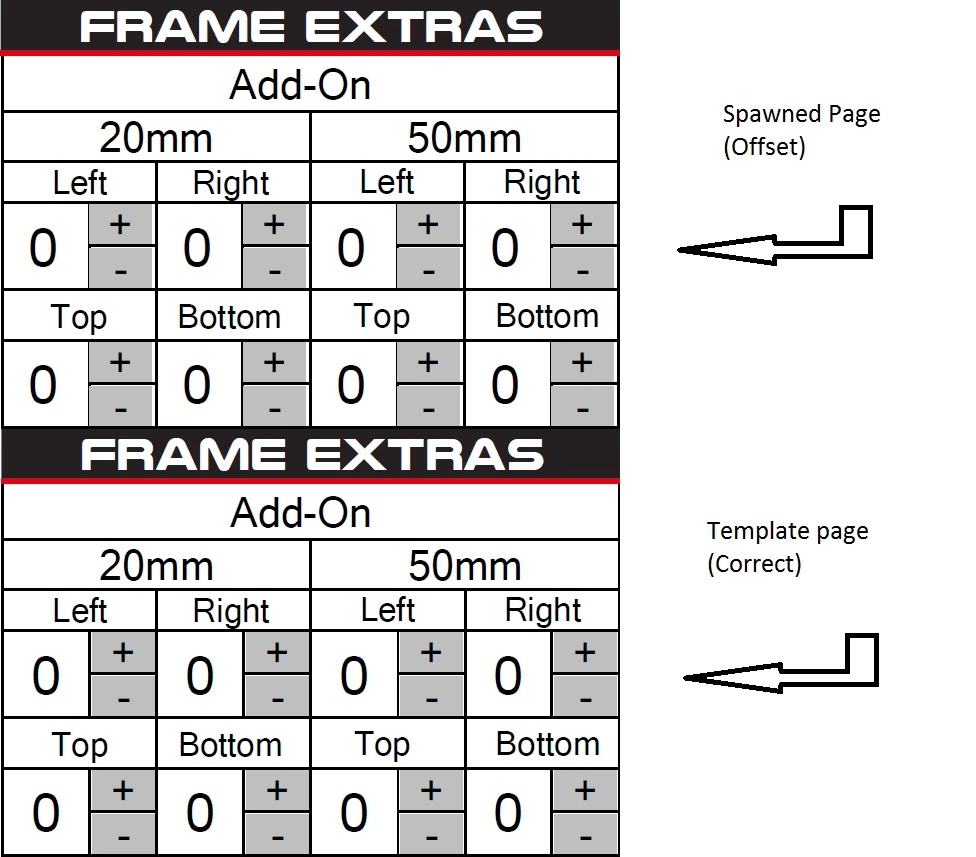
As you can see my + - buttons are ever so slightly offset to the left on the spawned page (Top Image) as opposed to the correctly placed buttons on the template page (Bottom Image).
I have no idea why this is happening however there are a few things I do know;
1. The template is correct in both Acrobat and Reader.
2. The offsetting happens in both Acrobat and Reader.
3. This only happens when I spawn a new copy of the page and not when I move it in the document.
Is there a reason for this and perhaps a work around? Currently I can deal with this as at 100% zoom the difference is negligible and will barely register at the time of printing but when using the document at 150% zoom+ the white gap and subsequent overlap of the black line become annoyingly obvious.
Apologies if this is in the wrong section, I did not know exactly where to put this.
Any help is much appreciated.
Thank you in advance.


 AdChoices