

Beate.Brady
Inspiring
January 22, 2020
Answered

looking for a java script to show a sentence when a checkbox is selected.

  • January 22, 2020
  • 2 replies
  • 3675 views

I have searched and tired several javascripts, but being a beginner in this area I must have forgotten something along the string. 

I have a checkbox that if selected a sentence shows up.  (I've named the checkbox and the text box, too)

Another checkbox, that if selected also a popup sentence and another exisiting filed must be required and  filled out. 
 

This topic has been closed for replies.
Correct answer Beate.Brady

Hi again,

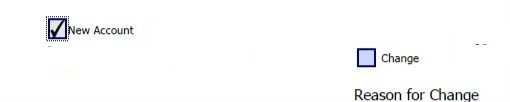
I've attached screenshots of the file and what happens when checkbox ("New") is checked and unchecked.


It worked.   Whew


I changed the script

this.getField("CHG").display = (event.target.value=="Yes")?display.hidden : display.visible;

 Thank you so much for your patience. There were more things I would like to have scripted in this form, but I must say that this simple little script has caused me a headache.  THANK YOU, again. 

2 replies

Beate.Brady
Inspiring
January 23, 2020

Hello Tom,

I am working a form and with request to include a drop down list selecting A, B, C, D. However, when selecting B an alert/text should pop up. Selected C a different alert and for D another alert.  So now, I created a checkbox for each A, B, C, D  and hoped to add a script to each checkbox with individual popup alerts/texts.  I've named my checkboxes TTL CDC so they are not checkbox1, checkbox2,

I've tried others, but ended up with those two below. That do not seam to work.

f.setAction("MouseUp","app.alert('Change pricing on customer account - no JQ necessary!');");


if (event.target.value == "Yes")

app.alert("Message", 3);


I have been reviewing and customizing quite a few options, but some guidance would really help.

Thank you for your time.

Thom Parker
Community Expert
Community Expert
January 23, 2020

First, the "setAction" function is only used scripts for creating document, never in a working PDF. So don't use it.


You're second script uses the correct form, it should be used on the MouseUp event of the checkbox. 


if (event.target.value == "Yes")  app.alert("Message", 3);


So exactly what is the issue?


Thom Parker - Software Developer at PDFScriptingUse the Acrobat JavaScript Reference early and often
Beate.Brady
Inspiring
January 23, 2020

Hi Tom,

I am not able to post, keep getting this msg without any highlights. No HTML in body.


Thom Parker
Community Expert
Community Expert
January 23, 2020

You'll need to be more specific about the second bit, i.e., the other checkbox. 


But just in general, there are two options.

1. Use the MouseUp on the checkbox to fill or delete the text box. This works when the text box has only one source of data, that being the single checkbox.

2. Use a calculation script on the text box. This works for when the text has several sources. such as several checkboxes. 


What's your situation?

Thom Parker - Software Developer at PDFScriptingUse the Acrobat JavaScript Reference early and often
