
Participant
June 23, 2016
Answered

Menu in Acrobat XI and W10

  • June 23, 2016
  • 1 reply
  • 1333 views

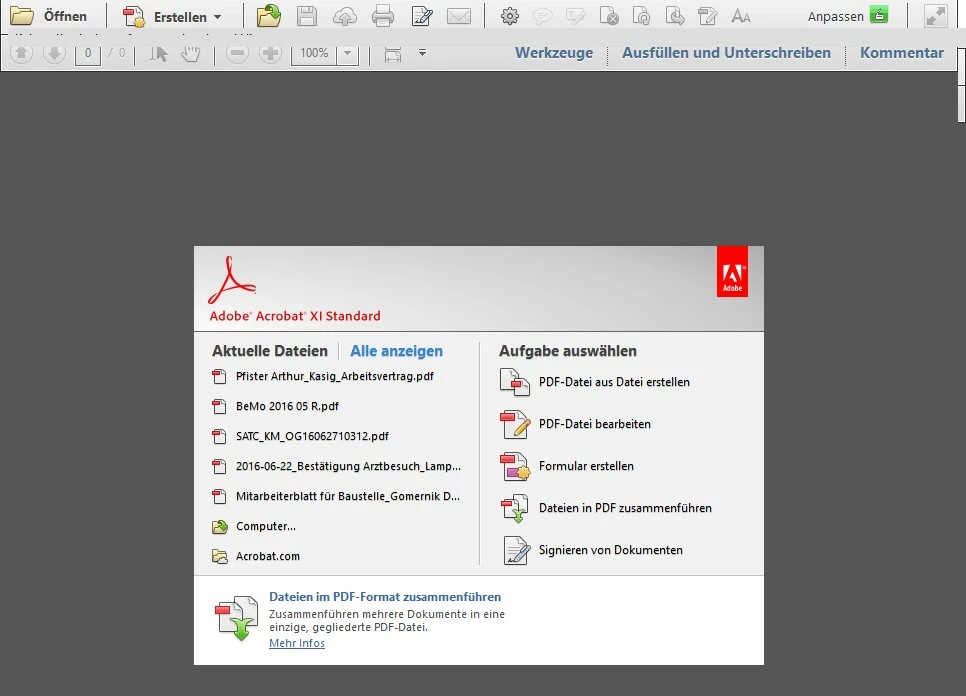
Hello, I would like to ask regarding Acrobat XI. After updating to Windows 10, everytime I move the pointer over menu it disapears and I cannot bring it back (F9 does nothing), I reinstalled the app, no solution. Deinstalled Kaspersky, did not help, still the same problem. Thanks for help!
This topic has been closed for replies.
Correct answer Adorobat

Hello,

Thanks for another advice, but still the same result, I have alread tried to change graphics driver to eliminate its a issue with graphics, see the screenshot


Hello ,

Please try to run Acrobat in Compatibility Mode , to do that,right-click on Acrobat shortcut>Properties>Compatibility>under Compatibility mode>check the box which says "Run this program in compatibility mode for:">choose Windows XP.

Let us know about the results.


Thank You!

Shivam

1 reply

Adorobat
Community Manager
Community Manager
June 23, 2016

Hi jiris22109735 ,

Please visit this link to resolve the issue - My Acrobat XI Standard 11.0.09 looses menu bar (F9) and jumps insane full screen mode, losing windows buttons upper bar,…

Let us know about the results.

Thank You!

Shivam

Participant
June 24, 2016

Hi,

unfortunately this is not the case, i have Kaspersky completele deinstalled and the issue persist there. And we do not use KIS 2015 but KES 2015 (Kaspersky Endpoint Security).I have the Problem only on two PCs of 20.

Thanks

Adorobat
Community Manager
Community Manager
June 24, 2016

Hi ,

Quit Acrobat and then try to reset the preferences, to do that >go to C:\Users\your username\Appdata\Local\Adobe\Acrobat\DC .

Rename the folder DC and then open Acrobat and see if the issue is resolved.

If you don't see Appdata folder under your username, open Windows Explorer by pressing Windows+E key together on your keyboard, click on View>Options>Change folder and search options>View tab>click Show hidden files,folders and drives.

Let us know about the results.

Thank You!