
Known Participant
January 12, 2016
Answered

Mouse up to show field not working

  • January 12, 2016
  • 9 replies
  • 1708 views

I have a standard form where there is a portion of the field which has pre-drawn lines for the form.
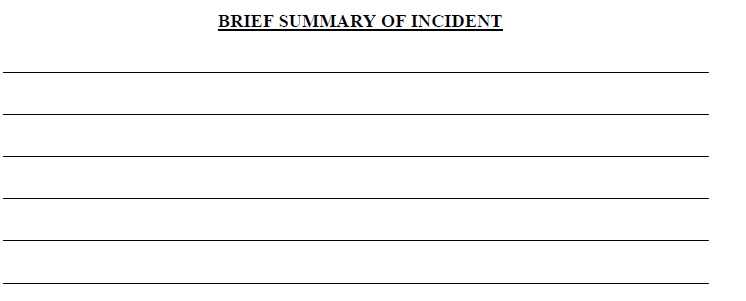
The lines need to stay for those times the form is printed and filled in by hand. However, when completed by computer, I want the lines hidden so the multi-line text typed in is not obstructed by the lines.

My thought was to make the field with a white fill background, which would hide the lines, and have the field only visible when clicked on, and then it could be filled in. Here are the settings I selected:
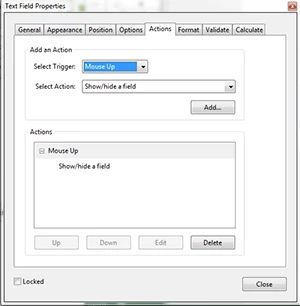
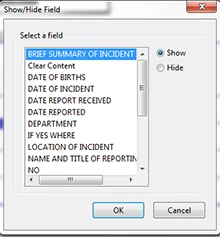
With these settings I am unable to click on the field at all, so this part of the form can't be completed. I would like to get this working, or if there is a better way to accomplish the same goal I can give that a try as well.

This topic is closed to new replies. Start a new post to keep the conversation going.
Correct answer try67

If you don't put anything into the field it will be hidden on the print-out, meaning the lines underneath it will be visible. The fill color of the field doesn't matter in that case.


Sorry, I made a mistake in the code... The last line should be:

f.display = (f.value=="") ? display.noPrint : display.visible;

9 replies

try67
Community Expert
Community Expert
January 12, 2016

No, that's not going to work.

You can attempt to line the text in the field with the lines, or you can use a script to show/hide this field when the document is printed, if it's empty.

So you can use the following script as the document's Will Print event:

var f = this.getField("Field name goes here");

f.display = (f.value=="") ? display.noPrint : display.visible;

This will cause the field to be hidden on the print-out (if it's empty), but still to be visible on the screen.

Edit: fixed the code

CopesqAuthor
Known Participant
January 12, 2016

Not sure what you mean by line the text in the field. I tried the script, but I don't think it accomplishes what I need. If I don't change the property of the field to a white fill, then the pre-printed lines will still be there and make the text in the field unreadable. If I do change the fill color, then when I fill in the form it prints fine, but if there is nothing in the field it prints blank, meaning it is picking up the fill color of the field property, rather than ignoring the field. Perhaps something is not correct in my transcription of your suggested script?

try67
Community Expert
Community Expert
January 12, 2016

If you don't put anything into the field it will be hidden on the print-out, meaning the lines underneath it will be visible. The fill color of the field doesn't matter in that case.