Participant
March 31, 2017
Answered

Muliti Check box Exported Data in a Text Field and Calculation

  • March 31, 2017
  • 3 replies
  • 592 views

Hi Good day Everyone,

I would like to seek support to answer my acrobat problem. Im doing a project specifically a multiple check box that has a specific value.

Example: Check box 1, 2, 3, 4 & 5 have their values 1A, 1B, 1C, 1D 1E.  I wanted to get the result in the check box like this: 1A, 1B, 1C, 1D 1E.

Would it be possible? I'm working with this code I got from one of the questions here:

event.value = this.getField("1B").value;

// if value is "Off" then clear the field

if (event.value == "Off") event.value = "";

It's working, only when you select one check box. What I wanted to do is to select multiple boxes and the result will be in a displayed in a comma.

On the side, I want also to calculate the number of check box selected on text field that will support the result on the other text field.

Example:

Text Field (No of Check box Selected) 6

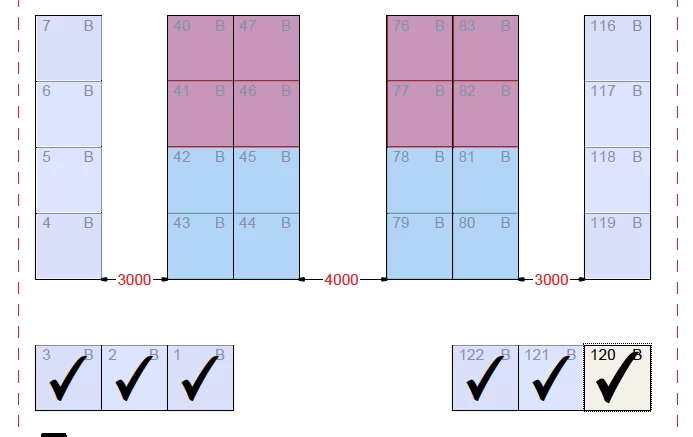
Text Field (selected Check Boxes) 1A, 1B, 1C, 122B, 121B, 120B

Thank you in advance for your support!

This topic has been closed for replies.
Correct answer try67

You can use this code as the custom calculation script of the field that should contain the list of selected items:

var fields = ["1A", "1B", "1C", "1D", "1E"]; // Enter the full list of check-boxes here

var values = [];

for (var i in fields) {

    var f = this.getField(fields);

    if (f==null) {

        app.alert("Can't find: " + fields);

        continue;

    }

    var v = f.value;

    if (v!="Off") values.push(v);

}

event.value = values.join(", ");

this.getField("Counter").value = values.length;

The last line of the code will populate another field (called "Counter") with the number of selected boxes.

3 replies

Participant
April 1, 2017

Hi @try67!

Finally I got what you mean. I replaced the "Counter" with the text field name and it worked!

Thank you and  More Blessings!

Participant
April 1, 2017

Hi try67​!

Thank you so much! It works!

How ever, for the counter code:

this.getField("Counter").value = values.length;

can I copy this an place in a different text box to display the number of check box selected?

or do I need to copy and paste all of the code in a another text field to display the count?

Lastly, will the result be limited to a certain number of check box only?

Thank you again for your help!

try67
Community Expert
try67Community ExpertCorrect answer
Community Expert
March 31, 2017

You can use this code as the custom calculation script of the field that should contain the list of selected items:

var fields = ["1A", "1B", "1C", "1D", "1E"]; // Enter the full list of check-boxes here

var values = [];

for (var i in fields) {

    var f = this.getField(fields);

    if (f==null) {

        app.alert("Can't find: " + fields);

        continue;

    }

    var v = f.value;

    if (v!="Off") values.push(v);

}

event.value = values.join(", ");

this.getField("Counter").value = values.length;

The last line of the code will populate another field (called "Counter") with the number of selected boxes.