Participating Frequently
June 27, 2018
Answered

Multiple Calculations for one field

  • June 27, 2018
  • 2 replies
  • 1129 views

Hi

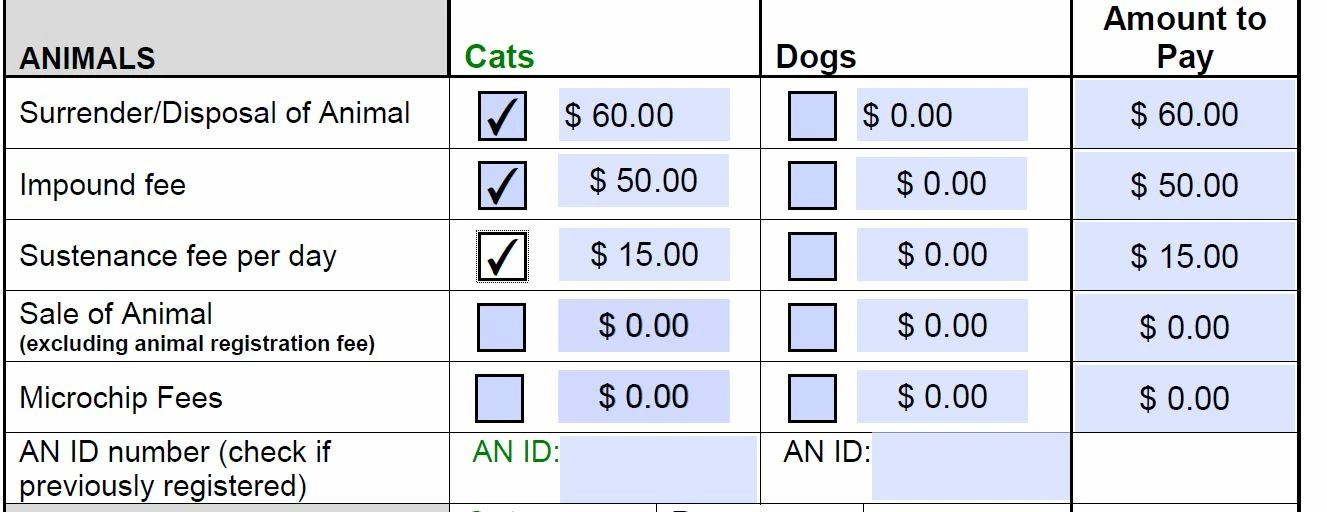
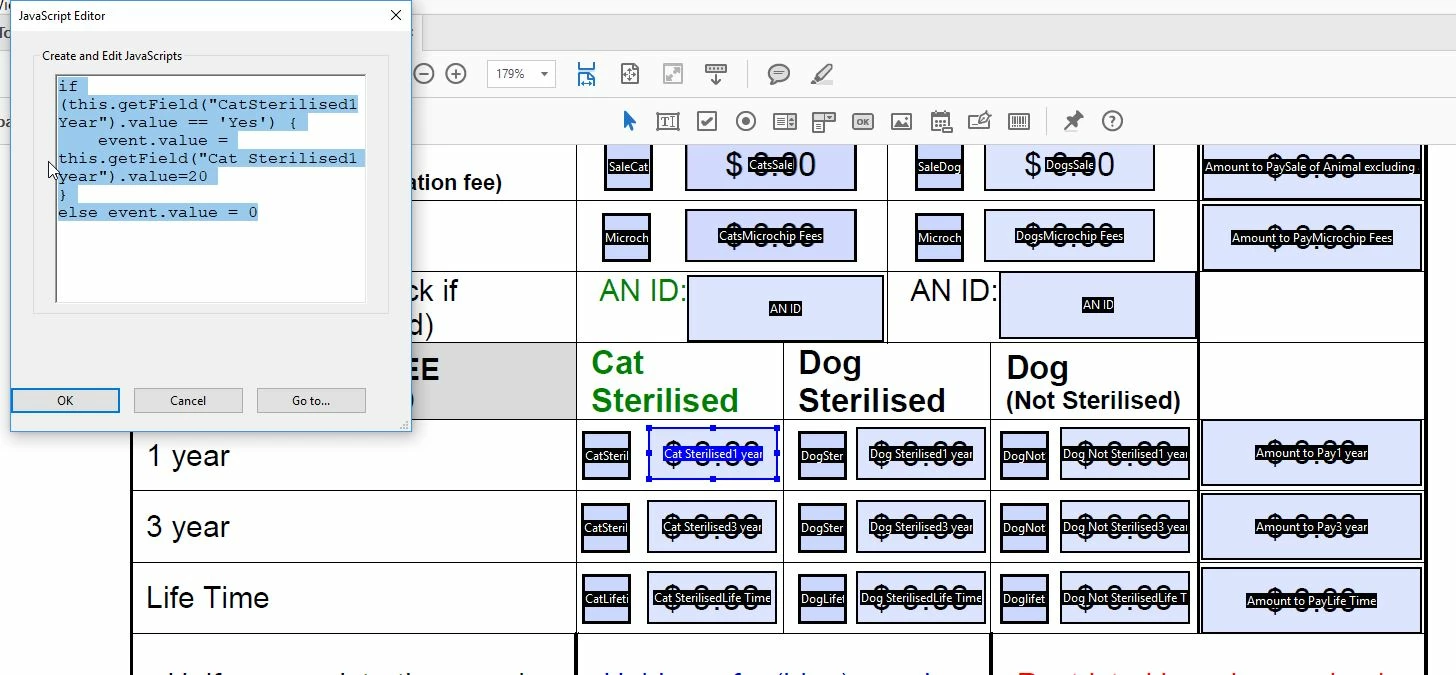
I have a document (attached link  - screendump below) which I have added fields which if ticked, automatically puts the amount owed but if say if the rangers pick up say 2 or more animals, how can I then get the figure to multiply by the number of animals - I guess I would need to add another box to select the number of animals etc but what would the formula be please?  I have added the file via Dropbox (I hope it works)...

https://www.dropbox.com/s/hbhnfr7v9l4snx1/Fees%20%26Charges%20-%20City%20Assist.pdf?dl=0

Thank you
.

This topic has been closed for replies.
Correct answer gkaiseril

Check the calculation order of your fields. When in the "Prepare Form" tool use the "More" option to access the "Set Calculation Order".

You could just replace the check mark with a text field set to the "Number" format and then use the entered number to calculate the fee.

2 replies

gkaiserilCorrect answer
Inspiring
June 27, 2018

Check the calculation order of your fields. When in the "Prepare Form" tool use the "More" option to access the "Set Calculation Order".

You could just replace the check mark with a text field set to the "Number" format and then use the entered number to calculate the fee.

LisonaliAuthor
Participating Frequently
June 27, 2018

gkaiseril​ - have changed to a text field and worked great.

LisonaliAuthor
Participating Frequently
June 27, 2018

thanks gkaiseril

try67
Community Expert
Community Expert
June 27, 2018

First of all, there are issues with your code. Also, where is the number of cats, for example, coming from? You could convert the check-box to a text field, and then have the user enter the number of animals into it. In that case you could simply multiply that field's value by the price per animal.

LisonaliAuthor
Participating Frequently
June 27, 2018

Thanks @try67 - this worked a treat and have changed to a text field and worked a treat.  Much easier than my current code.