Participant
May 6, 2016
Question

Need to massively convert to PDF and sign documents

  • May 6, 2016
  • 3 replies
  • 1280 views

Dear Sirs

I need to automate a process to be given to company non-techie users in order to:

- convert a bunch of files to PDF/A-1b format

- digitally sign the created PDFs

The aim is to give them a one-click procedure.

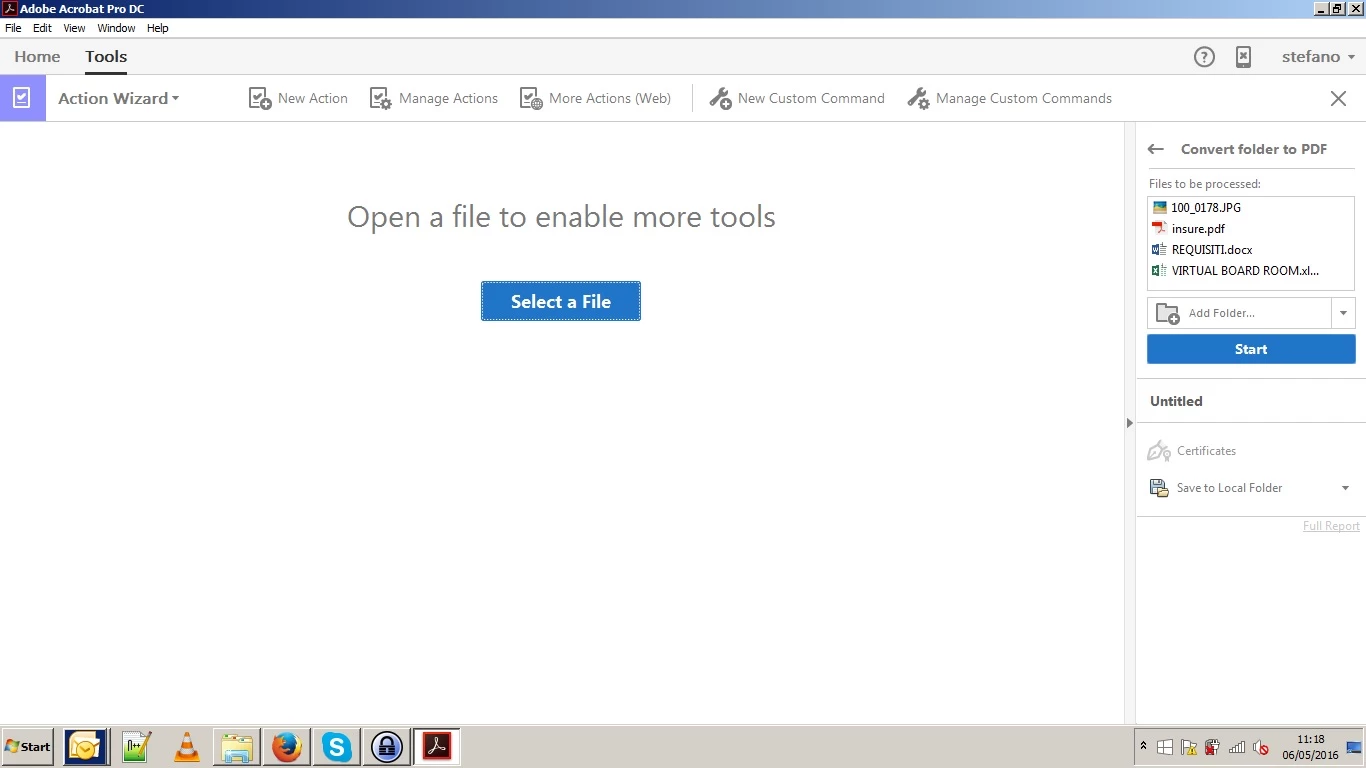
I succeeded in creating an action to convert an entire source folder containing several kind of docs (word, excels, images) and save the newly created PDFs in a destination folder.

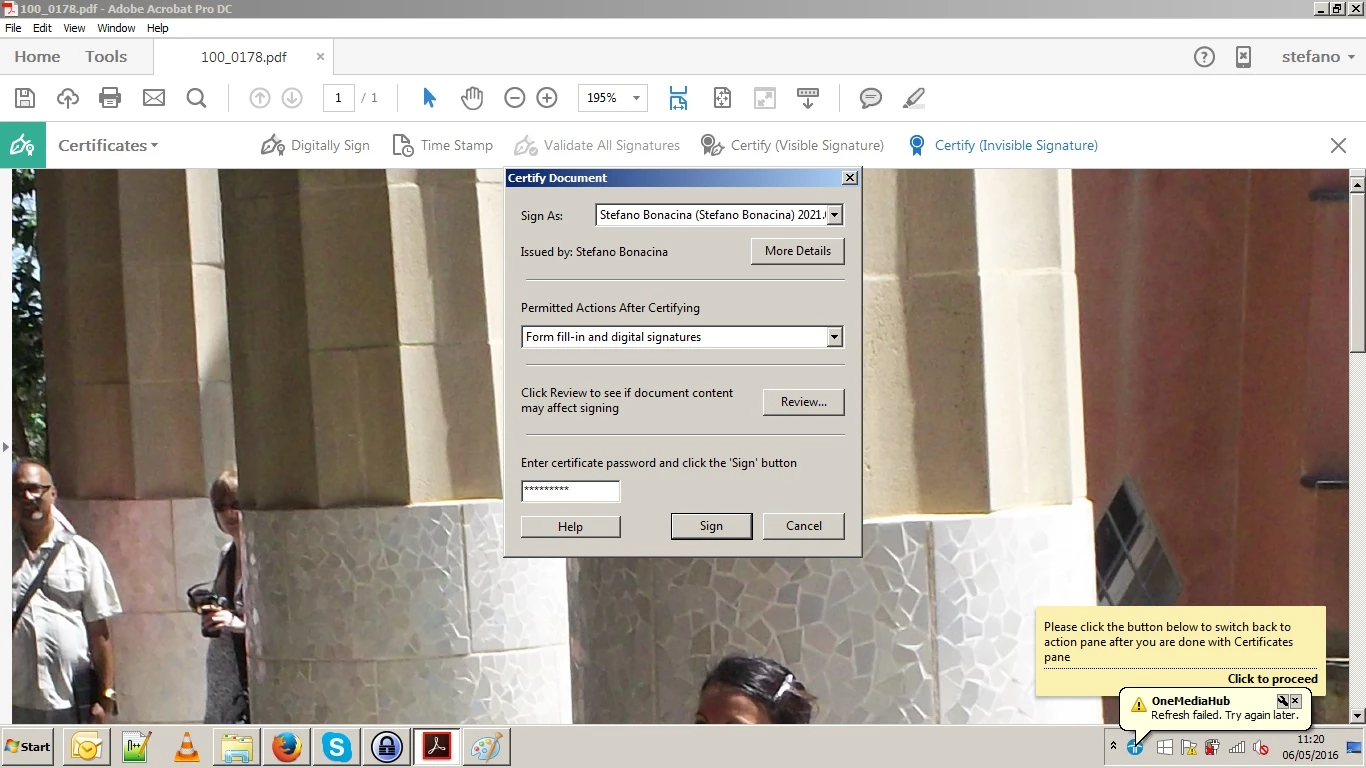
I made several tests to digital sign those documents, but the best I was able to do is to insert the "Certificates" tool into the action. The thing is I need to insert the password for any document and  the process gives errors.

I'm attaching some images to show the various steps.

1) this is the newly created action
2) When I run the action, I'm asked to provide the certificate and its password
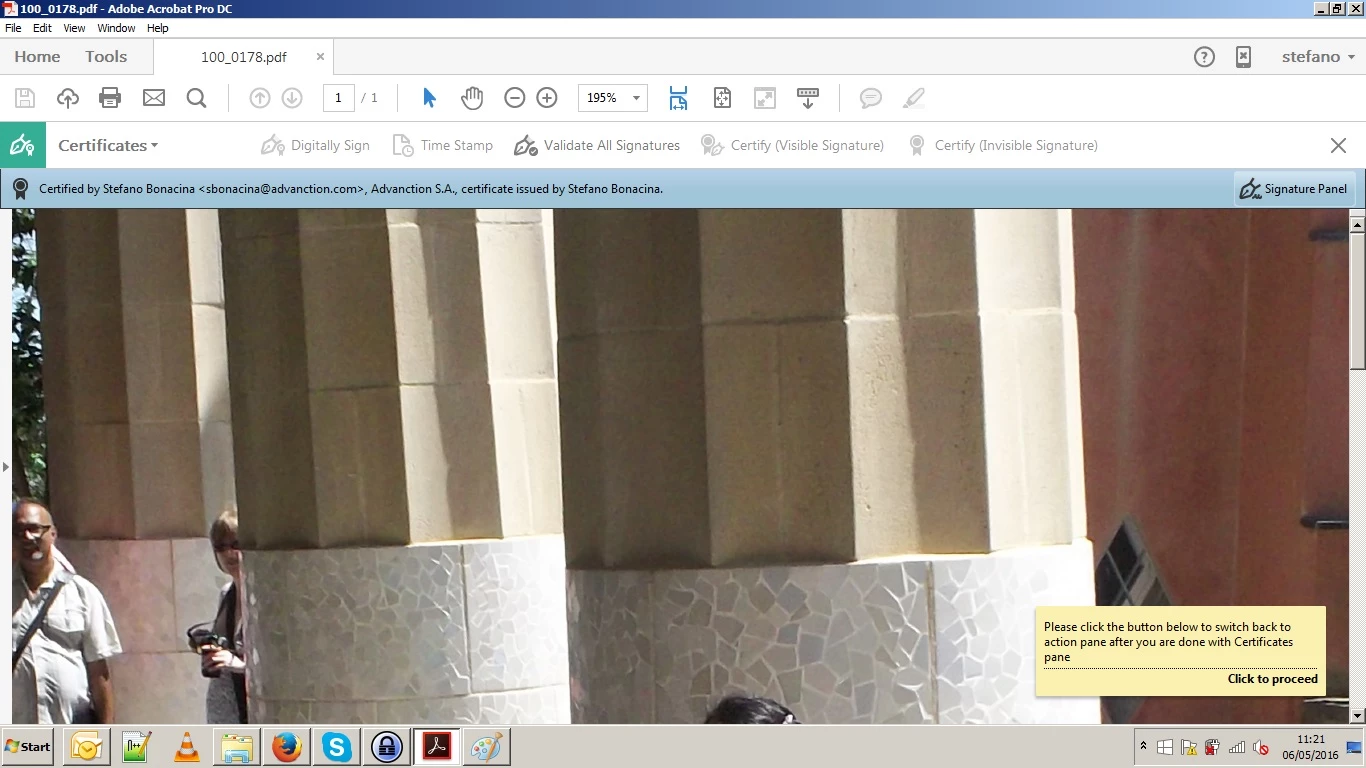
3) the document looks signed, but I need to click on the "Proceed" label in the bottom right
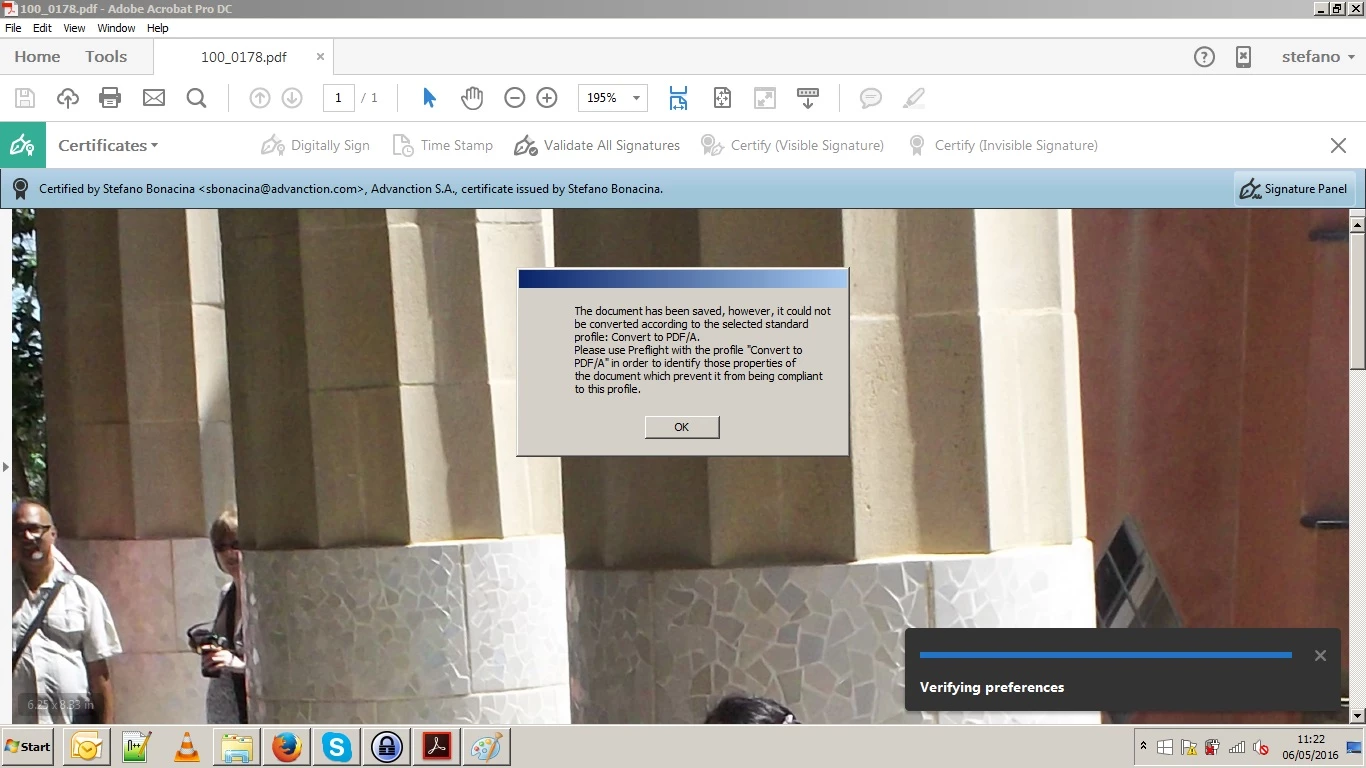
4) then this error appears. Looks like the signed document cannot be converted to PDF/A
Please advise

Thanks a lot

stefano

This topic has been closed for replies.

3 replies

Participant
May 9, 2016

Thanks for your answers.

As written in my initial post, I need to perform the following operations in the order they are listed:

1) convert MS office documents and PDF documents into PDF/A-1b, to report in case of requests of judicial authorities . It doesn't matter if some PDF features are lost in the conversion process

2) digitally sign the newly created PDF documents

As stated, I kindly ask for suggestions about how to do that using Acrobat Pro actions or by means of any other existing tool.

I also had a look at iText and DevExpress that provide frameworks to develop the workflow I need to implement, but I'd rather doing  something via Acrobat.

Thanks again

stefano

Legend
May 9, 2016

Sorry, I posted the wrong response. How large is "massive"? Acrobat is an interactive tool with some very low volume automation features.

Participant
May 9, 2016

I'm talking about some dozens of documents.

Legend
May 6, 2016

Are you trying to convert a signed document? This might work but is utterly pointless as the signature would be destroyed. Signing must be the LAST step.

Inspiring
May 6, 2016

PDF/A-1 is based on PDF 1.4 which is a pretty old standard. If your PDF contains PDF features that were introduced in later PDF versions, you cannot convert this PDF to PDF/A-1. It is quite possible that the signing operation uses some advanced features not available in PDF 1.4. For instance, if you sign with a certificate that uses SHA-256 hash, you cannot convert this signed PDF to PDF/A-1 because PDF 1.4 does not support SHA256 hash. This is just an example. Your case might be different but along the same lines.