February 3, 2016
Answered

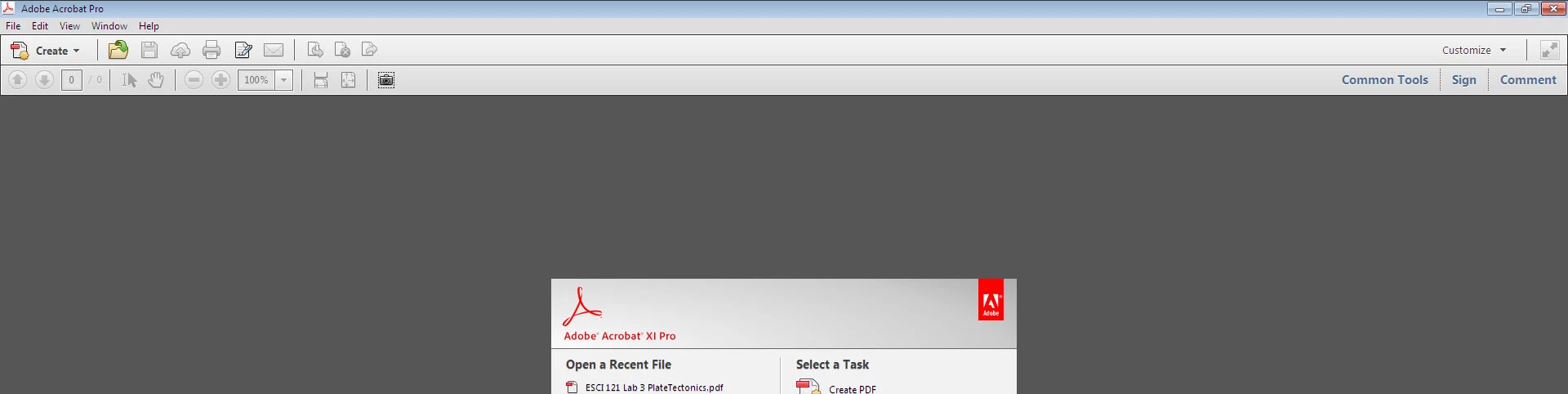
Only showing "Common Tools", "Sign", and "Comment"--how can I get "Tools" to display (Acrobat XI)

  • February 3, 2016
  • 1 reply
  • 977 views

As stated in the thread title, I'm using Acrobat XI (OS is Windows 7), and on the right of my screen, I have "Common Tools", "Sign", and "Comment" appearing, but I can't figure out how to get the "Tools" menu to show up.  Without that, I can't add header/footer, etc.

Screenshot is below.  I may be doing something stupid, but I'd appreciate any help getting "Tools" to show up!
This topic has been closed for replies.
Correct answer try67

Click the Customize button above Common Tools and then select Default Tools.

On Wed, Feb 3, 2016 at 9:40 PM, clarence5ybr <forums_noreply@adobe.com>

1 reply

try67
Community Expert
try67Community ExpertCorrect answer
Community Expert
February 3, 2016

Click the Customize button above Common Tools and then select Default Tools.

On Wed, Feb 3, 2016 at 9:40 PM, clarence5ybr <forums_noreply@adobe.com>

February 4, 2016

Thanks!!  I had looked at that option, but I had assumed that Acrobat installed with 'default tools' by default (new computer, fresh software install as of last week) so I didn't try selecting it.  Obviously I should have tried it...